
Participant
August 22, 2016
Question

Publishing so that students can move around at will using the TOC

  • August 22, 2016
  • 3 replies
  • 175 views

Hello, I have a set of projects where I need to publish to SWF video and have the viewers be able to navigate at any time between any topic listed in the table of contents. Some of them work just fine, some don't. I have checked the two places (TOC Settings and Publishing Settings) to see if there are any differences for the ones that do and do not work and I can't find any. Am I missing some setting somewhere?
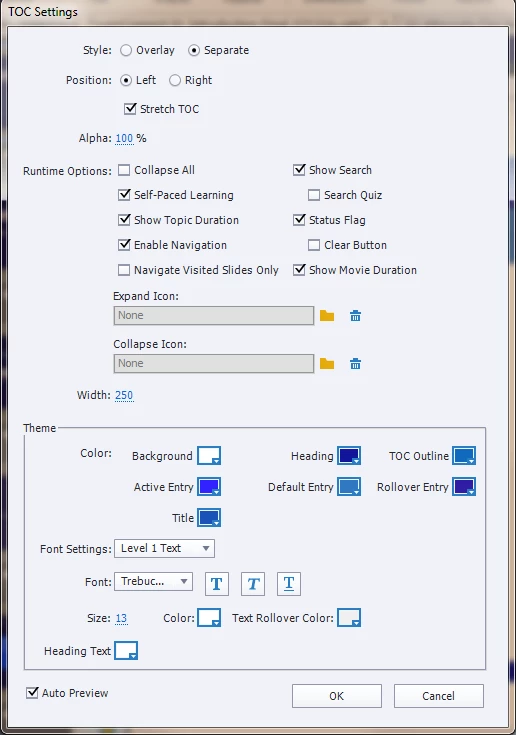
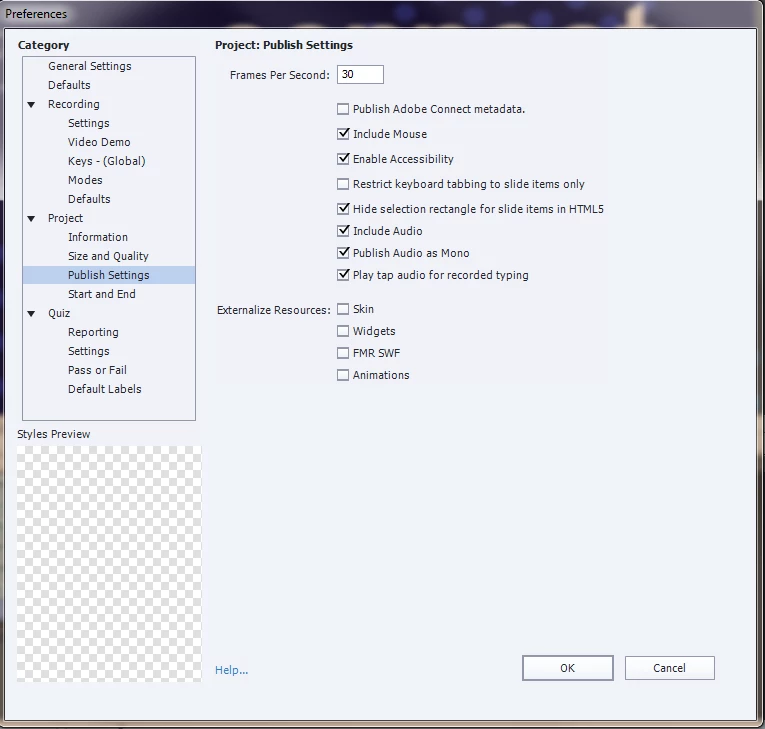
Any help and suggestions would be greatly appreciated.

    This topic has been closed for replies.

    3 replies

    Participant
    August 30, 2016

    I have done some more testing and it seems you cannot move around topics if you have subtopics beneath the main "TOC" items. Once left all of the "chapters" at level 1 in the TOC, i was able to output and then move around between the topics. This works fine for my videos for this project; however, if i absolutely had to have sub chapters, I would still be in in a jam. Not sure if anyone else has experienced this issue. I do appreciate all of your suggestions.

    Lilybiri
    Legend
    August 22, 2016

    Navigation will be restricted if you use Branch Aware (Quiz settings) or Pretest questions. Do you have any of those?

    Participant
    August 30, 2016

    No branching. It's really just a simple "video" with chapters so people can move around to the topic they want to get to quickly without having to see the entire process.

    Lilybiri
    Legend
    August 30, 2016

    No quiz neither? Because setup of the quiz (not Pretest) can be the culprit as well.

    TLCMediaDesign
    Inspiring
    August 22, 2016

    Try overlay instead of separate and see if it makes a difference.

    When you say publish to swf video, what do you mean?

    Participant
    August 22, 2016

    Hello TLC MediaDesign:

    I think the overlay, while a good idea might annoy the users as they will have to turn it on and off to get it out of the way of the content on the screen. As for publishing, to swf, mean that when i publish the video to my computer, i have the output as as swf which is the easiest format to upload to our SharePoint site. Did that make any sense?

    TLCMediaDesign
    Inspiring
    August 22, 2016

    So you have video in your slides? Did you chose the option to extend the slide length for the video or does the video extend across multiple slides?

    I wanted you to try the overlay just as a test to see if it solved the issue.