Known Participant
July 8, 2011
Question

Query about User Variables and Advanced Actions

  • July 8, 2011
  • 2 replies
  • 496 views

Hello,

I am creating a clinical-based project using Captivate 5.I have to give you quite a bit of information before I can pose my questions so please bear with me.

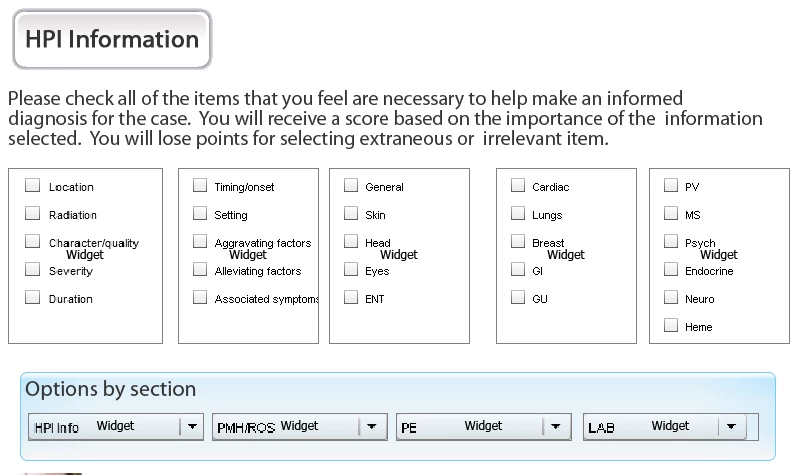
Users have to select multiple options from a checkbox widget (shown below).
Each options, for example 'location' is associated with a variable for example 'hpi0' (See below):
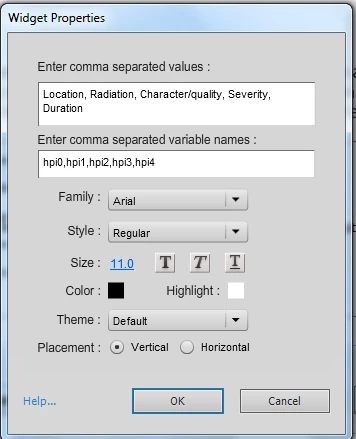
Each option has addtional data associated with it:

Location = hpi0 (user variable)

Location data = hpi0data (user variable)

Please see the screenshot below:
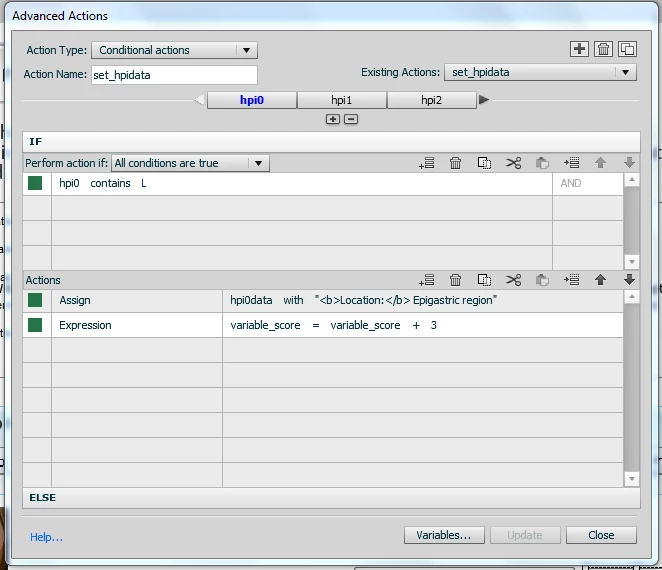
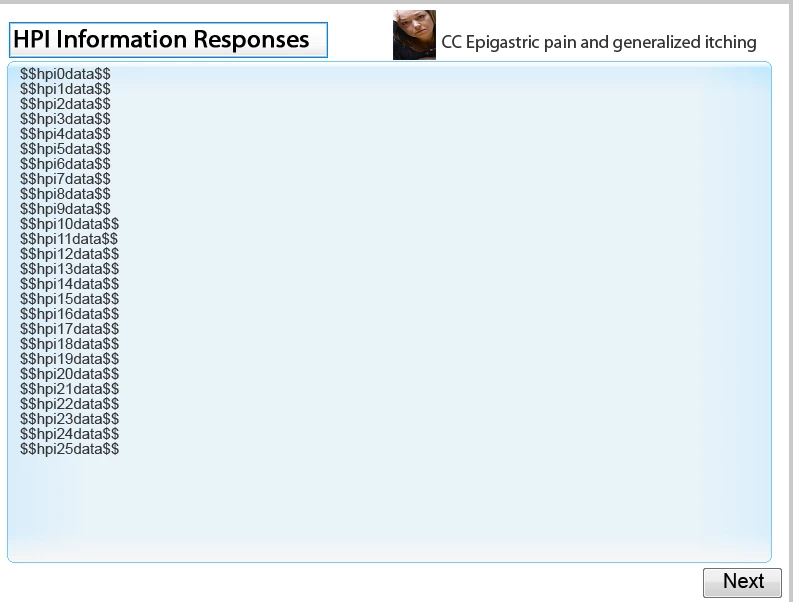
Notice in the image above that I have created a conditional advanced action - if the user selects Location (hpi0) on the checkbox widget, the data associated with that variable will be presented to them. That data (e.g. location data or hpi0data) is presented in a caption text box in the following slide. (see below)
I hope I have given you enough information.This is a complex project and this is just one of my many problems.I have had to create over 200 hundred user variables and more than 6 Conditional Advanced Actions in one project. The project is becoming unstable. So here are my queries:

1) Are there limits to the amount of user varables I can create in a project?

2) If so, how can I re-use the user variables I have already created? Otherwise I will have to divide this project into 3 parts and I want to avoid doing that.

3) Are there limits to the amount of Advanced actions I can create in a project?

Again  I am using Captivate 5 for this project.

Any assistance, tips or tricks would be greatly appreciated. I am learning captivate as I go so If there is away to streamline this process, I am open to any suggestions.

Thanks

Tinukwa

This topic has been closed for replies.

2 replies

Lilybiri
Legend
July 9, 2011

Hello Tinukwa

This is indeed a challenging project, and although I did create a lot of projects with advanced actions, they were never that size. You have to listen to Jim's words about using some widgets, he is a widget specialist which I'm not. I do not know if you are aware of the fact that the checkboxes widget coming with Cp was extended by Jim? He offers it on his website, I blogged about this extension and suppose you do know my blog. About the advanced actions, perhaps I could help but only screenshots are bit limited. So I wonder if either I could have access to the file and/or if we could have a Connect session eventually?

First intuition tells me

  1. we should look to re-use variables, but I do need more information; do you need the vars XXXXdata somewhere else later? If not, perhaps only to display it you could use one variable; now you keep the information chosen by the user in 2 variables: hpi0 and hpi0data (isn't that redundancy?)
  2. and by choosing labels for variables, actions and objects in an intelligent way reduce the editing time because you'll need a lot of almost identical advanced actions. Usually I do a lot of reflection before starting to create labels, variables and actions.

About re-using what you already constructed: as I explained once, a template is the only way to be able to re-use a script at the moment. And Kevin Siegel discovered (so gratefully for that) it is possible just to change the extension of a standard CP file to cptl to have a template.

Lilybiri

PS Jim suggest also to split up the project? Here I'm not sure if that is really needed.. should have been the case for previous versions.

Legend
July 9, 2011

Hi Tinukwa,

There is no theoretical limit to the number of user variables or advanced actions you can have... however, those user variables live in the computer's memory.  The more memory the computer has, the better off you'll be.  The less memory... things get unstable as you noted.  If you have over 200 user variables in a single project, I would definitely rethink your strategy for your Learners' engagement. 

If your project is over 60 slides, I strongly recommend breaking up the project for performance reasons.  I've found that segments of up to 30 - 40 slides works well... but your mileage may vary.

Also, there is an issue with the stock combo box and drop down widgets that come with Captivate.  They have memory leaks so I would definitely remove them from your project and find a different way to present the info.  You may find that removing these alone would greatly enhance performance.

Let me know if that helps,

Jim Leichliter

TinukwaAuthor
Known Participant
July 11, 2011

Thank you for your response. I will look into alternatives to the combo boxes.

TinukwaAuthor
Known Participant
July 11, 2011

Hello Jim,

Thanks again for your response. I will look into using your extended checkboxes widget in my project. Also I intend to make use of Lilybiri's expertise to develop a more stable project.

Regards,

Tinukwa