Participating Frequently
December 22, 2017
Answered

Question area too small

  • December 22, 2017
  • 1 reply
  • 612 views

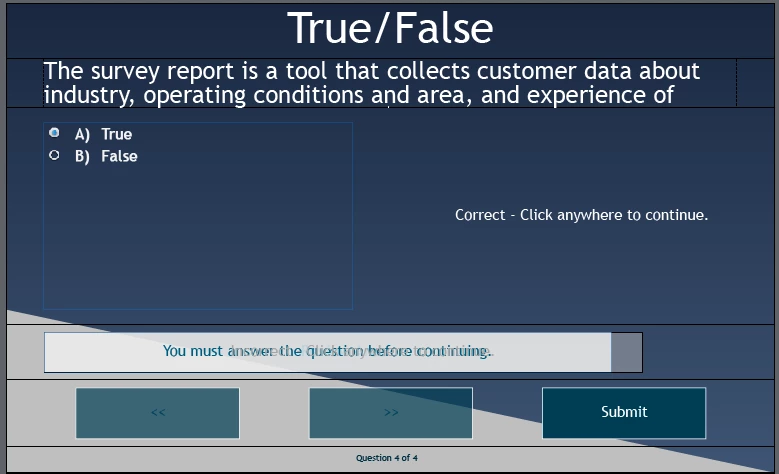
I just upgraded to Captivate 2017 and I am stumped on how to make the question area fit all my text. It is too small and cuts off the question, while the answer area is huge.  I cannot figure out how to make the question area bigger and the answer area smaller. Dragging the corners does nothing. It is the worst on T/F questions. See image attached. There is another whole line of question text that cannot be seen. I have also tried editing the master slide and can't resize the boxes there either. It is a responsive design and uses Fluid boxes, but I can't for the life of me see how to change the ratios of the boxes so the question area is bigger. I don't want to shrink the font to fit the question because then it won't match font size of other question slides. 
This topic has been closed for replies.
Correct answer Lilybiri

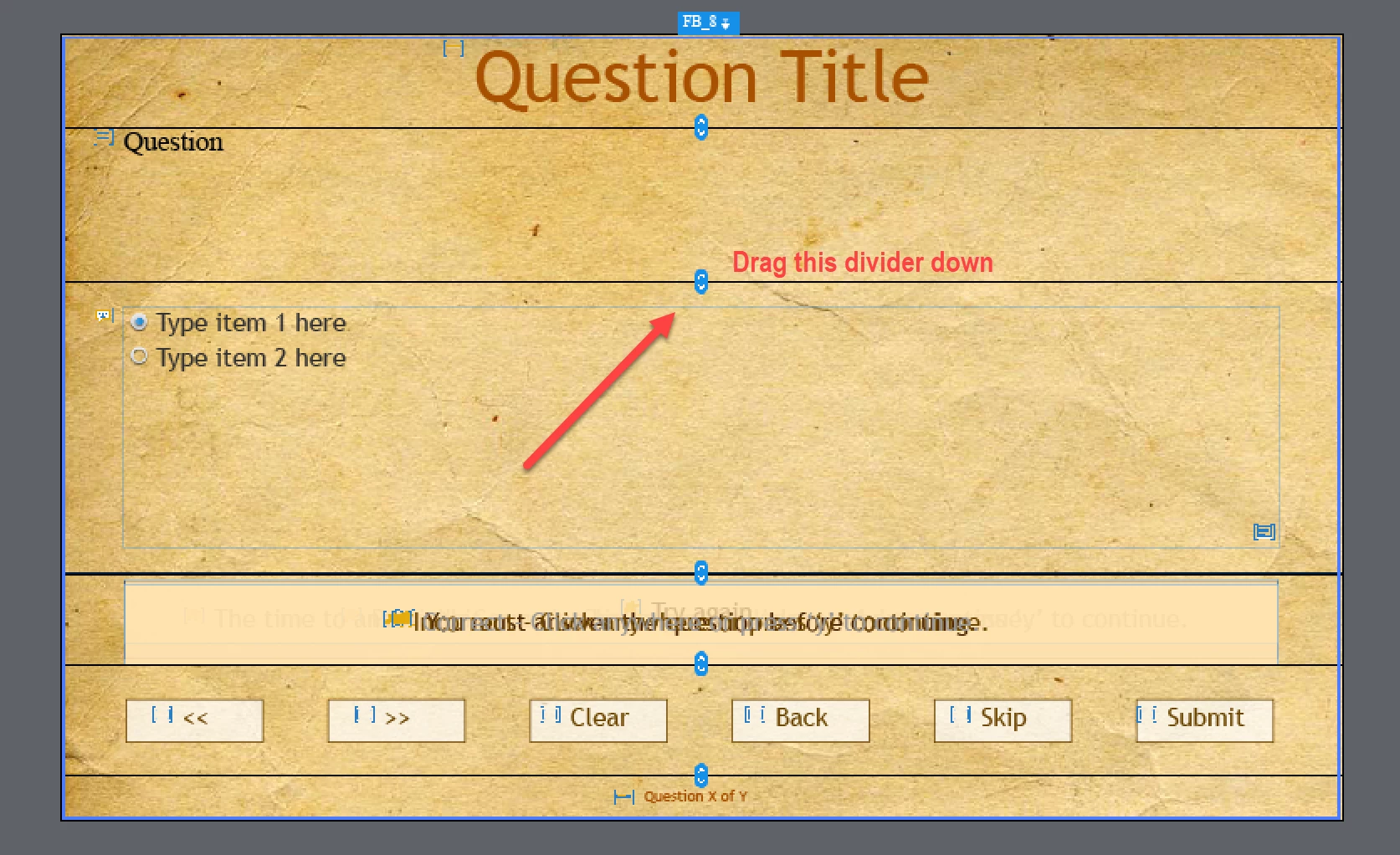
Switch to the Master slide panel and select the master slide you are using for this quiz type (probably the first one MCQ....).

Drag a rectangle starting outside of the stage to make the fluid boxes visible. The top fluid box needs to be active to see the divider lines. Drag the divider line between the Question FB and the Answer Area FB downwards:

More info about Fluid Boxes for Quiz slides in: Tips for 'Fluid' Quiz Slides - Captivate blog

1 reply

Lilybiri
LilybiriCorrect answer
Legend
December 23, 2017

Switch to the Master slide panel and select the master slide you are using for this quiz type (probably the first one MCQ....).

Drag a rectangle starting outside of the stage to make the fluid boxes visible. The top fluid box needs to be active to see the divider lines. Drag the divider line between the Question FB and the Answer Area FB downwards:

More info about Fluid Boxes for Quiz slides in: Tips for 'Fluid' Quiz Slides - Captivate blog

Participating Frequently
December 24, 2017

Thank you so much!  Solved the issue. I was tearing my hair out over this.

Lilybiri
Legend
December 24, 2017

You're welcome. Here are two more articles about editiion of fluid boxes:

Fluid Boxes and Master slides - Captivate blog

Guides and Fluid Boxes: Best Buddies! - Captivate blog