
brianl91709295
Participating Frequently
June 12, 2018
Answered

Question Slides bugged in Captivate 2017 (64 bit)

  • June 12, 2018
  • 1 reply
  • 315 views

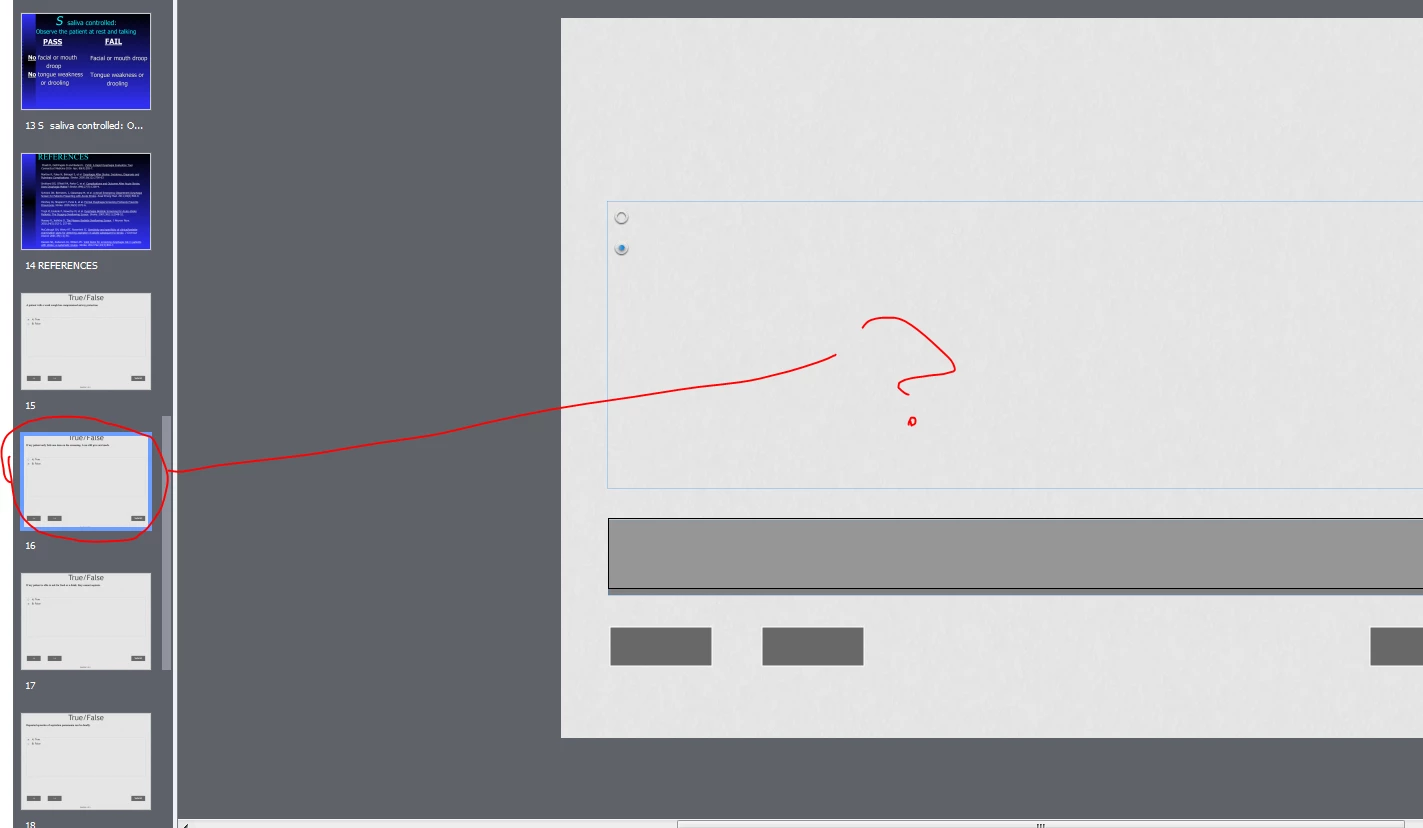
We have a number of Captivate projects (imported power points) that we added question slides to. On those projects, the content we added to those question slides (answers,question text) appear in the timeline preview, however in the main pane and also in previewing the slides they are empty.

They appeared to be working fine last week, but today(6/12/18) is when i noticed the problem. Was there a patch that may have affected this

I am running Captivate 2017 (64 bit) version 10.0.0.192, i have tried to run as administrator
I am on Windows 7 Enterprise (64bit,service pack 1), 4GB RAM

I have cleared cache within Captivate and also run the clearpreferenceswin.bat utility.

Has anyone experienced this bug or know how to resolve? I'm almost about to try to reinstall or try installing the 32bit product.
Thanks,

Brian

This topic has been closed for replies.
Correct answer Lilybiri

I deleted the Layouts folder, and captivate recreated the folder upon launch. Still having the problem on the project


I'm not sure this will have helped for an existing project, since the used theme is embedded in the project. I don't know how much you have edited the theme (maybe without knowing), like by overriding object styles etc. It would be worthwhile (after taking a backup) to switch once to another theme, which is now a fresh copy from the original folder to see if you still have the issue. You can select all slides and choose Reset Master slide.

1 reply

Lilybiri
Legend
June 12, 2018

Please, install the patch. The most revent version is 10.0.1.285. Check if you still have the problem. You need to clear the Preferences again.

Check also the master slides: the PPT slides use the blank master slide, but the quiz slides have their dedicated master slides. Are you using a theme created in Captivate 2017?

brianl91709295
Participating Frequently
June 13, 2018

Hi Lily,

I updated to 285 and ran the clearpreferences again. I think the problem indeed lies within the master slides. The master slides appear to be overwriting any custom content on those question slides. For this project, there is no theme being used. It's a straight import from power point with added question slides, though the powerpoint did have a layout theme if that matters.


I ended up re-creating this project from scratch with imported screenshot images of each power point slide, however it would be nice to know how to avoid this problem in future ppt imports.

Lilybiri
Legend
June 13, 2018

Maybe you don't know the ins and outs of quiz slides in Captivate? I need to upgrade an old post, because this type of questions appear regularly. Question Question Slides

All objects in the quizzing master slides are embedded, have no individual timeline. They have a lot of code attached to them and also have priority to every custom object added to quiz slides, in stack are always at the top. You should never delete such an object, you can only use checkboxes (like for the Back button) or Quiz Preferences to take some of the objects out. Some cannot be deleted at all: Submit button and Continue (on score slide) are in that situation.