
Participant
February 2, 2018
Question

Quiz button caption text ranged left only

  • February 2, 2018
  • 1 reply
  • 812 views

I am in a blank project Captivate 2017.

As shown in the image below the button caption text 'clear' and 'submit' are ranged to the left and I cannot find an option to change this in the properties (screen shot below) to centre the text.
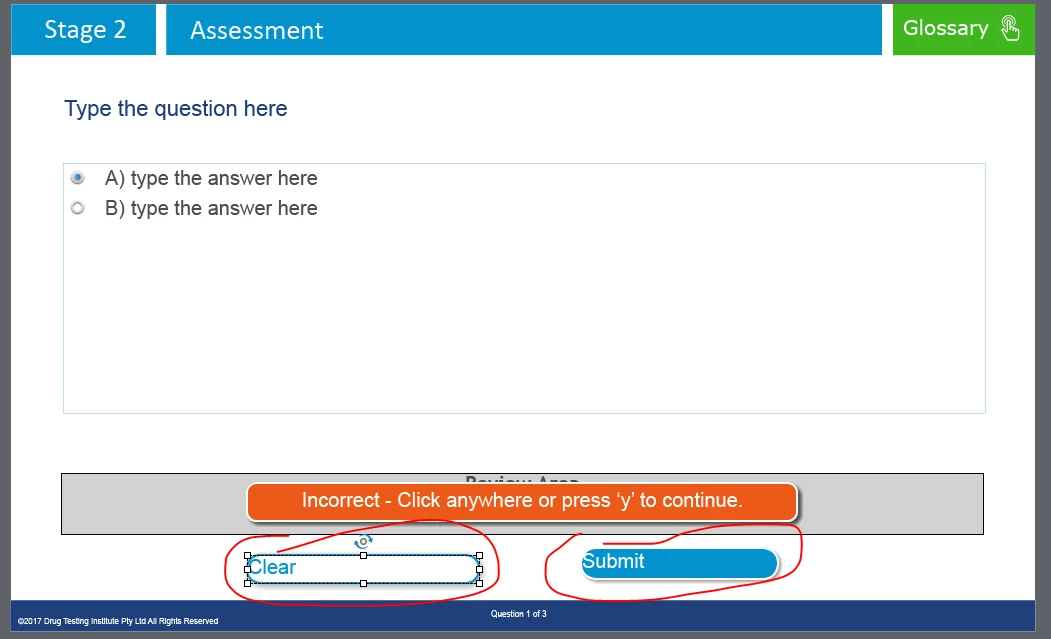
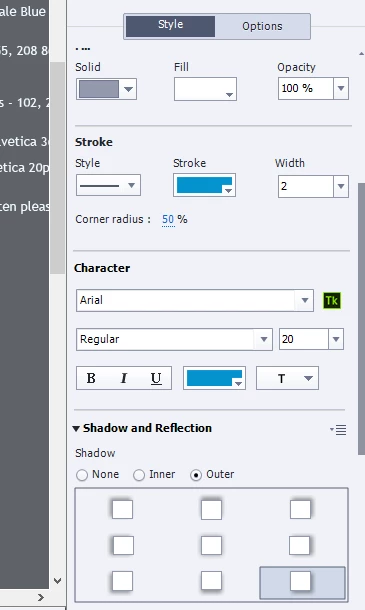
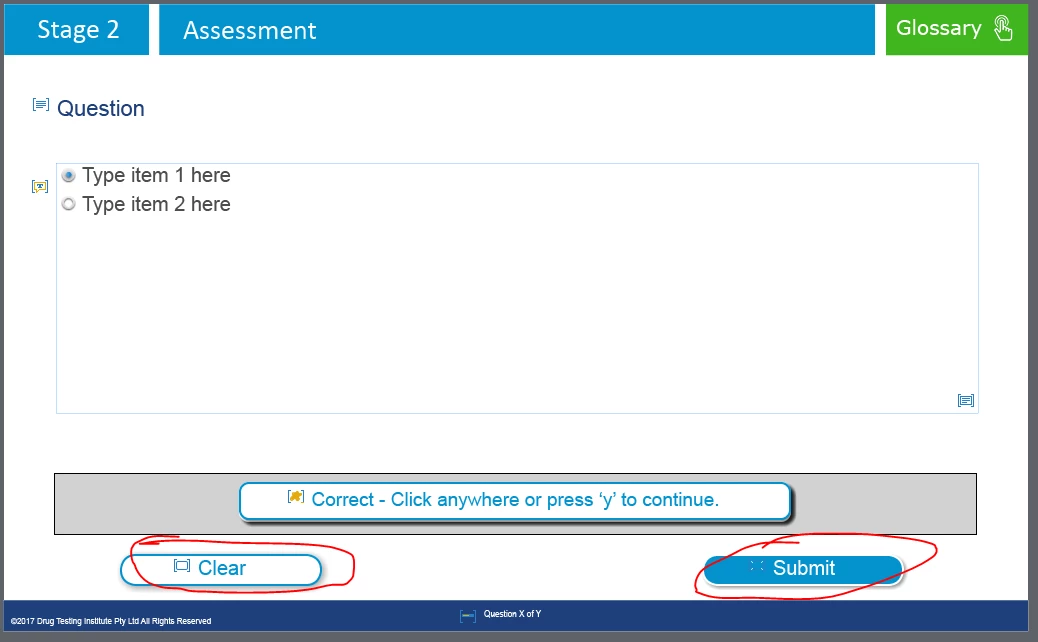
The Master View looks fine and the caption text is centred as shown here...
This topic has been closed for replies.

1 reply

RodWard
Community Expert
Community Expert
February 2, 2018

Try this: Grab the 'handle' at the right hand end of the bounding box for each button and drag the handle sideways just a tad.

Does that make the text pop back into the middle?

Participant
February 2, 2018

Hi Rod,

No this doesn't work unfortunately.

Any other suggestions?

Thank you kindly

RodWard
Community Expert
Community Expert
February 2, 2018

Select the slide in the Filmstrip view and then In the Properties tab click the button to Reset Master Slide.

If that doesn't that fix it, select each button in turn and in the Properties tab > Style Name area, look for the little (well hidden) drop-down menu and see if you have the ability to click the Reset Style option.