Known Participant
November 10, 2015
Question

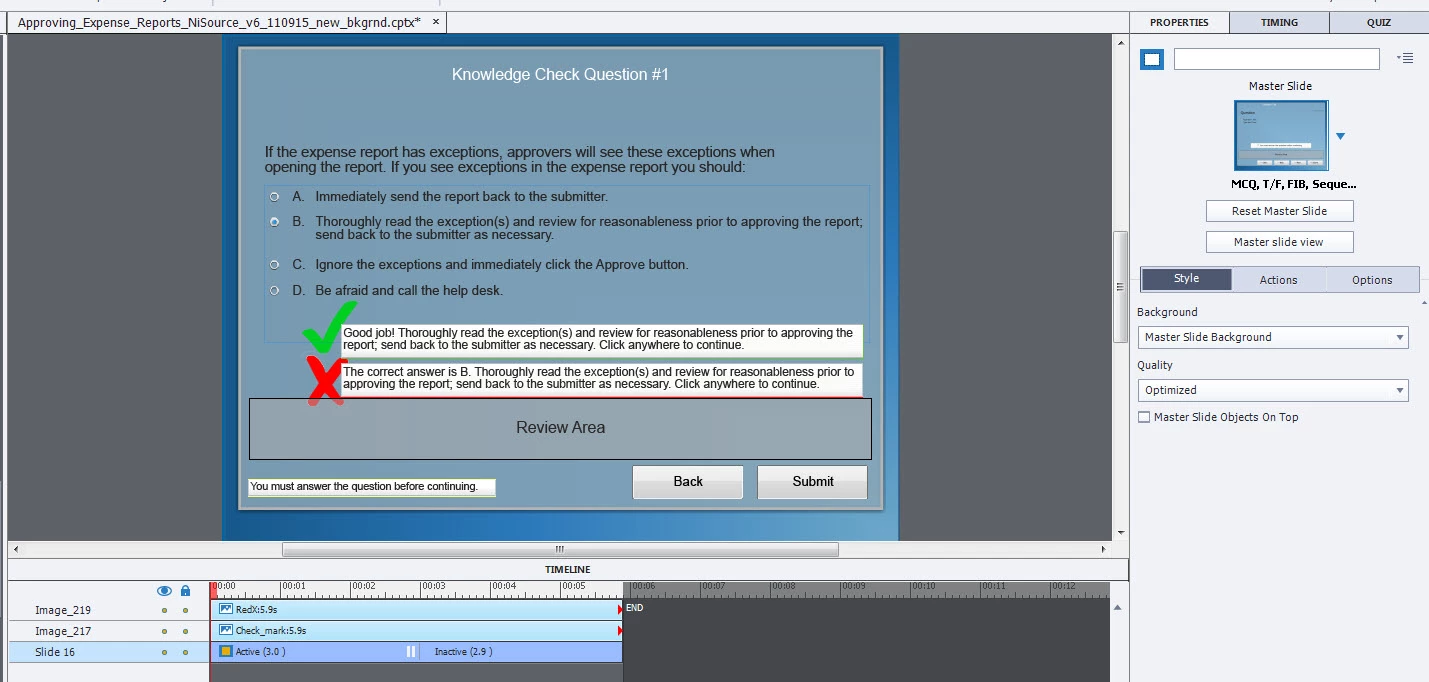
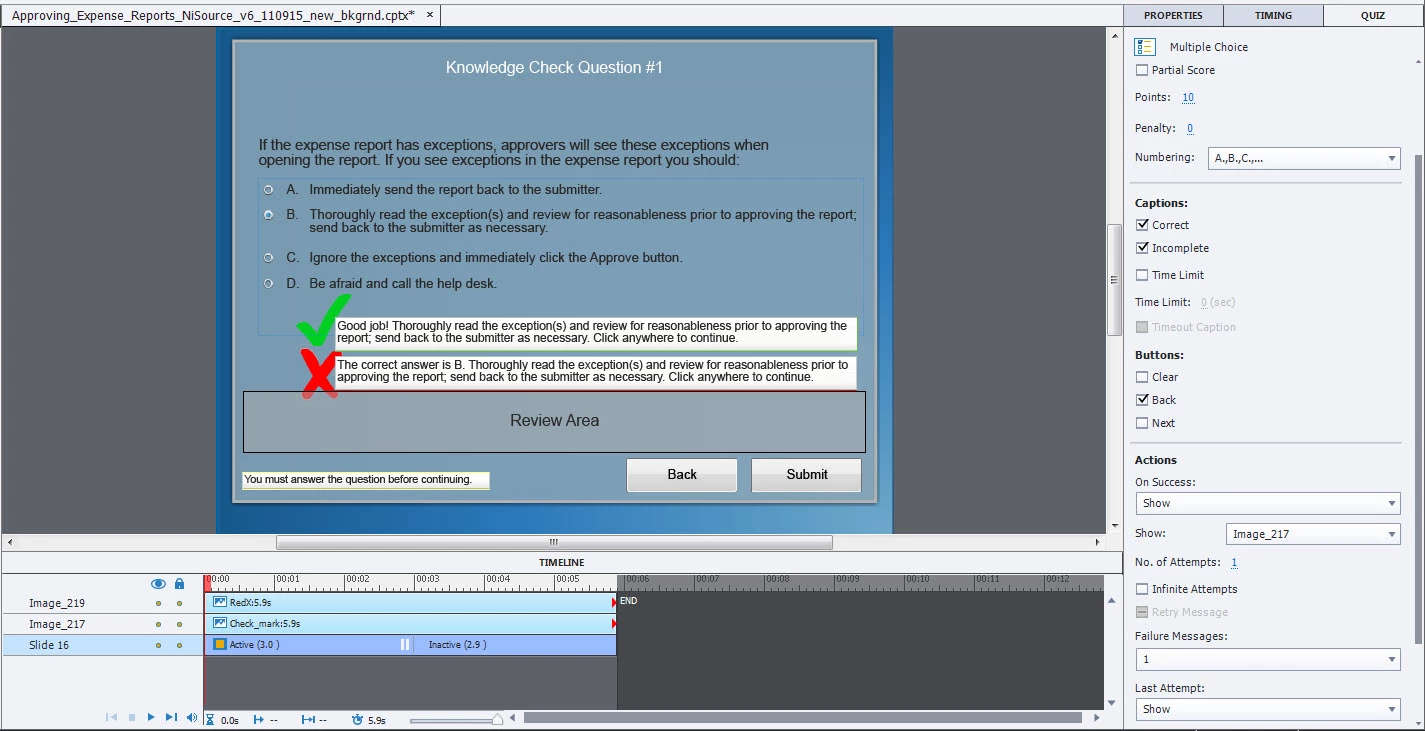
Quiz question - how can I make images appear with correct / incorrect feedback?

  • November 10, 2015
  • 1 reply
  • 161 views

Hey all--

I'm using Captivate v8... I created a quiz with multiple choice questions. When the user chooses the correct response, I'd like an image to appear (green checkmark) when the feedback box pops up; when the user chooses the incorrect response, I'd like a different image (red X) to appear when the feedback pops up. How / where can I enable the images to appear with the corresponding feedback?? Seems like it should be a lot simpler to find these options / capabilities. I've attached a couple screenshots that might help...

Thanks--

    This topic has been closed for replies.

    1 reply

    Lilybiri
    Legend
    November 10, 2015

    Using the default quiz slides means you have to 'obey' their very strict rules. I offered some workarounds to tweak them in this (very popular) blog post:

    Question Question Slides in Captivate - Captivate blog

    You will find a tip to replace the default feedback captions (or shapes, since you are on CP8) by custom feedback. I would suggest to group the image and the text container to make it easier to create the advanced action. Again, because you are on CP8, would recommend using a shared action. The blog post was written for an older version where shared actions were not yet available. If I had tons of time I would update all blog posts, but sorry, cannot find the time.