
Participating Frequently
February 21, 2018
Answered

Quiz Reporting

  • February 21, 2018
  • 4 replies
  • 690 views

I am having issues with seeing tracking after completing the eLearning course, I see some tracking, but no quiz score or time spent is appearing?  Can you help?

Additionally when publishing into SCORM 1.2 zip file, it buffers and stops at 25% when loading?
    This topic has been closed for replies.
    Correct answer Lilybiri

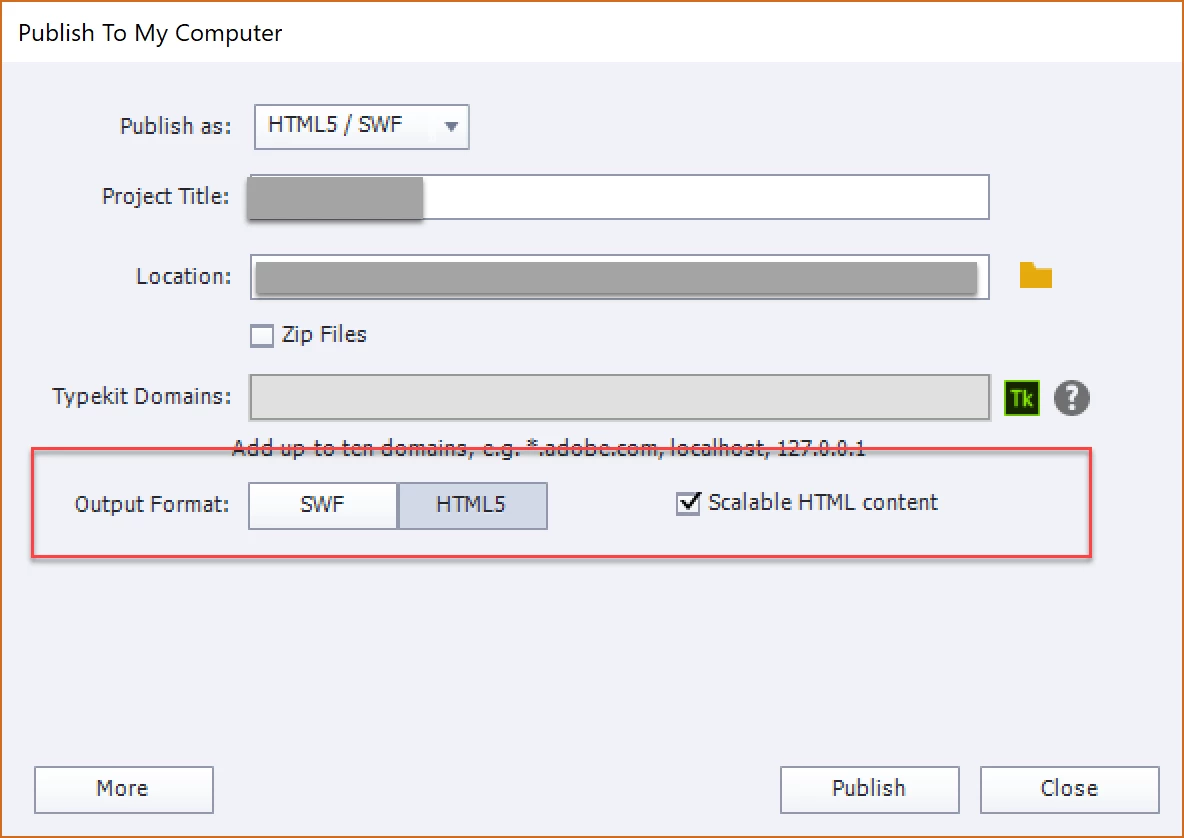
    You are publishing only to SWF. Can you please try to publish only to HTML5?

    SInce your file is a SCORM (not this screenshot), the Zip Files will automatically be checked off because a SCO is always a zipped folder.

    4 replies

    Participating Frequently
    February 22, 2018

    Thank you. I am unable to check if this works via the index.htm as getting blocked with the java script - downloading chrome.

    Participating Frequently
    February 22, 2018

    I added the extra slide, cannot see if this works yet as still buffering when I published a new version.  My settings shown below when I publish - is this correct?

    My options are HTML5/SWF, Video, Executable?  Also I have turned off autoplay, would this cause any issues with this?

    Lilybiri
    LilybiriCorrect answer
    Legend
    February 22, 2018

    You are publishing only to SWF. Can you please try to publish only to HTML5?

    SInce your file is a SCORM (not this screenshot), the Zip Files will automatically be checked off because a SCO is always a zipped folder.

    Participating Frequently
    April 17, 2018

    Hi again

    I am publishing a new eLearning course, trying to publish as you mentioned before HTML5, but the error below keeps appearing.  Can you help with this?

    Participating Frequently
    February 22, 2018

    No I do not have a slide after the score slide, I will do so now and see if that helps.

    Additionally do know why this would buffer and stop at 25% when published?

    Lilybiri
    Legend
    February 22, 2018

    That will be another reason, not due to the slide after the score slide. The Continue button on the score slide is very important. The actions defined under Pass/Fail will be done only whe, reaching the final frame of the score slice, hence the importance of that extra slide (also for reporting to LMS).

    Do you publish to HTML only? That is what I would recommend.

    Lilybiri
    Legend
    February 21, 2018

    Can you post screenshots of the Quiz Preferences?

    Participating Frequently
    February 22, 2018

    Let me know if I should screen any other part of the preferences?

    Lilybiri
    Legend
    February 22, 2018

    You have a quiz, which mean you probably have a score slide. Be sure to have at least one slide after that score slide. Is that the case?