


tman22
Participating Frequently
March 20, 2024
Question

Quiz Results {Correct-Questions} marks inaccurately answered questions as correct

  • March 20, 2024
  • 1 reply
  • 3640 views

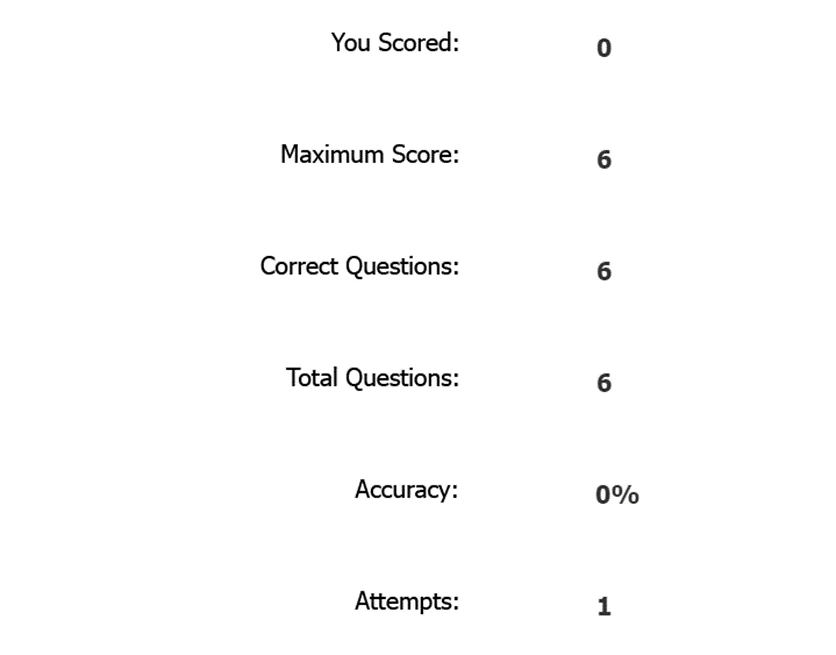
Hello! When I take a quiz, the Quiz Results page has an issue calculating the {correct-questions} variable. The quiz was made with the original click-boxes and text entry boxes that are inputted when you make the captivate quiz. I noticed the click-boxes will always count as a correct question whether the user clicks the box correctly or not. Text-entry boxes are counted accurately by the {correct-questions} variable.


Here is a screen shot of when I answered every question wrong and all the questions were click boxes. 
  

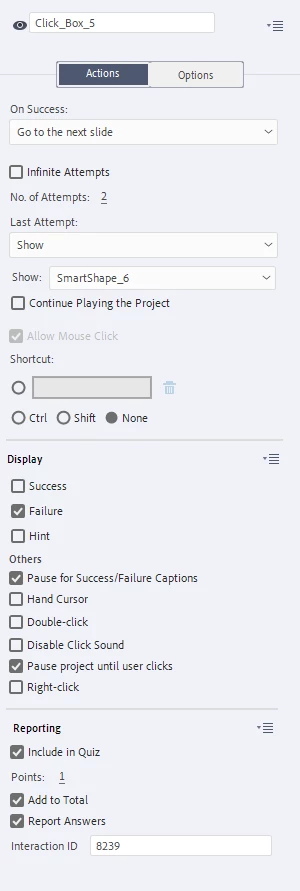
Here is a screenshot of the click-box properties.
 

I am wondering if anyone has encountered this issue before and has a solution to fixing the {correct-questions} variable without redoing all the clickboxes. If I make a new click box, the {correct-questions} counter reads it accurately. This issue occurs when quiz reporting is both on and off. 


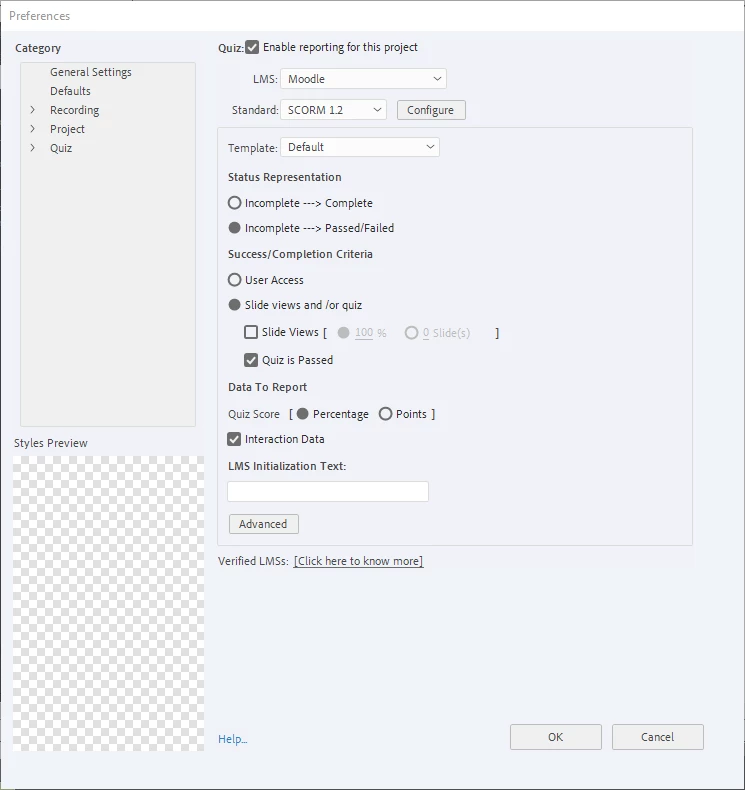
Here are my Quiz Preferences.
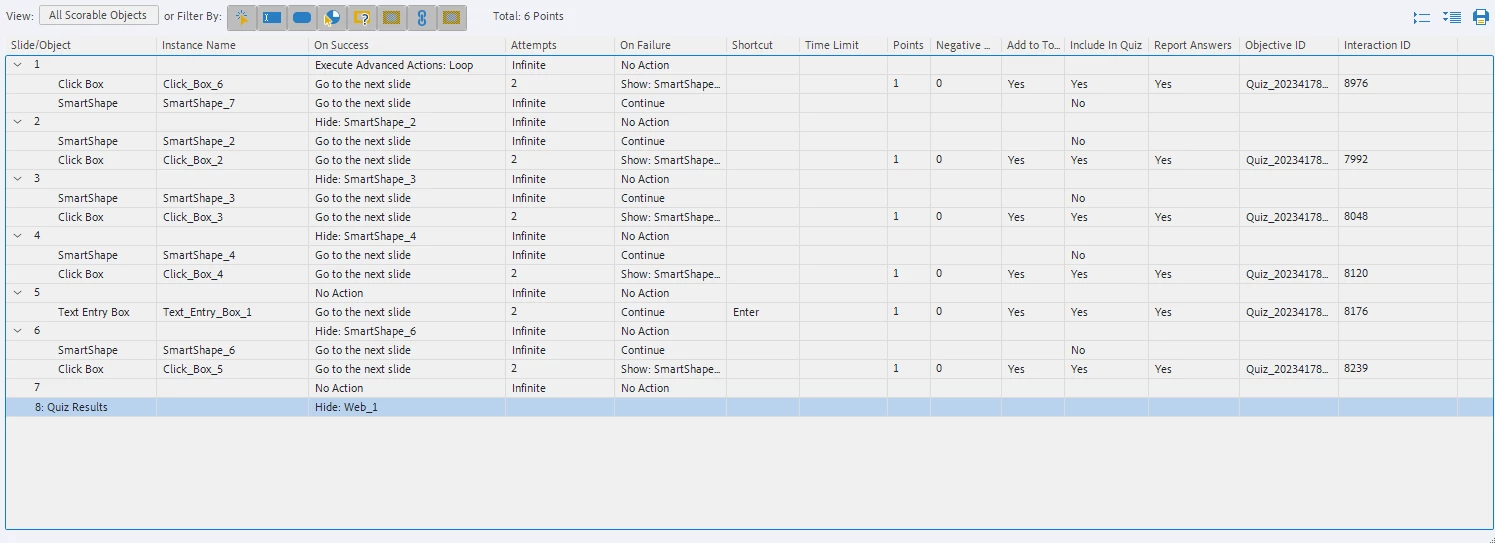
Here is  the Advanced Interactions. 
Please tell me if you need more information. 

This topic has been closed for replies.

1 reply

Lilybiri
Legend
March 20, 2024

Yes,  I see that you are not using version 12 because you show the advanced interaction panel which has disappeared in the most recent version. But I would like to know exactly the version you are using.  You find the full version number under Help About Captivate.

Is this project a software simulation in assessment mode? You didn't change the scores for the click boxes and TEBs, only the number of attempts. You did also change the Last Attempt action: what is the meaning of the smart shape which will pop up? 

Failure for a click box means that it was not clicked inside, but outside of the click box. Is that what you did for the 'wrong' answers?

I have created lot of software sims as part of assessments. Personally I never show the 'correct answers' because it has not a lot of meaning for a learner, contrary to correct answers for real question slides. I would also never use the same score for a TEB (which is much more complicated to get it correctly) as for the click boxes. I will refrain from more ideas until I know the version. 

If you estimate it important to see the number of click boxes that have been clicked correctly in the first or second attempt, it may be necessary to count that manually with a user variable. But I want to check first out if I can reproduce the result.

tman22
tman22Author
Participating Frequently
March 21, 2024

In the process of collecting information on the issue, we found this problem was the click box and smart shape stacking order. 


The smart shape is designed to show up after the user has failed 2 attempts. On the working simulations, after the 2 failed attempts the previously hidden smart shape shows up "on top" of the click box. In the bad simulations, the smartshape is under the click box. It is a button to continue to the next slide and is not graded. We assumed after the two failed attempts, the click box was "turned off" and could no longer take correct user inputs.


While we have the solution to our previous issue, we are wondering if there is a setting to "turn off" the click boxes after the failed attempts.

Here is the timeline with the correct stack: 


tman22
tman22Author
Participating Frequently
March 21, 2024

I am on Adobe Captivate Classic version 11.8.2.254.