Known Participant
December 8, 2023
Answered

Quiz Results inaccurate after resuming module

  • December 8, 2023
  • 2 replies
  • 510 views

Hi there. I'm trying to solve a problem with a module that is currently live on our LMS. 

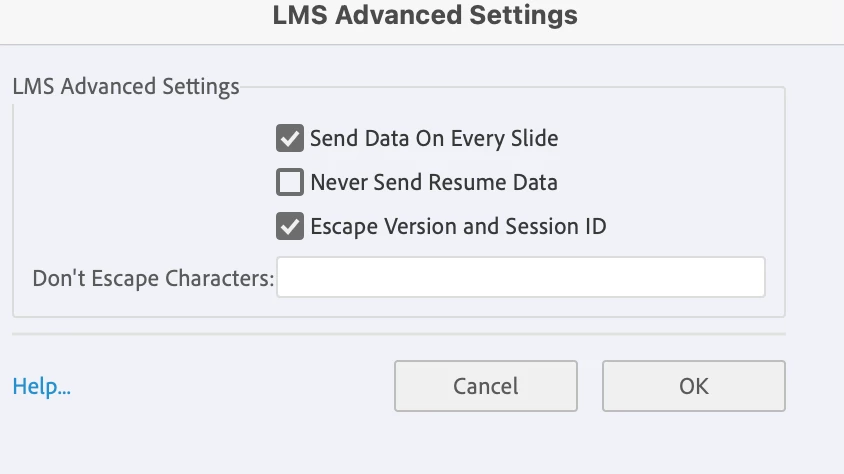
The project settings are set to send Resume data so that a learner can exit and go back in and pick up where they left off. I just tested this in Scorm cloud and it works fine. 


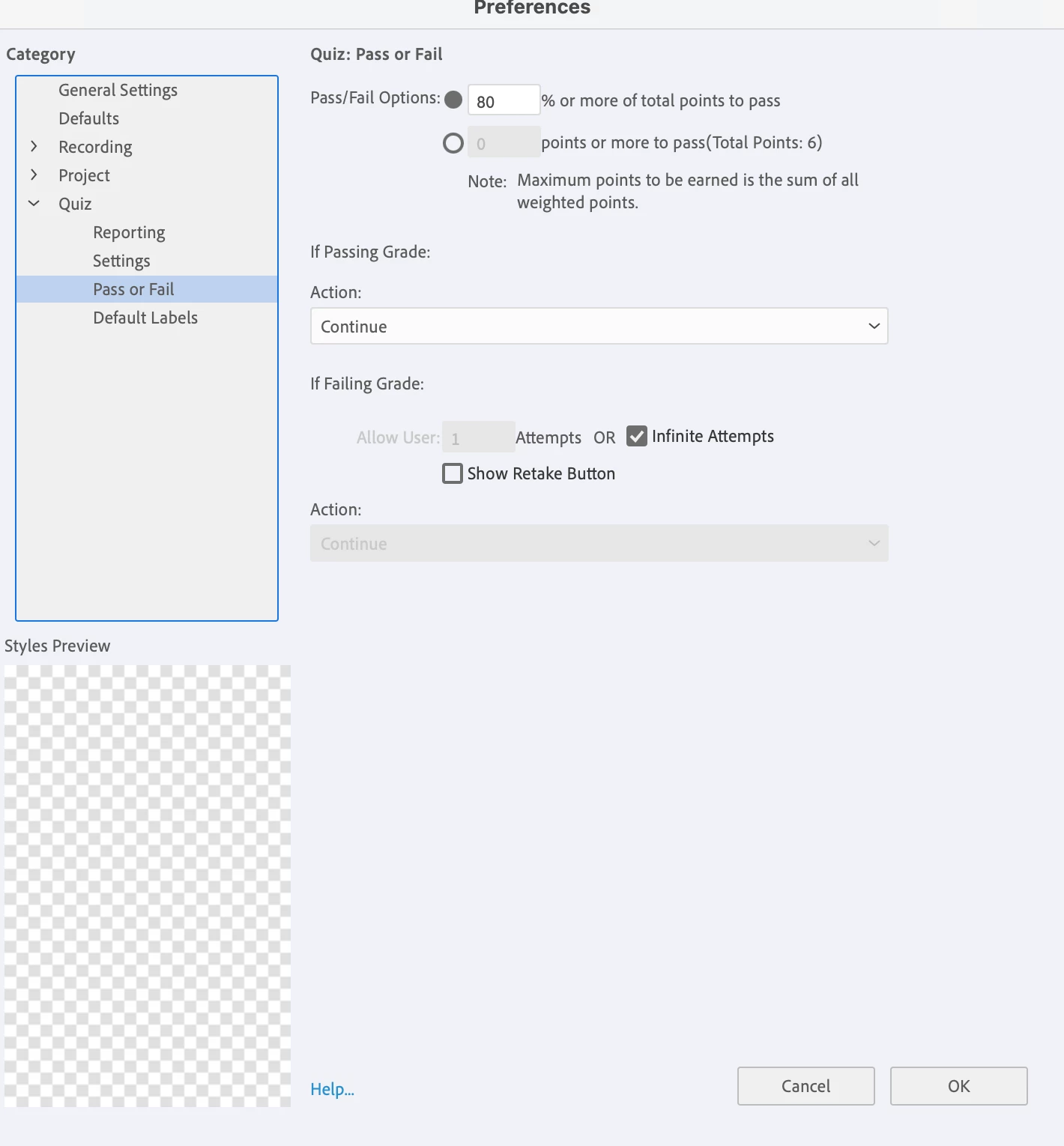
It could be the way our module is set up: several slides, a quick check with two questions, more content, a final check with 5 more questions. There were quiz questions answered in the previous setting, and a few more AFTER resuming but the quiz results slide shows only the questions answered AFTER resuming, and discounts the ones answered before.  For example there are two questions in the beginning I answered correctly, then paused, then resumed, and answered the last four questions correctly. The passing criteria is set up as 5/6 is passing. The results show a failure of 4/6 because the first two questions are not counted. 


Any insights into why this is happening and how to fix it would be greatly appreciated!

Thank you!

Mary 
    This topic has been closed for replies.
    Correct answer Lilybiri

    Do you mean 11.8.2 as version? It is pretty buggy, have not tested its quiz behavior really.

    You allow Infinite Attempts, but have no Retake button? That is really wondering me, because a new attempt can only be done after clicking the Retake button. It is possible to have more than one attempt in a session, isn't it?  Infinite attempts means that you can't have a Failure action for the quiz?

    Could you insert the system variable cpQuizInfoPointsscored on the first question slide and time it for the rest of the project for testing? When resuming in a new session, go back to that first question slide to check if the score has been retained. You need Backward movement allowed in the quiz for that purpose (cannot see if you did, because you didn't post all Quiz Preferences.)
    .


    2 replies

    Lilybiri
    LilybiriCorrect answer
    Legend
    December 8, 2023

    Do you mean 11.8.2 as version? It is pretty buggy, have not tested its quiz behavior really.

    You allow Infinite Attempts, but have no Retake button? That is really wondering me, because a new attempt can only be done after clicking the Retake button. It is possible to have more than one attempt in a session, isn't it?  Infinite attempts means that you can't have a Failure action for the quiz?

    Could you insert the system variable cpQuizInfoPointsscored on the first question slide and time it for the rest of the project for testing? When resuming in a new session, go back to that first question slide to check if the score has been retained. You need Backward movement allowed in the quiz for that purpose (cannot see if you did, because you didn't post all Quiz Preferences.)
    .


    Known Participant
    December 8, 2023

    Hi, Lilybiri. Thanks for your quick reply!


    Yes, it's that latest version. 


    We do allow infinite attempts...maybe that's what's messing it up? The quiz questions are not lumped together in this module (I'm the developer not the person who created the storyboard and that's the way it was given to me...). Because of this, I didn't check include Retake button because wasn't sure how Captivate would handle that. Would it got to the first set of questions and then directly to the second set? It seemed a complicated situation and I honestly couldn't figure out the best way to handle that.  


    I'll try inserting the variable as you suggested. I also don't think I had "backward movement allowed" in the quiz, so that also could be messing this up. Thank you very much! I appreciate your investigative skills!


    Mary


    Lilybiri
    Legend
    December 8, 2023

    There is no real need to have question slides grouped in sequence. Maybe in very old versions that was an issue, but the quiz scope has become much more flexible. But yes, on a second attempt within the same session the Retake button would take the learner to the first question slide, wherever it was, and have reset all quiz slides and all quizzing system variables. It may be necessary to customize skipping the content slides in between the quiz slides but that is pretty simplz.

    Known Participant
    December 8, 2023

    And this module was created in Captivate Classic lastest version.