
sagem15836397
Known Participant
June 18, 2018
Question

Quiz Slide Weirdness - MC Boxes Edge Cut Off

  • June 18, 2018
  • 1 reply
  • 246 views

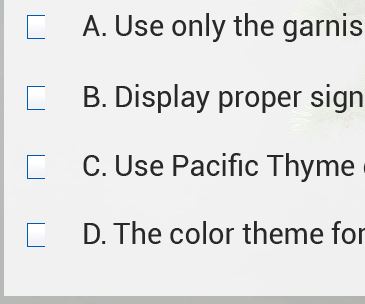
Hi - Does anyone know what would be causing my quiz slide MC boxes to be cut off on the right edge? It doesn't happen in knowledge check. See pic below.

Captivate 2017, not responsive design, published in html5

Thanks!
    This topic has been closed for replies.

    1 reply

    Lilybiri
    Legend
    June 18, 2018

    Did you install the patch to 10.0.1.285?

    sagem15836397
    Known Participant
    June 18, 2018

    Hi Lilybiri,


    I installed the patch and it actually created additional problems with drag and drop, it no longer launches automatically in the browser and it didn't resolve the problem.  

    Lilybiri
    Legend
    June 18, 2018

    There was a problem with cutting off answer areas in the first version of CP2017. The AutoPlay turned off has been documented a lot in the forums, something not totally due to Captivate but to handle the browser's decisions to prevent AutoPlay. Maybe not all browsers at this moment.

    As for D&D: can you expand on the problems, I didn't see any issues personally, nor on this forum.

    Back to your issue: both the KC slides and the normal quiz slides use the same quizzing master slides, which makes this a very unique problem (never did see it before).  Did you edit the quizzing master slides? What is different between the KC slides and the Quiz slides in your set up: check if you kept to the Default Quiz styles, check the width of the answer area (can be done in the master slide) and of the individual answer shapes as well? Are they as wide as possible?