Have you made changes to the quiz slides that removed either the Question Title or Question captions? If you did this, it may be causing the quiz slides to skip and not stop.
Look at this graphic:
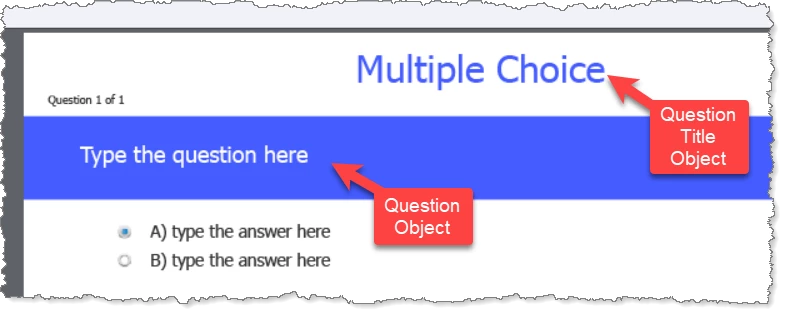
Go back and look at your quiz question slides and check that both of these objects have not been removed or replaced on any quiz question. Many Captivate users mistakenly conclude that these objects are just normal text captions and can be replaced or removed without causing any adverse effects. However, since these are QUIZ slides these objects are required to be present in case you are later publishing to SCORM, AICC or some other standard that requires LMS integration. Removing or replacing these objects can also cause the quiz slides to malfunction.
So, if you find that you have removed these objects, rebuild your quiz questions again. One quick way to get the missing objects back is to select the Quiz slide in the filmstrip and then hit the Reset Master Slide button on the Properties tab. That should reset the layout of the quiz slide back to standard (unless you have also removed these objects from the Quiz Master Slides, in which case things are more complext).




 AdChoices