kkuhn21
Participant
November 21, 2018
Question

Quiz Slides Freezing - Please Help! Captivate 9

  • November 21, 2018
  • 3 replies
  • 918 views

We are having an issue in our Captivate 9 quiz where some of the quiz slides (random) are freezing.

After the user clicks Submit, it displays the Correct or Incorrect message, "Click anywhere or press 'y' to continue." So we click anywhere. At that point sometimes it is freezing - before they can proceed to the next question or quiz results page. I initially only had this issue when we published the .swf to our LMS, but now it is also happening when we preview our file in Captivate. Sometimes if we wait 30-60 seconds it will resume.Other times we have to close the window and then re-open (when in LMS) - fortunately it resumes and has accounted for the entry of the frozen slide, but it is not ideal.

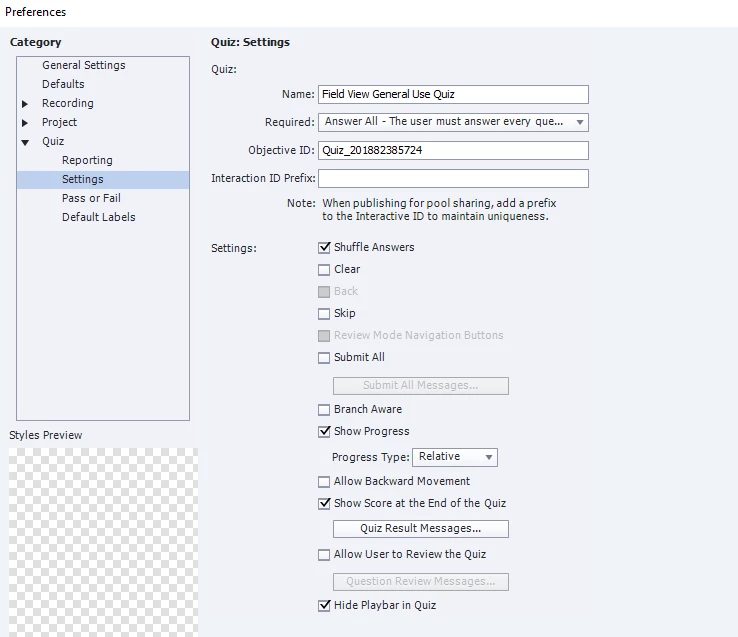
We have removed other buttons so user can only click Submit in order to go to the next slide (they cannot go back to previous).

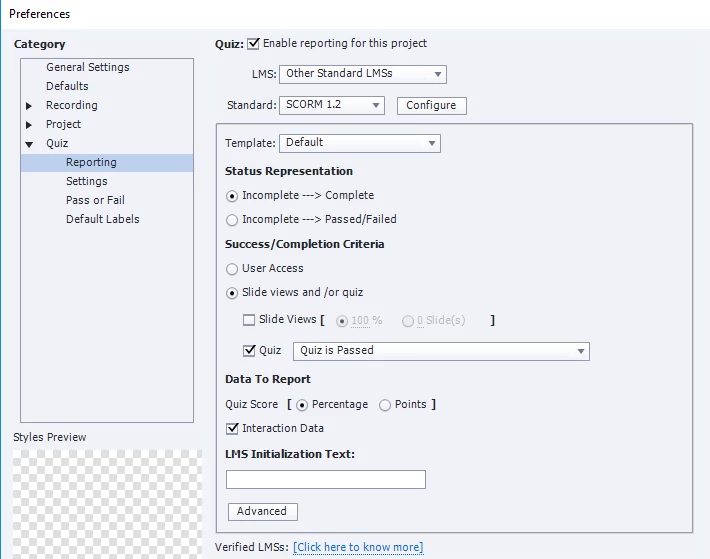
Our settings are below. Please help! Thank you!
    This topic has been closed for replies.

    3 replies

    kkuhn21
    kkuhn21Author
    Participant
    November 23, 2018

    Does anyone know of any online hands-on support? As in share my screen for real-time help? I've made some tweaks to my eLearning in order to try to resolve the freezing issue (may have resolved it, but not 100% sure), and now my exit functionality is messed up.

    I had it set up so that a user needs 80% test score to pass. If they don't, they get infinite re-tries of the quiz. Once they pass, the quiz results slide should pause until they click Continue button (renamed Exit eLearning) which will close the window. I've started module from scratch, I've tested dozens of formatting combinations, etc. Nothing is working. I'm at a loss and up against the wall. Thank you all.

    alfredmack
    Inspiring
    November 23, 2018

    If you don't mind, Please make 5 slides quiz and share with me,Let me see if I can sort out your issue.

    Lilybiri
    Legend
    November 22, 2018

    Please post a screenshot of the Timeline of a slide.

    Paul Wilson CTDP
    Community Expert
    Community Expert
    November 22, 2018

    Check two things. The length of your question slides and pause point for each question slides. If your default success or failure actions are Continue, the slide needs to play all the way through before proceeding to the next slide. For example, if your question slide has a pause point at 1.5 seconds like in this screenshot below, once the user clicks anywhere to continue they still have to wait 3.5 seconds until it finishes playing on this slide before going to the next slide.

    I usually change the success and failure actions to Go to Next Slide so it jumps to the next question right away, otherwise, you can move that pause point to a later point on the timeline. This can be done from the Quiz Panel or using your mouse by clicking and dragging that pause mark on the timeline.

    Paul Wilson, CTDP
    RodWard
    Community Expert
    Community Expert
    November 22, 2018

    Another thing that can cause issues with Quiz slides freezing is if you have removed or replaced the default Quiz Title and Quiz Question captions that every quiz slide must have.  Is it possible you may have done this?

    kkuhn21
    kkuhn21Author
    Participant
    November 23, 2018

    I have not removed those. At least not to my knowledge. I have modified the text, but used the Master Slide for formatting and just ensured I de-selected options for which buttons I did not want to display during the quiz. Basically for each quiz slide the user should only be able to submit, not go back, clear, forward, etc.