


Random fonts replaced and "Connecting to Adobe Fonts" pop-up despite not using fonts in CC
Hi! Something weird started to happen with my source files, despite not changing anything in them or Captivate.
We are using Myriad Pro family font installed locally in Windows. Adobe CC fonts are disabled. Never had any display issues. Now all of the sudden there's a pop-up "This project will now link to your Adobe Fonts account" when publishing and text captions containing variables get reset to some default (times new roman?) font. In the editor, everything looks fine. Regular Myriad Pro text also looks fine. Some examples:
correct formatting before:

now title and page numbering font is reset:

correct quiz page number box:
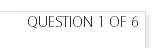
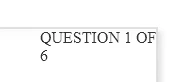
now I can't even do anything about that line break:
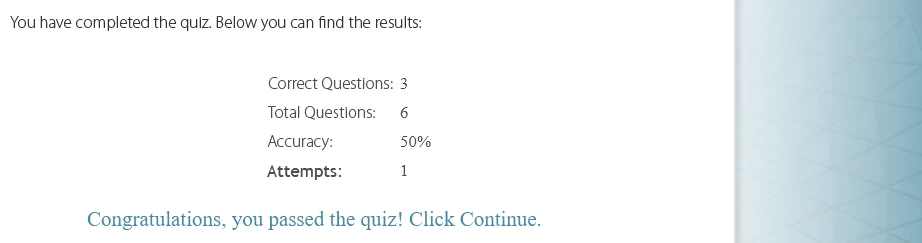
correct quiz results:

quiz results now (only the numbers and congratulations parts got reset):
Also:
Preview from this slide--displays all fonts correctly
Preview HTML in browser--now displays incorrect fonts
To me it looks like some kind of a bug, because a few projects with the same font open fine and the Adobe Fonts Domains box is still grayed out, but almost everything else displays the same corrupted fonts and the Adobe Fonts linking pop-up. Interestingly, even when I remove all slides from a project and leave only one blank slide, I'll still get a pop-up about Connecting to Adobe Fonts when publishing.
Please advise how to proceed, or is it better to log a support ticket. This is affecting hundreds of sources and just looks unprofessional. Appreciate your input.
 AdChoices