Participant
July 20, 2018
Answered

Re-using Custom Shapes?

  • July 20, 2018
  • 1 reply
  • 388 views

I have been learning to use Captivate 2017 on Windows 10 and have begun with a simple responsive project. I wanted a rectangle that was rounded on one end only, and so I manipulated a round-corner rectangle and made the shape desired with relative ease. I was then able to save the custom shape as well. However, whenever I re-open the project, or open a new project,  I see no way to re-use that shape again short of copying and pasting it or saving it again with a different title.

Ideas?
This topic has been closed for replies.
Correct answer Lilybiri

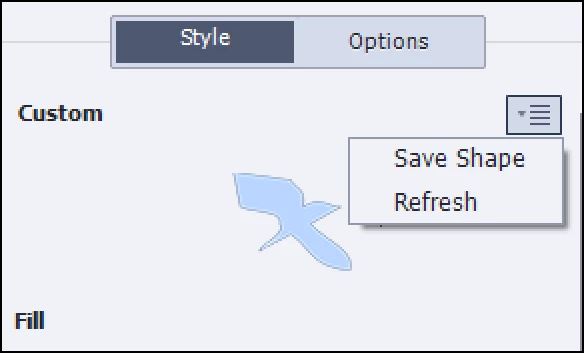
Did you save that shape, using the hamburger menu in the Shape part:

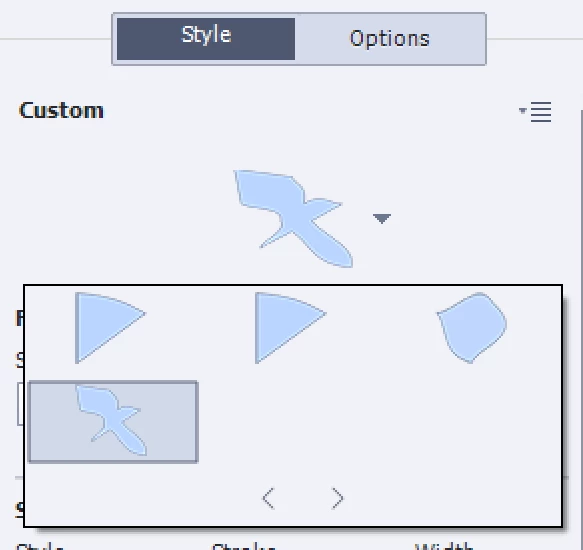
I have this shape now in any project, category Custom  after selecting one of the custom shapes

1 reply

Lilybiri
LilybiriCorrect answer
Legend
July 20, 2018

Did you save that shape, using the hamburger menu in the Shape part:

I have this shape now in any project, category Custom  after selecting one of the custom shapes

MelmothTWAuthor
Participant
July 20, 2018

I did not, I saved the shape by right clicking on the shape and then saving. Now that I see where you're working from in the Properties pane, I can see my custom shapes that I've saved. Thank you! I was expecting them to appear in the Shapes menu from the ribbon.

So, with this being the case, now, if I wanted to share shapes with someone, or add or remove custom shapes, they can simply be placed or removed from the Shapes folder. Then, whatever shapes I have in my folder will appear in the custom shapes category? Makes enough sense, though I was expecting them to load/unload similar to brushes and shapes in other Adobe products.

Lilybiri
Legend
July 20, 2018

I am on the road, will answer when I am back home.

Custom shapes will be stored (for Windows) in Public Documents\eLearning Assets\Shapes which means they are available to all users on your system. You can retrieve them in that folder (both png and XML file) and send to other users, they'll have to install them in that same folder on their system.  They should then be able to see them in the Custom category.

Right-click menu is fine as well. It is bit confusing that you have to select one of the available Custom shapes to find the added custom shapes in the Properties panel. I remember having searched for a while at the beginning.