Recorded (Demonstration Mode) Slides/Backgrounds Disappear from Filmstrip/Edit View when Selected
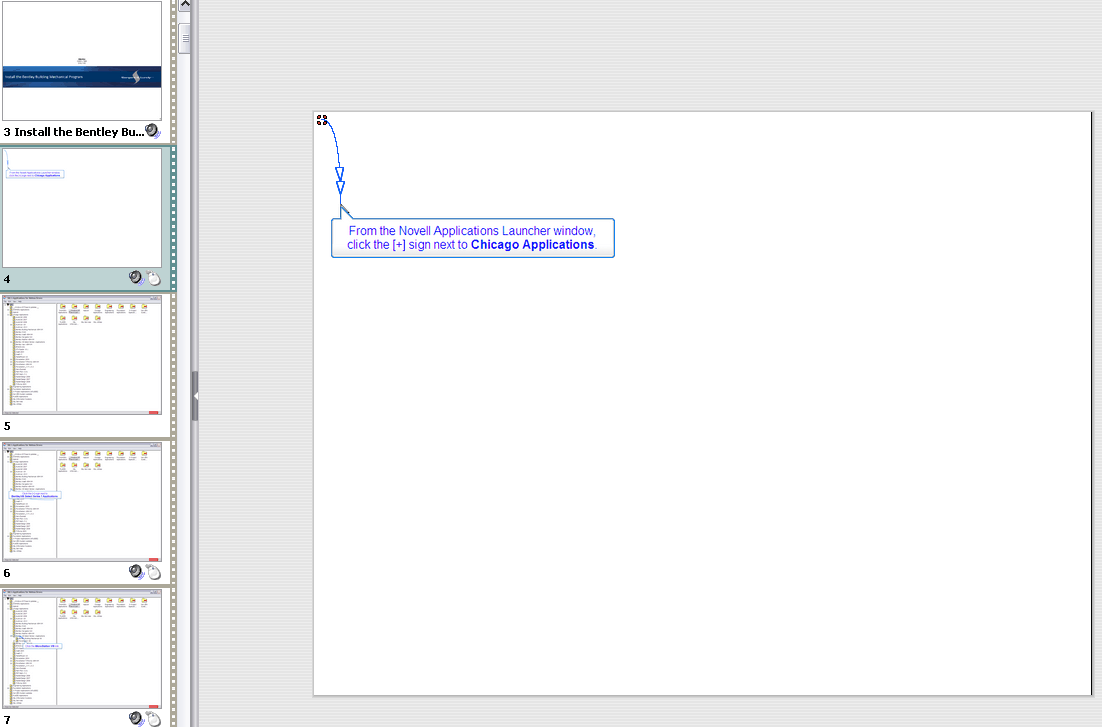
I am using Captivate 4 and in the past two months have noticed that when editing a CP4 .cptl file that has captions, mouse movement and audio, that the files will work fine during editing, through repeated opening, saving and closing of the file. Then, once published as .swf (Flash Player 10) the first time, when I open the file again and click on one of the background slides (generated from the demonstration recording) in the filmstrip, the slide will turn white in the Edit view, and if I advance to the next slide, the slide from which I advanced now turns white in the filmstrip as well. All imported PPT slides are retained correctly, as are all captions, mouse movements and audio, per slide. When I re-open the corrupted file, the same scenario occurs. I have tried importing the library from a previous version of the same project, and merging the backgrounds to the slide, I've tried importing the backgrounds as images and having them display the length of the slide, but nothing seems to be working. I can rebuild the course (somewhat guessing as to which recorded screenshot goes where), save and publish it and close the file, but if additional edits are needed, must rebuild the course again. I have noticed, however, that if I rebuild the course from the screenshots, save it but do not close it, I can continue editing the file with no repercussions. It seems as if publishing the file, then closing it has something to do with the corruption. I have also noticed that my Library>Background counts are incorrect. Backgrounds recorded during the demonstration recording, that appear in the filmstrip/edit view/storyboard have a usage count of 0. Attempts to update the library are unsuccessful. I have not changed the way in which I record or create these system demonstration courses. Any help/suggestions are greatly appreciated, as I am now hesitant to open any previously published file.
 AdChoices