


Known Participant
July 24, 2023
Question

Recorded Simulation bigger than slide

  • July 24, 2023
  • 1 reply
  • 173 views

Hi all,


When I record a simulation it ends up bigger than the slides. Please see attached screenshot. I have tried every single thing I possibly could. I tried rescaling the project, I tried matching the dimensions of my simulation screen to my project. I have exhausted google search and Adobe help forums. Anyone have any idea? I'm at a loss.
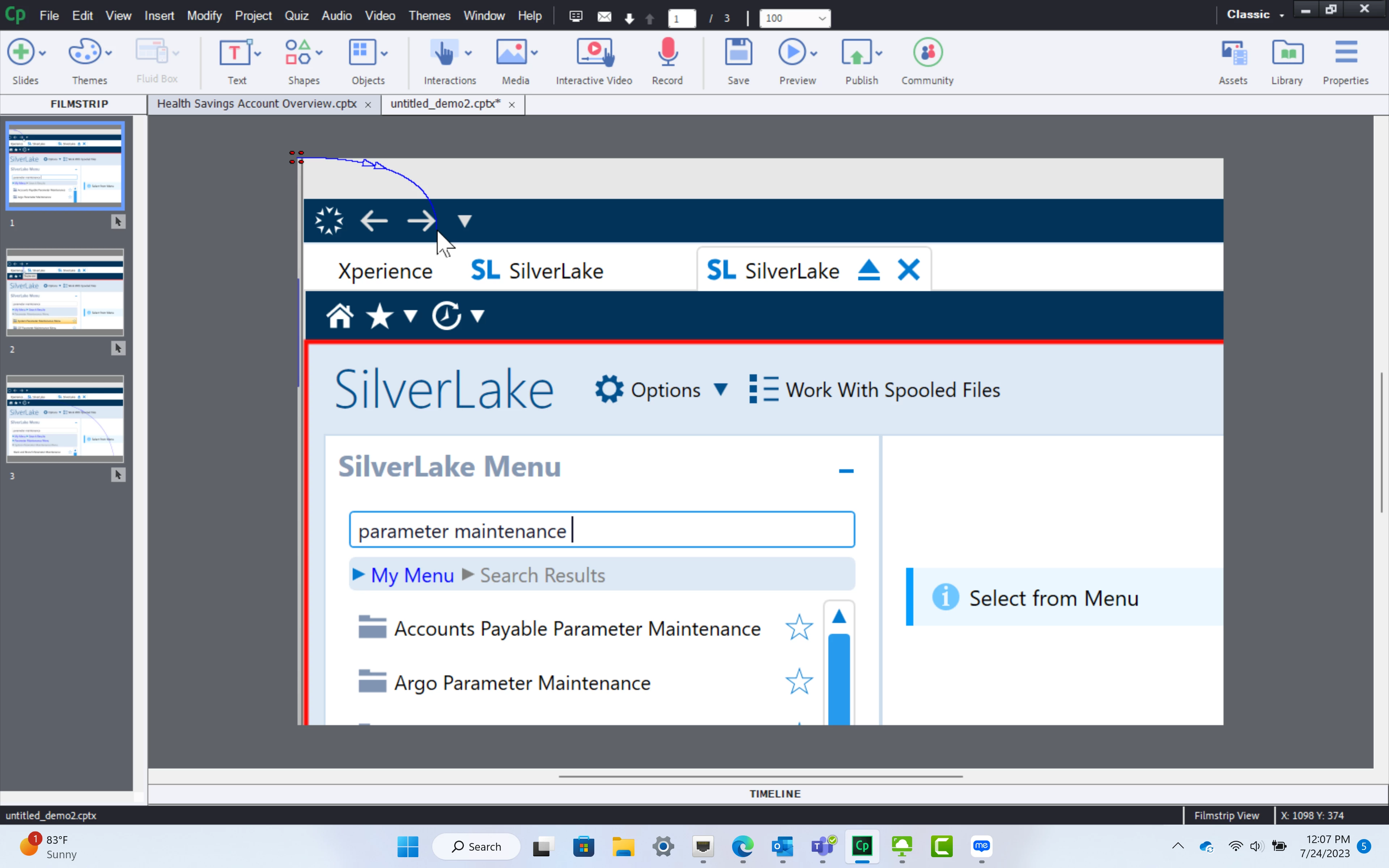
This topic has been closed for replies.

1 reply

Lilybiri
Legend
July 24, 2023

Can you show a screenshot of the setup in the Simulation dialog box?

Each capture needs to have 1px/px setup. You are on Windows, can you check the Display percentage? Is it set to 100%?

Known Participant
July 24, 2023

Where do I locate teh simulation dialog box? The display percentage on my computer is 250%. I tried recording at 100% but it made my computer too small to see anything. Windows has my laptop automatically set to 250%.

Lilybiri
Legend
July 24, 2023

When you start a simulation either from the Welcome screen or with File, New Recording, you get that dialog box. You need to choose the resolution, which mode, eventually capturing Application or a specific window, etc..

Normally to capture either a Video Demo or a Software simulation you either need to change the DPIAwareness setting in AdobeCaptivate.ini or lower your screen resolution so that it it possible to have a display percentage of 100%. Since Windows set that percentage at 250% it is clear that you have a high resolution monitor.