Answered
remove an extra button from the accordiang widget Captivate 8
How can I remove an extra button from the pre-built accordiang widget in Captivate 8?

How can I remove an extra button from the pre-built accordiang widget in Captivate 8?
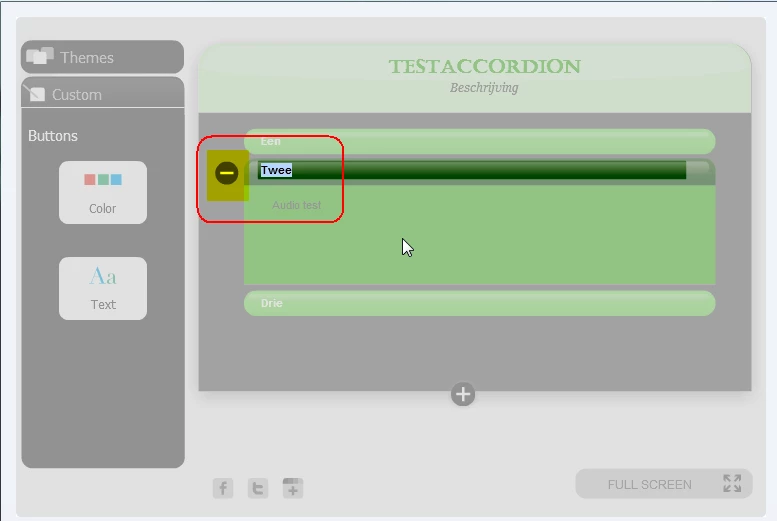
Select a tab button, try to edit the label and you'll see a minus sign. Beware there is a minimum number of buttons, which is 2 for this interaction.
Already have an account? Login
Enter your E-mail address. We'll send you an e-mail with instructions to reset your password.


 AdChoices