Reorder items in a column using drag and drop
I'm trying to simulate the ability to reorder items in a column by dragging and dropping them, so if I move an item to a new location, it will replace the item in that location/position and move it down. Below is an example of what the items in a column look like (Food is not an item - it's just the category name).
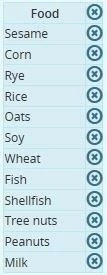
So, let's say I move Milk up to the Shellfish position, it will replace Shellfish in that location and move Shellfish down one position.It occasionally works but not with any consistency. I'm assuming this is possible but the solution escapes me. I've thought of a way to simulate this behavior, but the user won't have the option to choose whatever item she wants to drag to whichever location - I'd have to tell them in advance which one(s) they can drag and where. Any help would be much appreciated.
 AdChoices