
Inspiring
September 12, 2017
Question

Responsive project quiz question formatting issues

  • September 12, 2017
  • 1 reply
  • 703 views

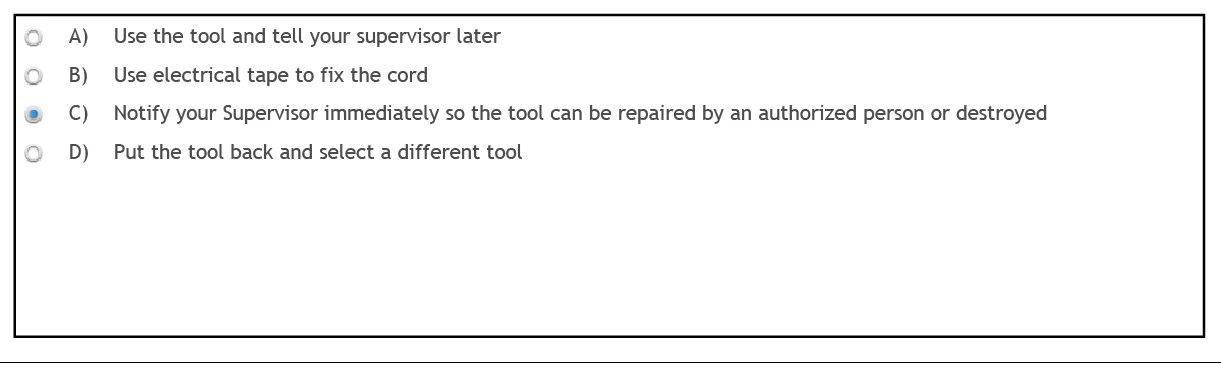
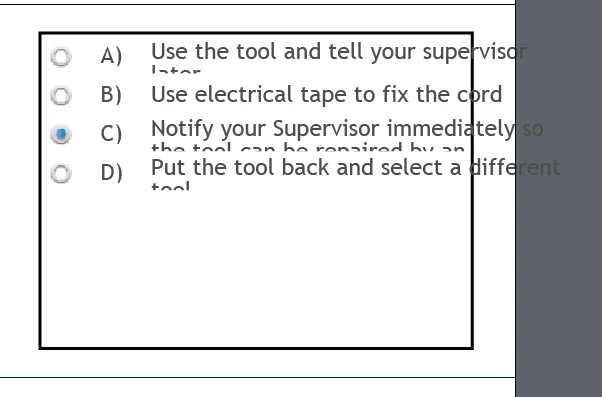
OK Trying my first responsive project from scratch. All went well until the quiz. I can not get the answer boxes to work. If I fit them for a mobile device they get all screwed up when I go to desktop view and vice versa. What am I doing wrong. The boxes for the answers extend past the edge of the screen. They do not reformat to stay visible.

HELP!
    This topic has been closed for replies.

    1 reply

    RStedmanAuthor
    Inspiring
    September 13, 2017

    I may have answered my own question.

    I set the Quiz properties to shuffle answers. If the answers are not all in the same size text box the spacing gets all screwed up when shuffled. Some of the answers are very short and others are much longer. So I am changing the setting so that the answers are not shuffled.

    Not the best fix but it works. It seems the answer text is shuffled but the text boxes are not. So if you set up the first answer and it is very long and the rest are short. Make all the text boxes fit the answer text, when the shuffle happens the long answer gets shoved into a small text box and does not fit.

    I hope that makes some sense??

    Lilybiri
    Legend
    September 13, 2017

    You didn't explain if you were using Fluid Boxes or Breakpoint views. That problem is there since quite a while. I explained the only possible workflow that would allow you to have shuffled answers in this post. It is for Fluid Boxes, but can also be used for Breakpoint views work flow:

    Tips for 'Fluid' Quiz Slides - Captivate blog

    RStedmanAuthor
    Inspiring
    September 13, 2017

    I am using Fluid Boxes