
Answered
Review Area in each Question slide
I have set the review area in each question slide, but I cannot find it visible. May I know whether I have missed something?
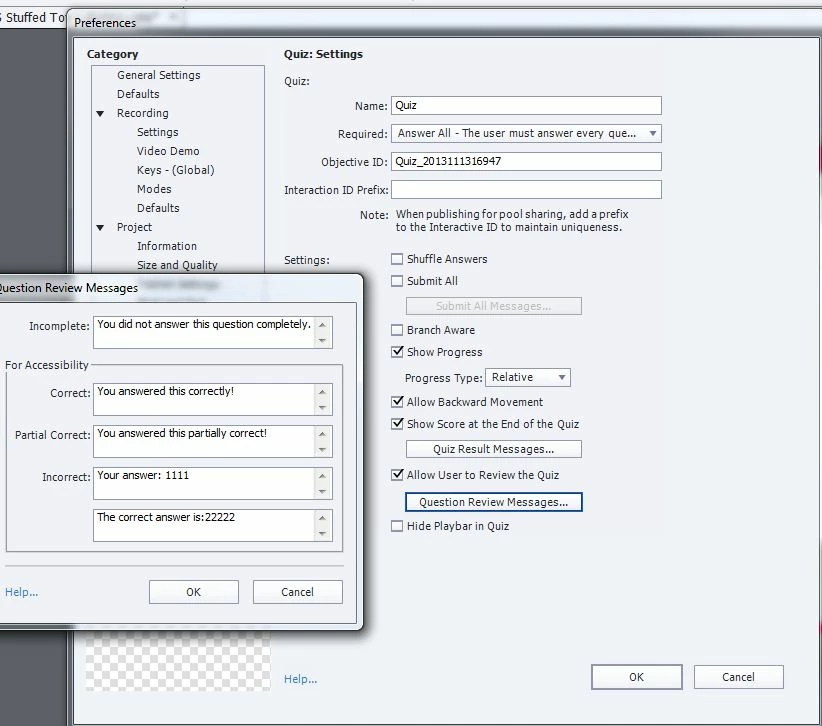
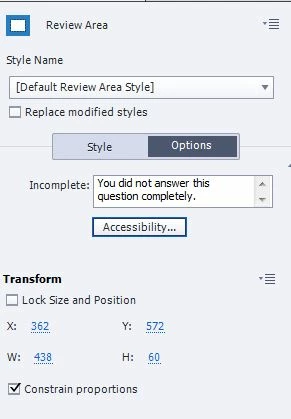

I have set the review area in each question slide, but I cannot find it visible. May I know whether I have missed something?
Thanks both RodWard and Lilybiri.
What I would like to do is there is some explanation for the question answer. I have already inserted it at the Correct and incorrect captions. However, when the trainee want to get back to review the questions, they cannot see the correct and incorrect captions again. I suppose the review area can show the the explanation ( should be free text edit) when the trainee review the quiz in the further time.
Is the review area can do that?
No. The Review Area is not for that purpose, and in most question types it is no longer used.
I would suggest the best way to do what you want is to place a Shape Object on the Quiz slides in much the same place as the Review Area is right now, but make sure that it would not be obscured by other elements of the quiz slide. Add the feedback text to the Shape that you want the learner to see when performing the Review Quiz, and set Visible in Output for these shape objects on each quiz slide to be OFF. Then create a Conditional Advanced Action (or Conditional Shared Action) to be executed On Slide Enter for each quiz slide. This conditional action will check if the System Variable called cpInReviewMode is set to 1, and if so, it will SHOW the shape object on that slide, ELSE it will HIDE that same Shape (just in case).
This should then mean that if your user clicks the Review Quiz button on the Quiz Results slide, they will see these extra feedback shapes, but at all other times they will be invisible.
Already have an account? Login
Enter your E-mail address. We'll send you an e-mail with instructions to reset your password.
 AdChoices