
_Azlan
Participant
October 18, 2018
Question

Review Quiz button link to blank page

  • October 18, 2018
  • 3 replies
  • 321 views

I am using Captivate 2017. I have created 10 quiz question. Below is the last question.
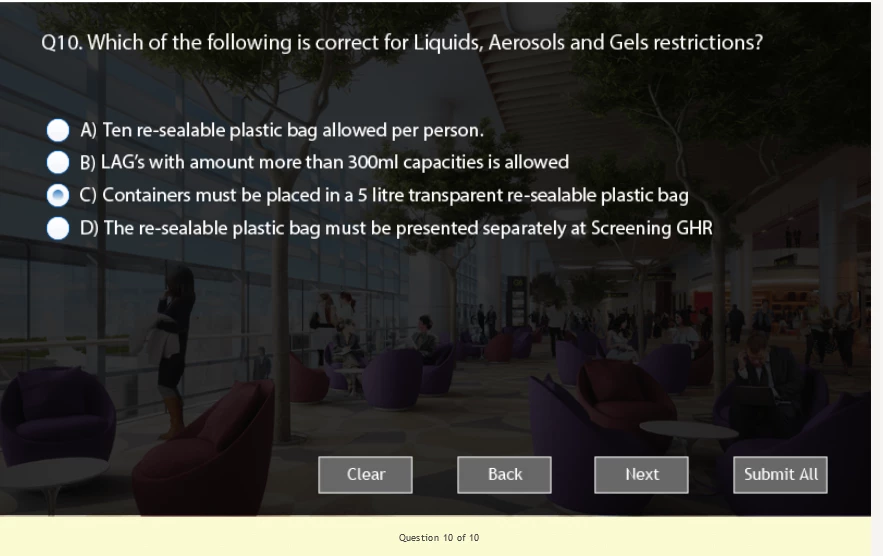
After I have click the submit button, it will bring me to Quiz result. If I try to click on "Review Quiz", it should take me back to question 1 . When I clicked on "Review Quiz", it brings me to Question 1 but I am unable to select the options.

When I click on >> to go to the next question, it brings me to the slide below. Please help as I am wondering if there is any linking issue.

This topic has been closed for replies.

3 replies

_Azlan
_AzlanAuthor
Participant
October 19, 2018

This issue happens when I try to publish to HTML5.

But when I try to publish to exe and test it, it works fine.

I was wondering if there is any settings which I need to set or change for HTML5?

Lilybiri
Legend
October 19, 2018

I suppose that Rod is pointing to the fact that you deleted embedded objects on the quiz slides. Embedded objects have no individual timeline in the Master slide, nor in the Quiz slide. Deleting some of them may lead to unpredictable issues. Did you delete some of those objects?

_Azlan
_AzlanAuthor
Participant
October 19, 2018

I can't remember if I have delete any embedded objects on quiz slide. I will try to re-create the slide and see how it goes. Thanks everyone for your assistance.

RodWard
Community Expert
Community Expert
October 18, 2018

I have a hunch.  Just for the purpose of testing my hunch, insert another quiz question at the very beginning of your quiz.  Make it a True/False question, but CHANGE NOTHING ON THE QUESTION SLIDE.  Don't add or remove anything from the added question slide.

Then test the module with this question and see whether the answer options then appear when you Review the Quiz.

_Azlan
_AzlanAuthor
Participant
October 19, 2018

Hi RodWard,

I have tried to test your method by adding a new question in the beginning. After clicking on Review Quiz, it goes to question 1 and after clicking >>, the slide goes blank.

Lilybiri
Legend
October 18, 2018

Can you check the Advanced Interaction panel (F9)? Maybe there is a scored object on the last slide shown in your screenshots.

_Azlan
_AzlanAuthor
Participant
October 19, 2018

Hi Lilybiri,

I have go to Advanced Interaction, and my last slide is blank after Quiz result.