denisek35317496
Participating Frequently
May 18, 2017
Answered

Revisited Slide Shows Objects it Shouldn't

  • May 18, 2017
  • 1 reply
  • 300 views

Hi,

I have a slide that displays a couple of graphics and a MORE button half way through. 

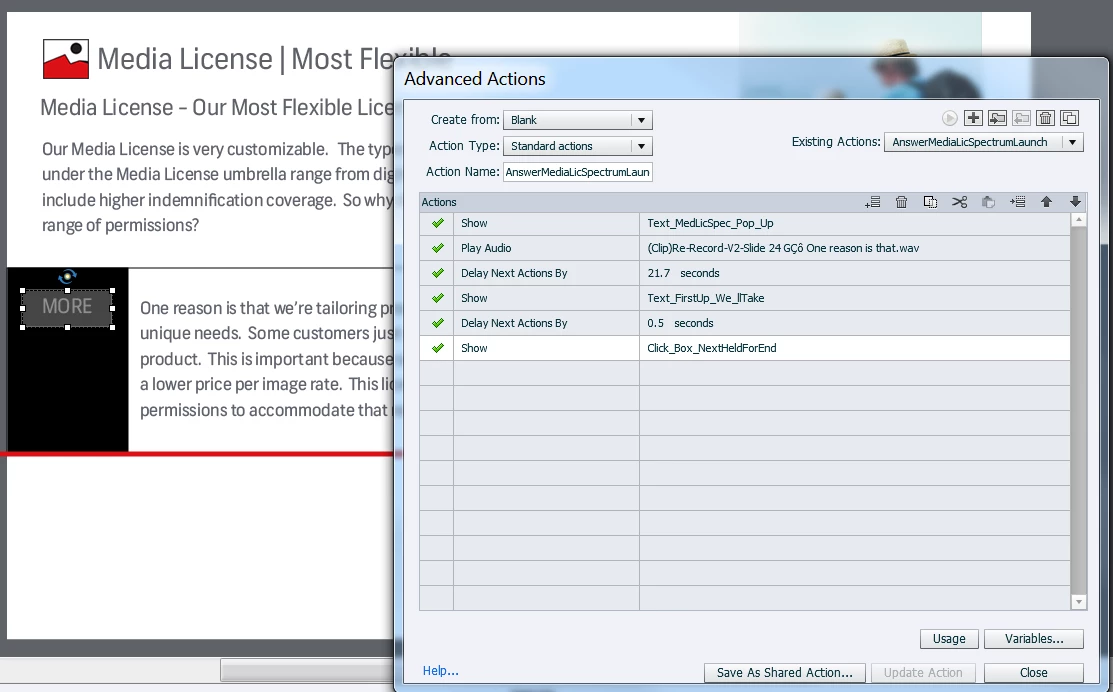
When it's clicked (advanced action is on it) it launches text and audio.

Once the learner is done, they hit NEXT to advance to the next slide.  That's all good.

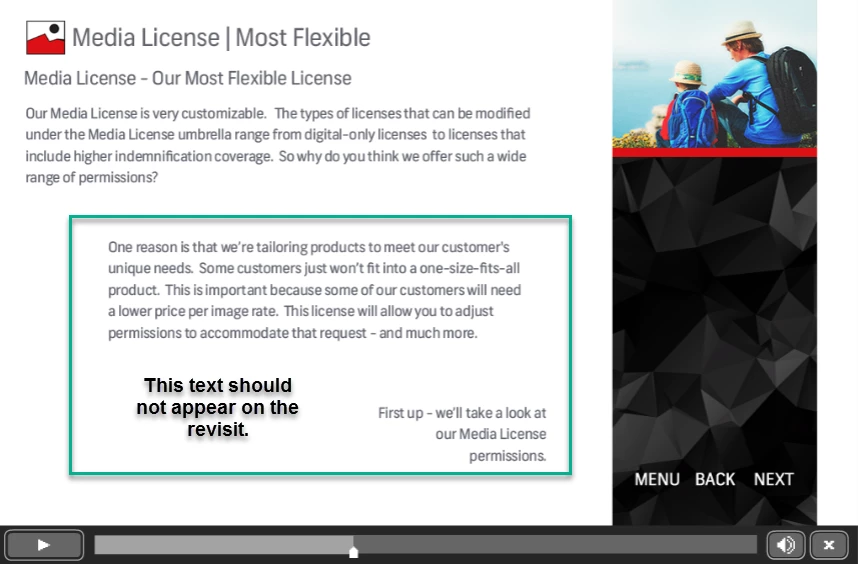
However, when they return to the slide. the graphics and button are gone - but the text is

still on the screen.  It should only display when the user clicks "MORE" the button.

I tried putting an advanced action on the next button that hides all the elements - but then they don't show at all when the user revisits.  I'd like it to repeat the same action it does on the first go around - where the objects appear half way through - then the user can click MORE to see the additional text.

Anyone have a solution I can try?

Here are some screenshots to help explain:

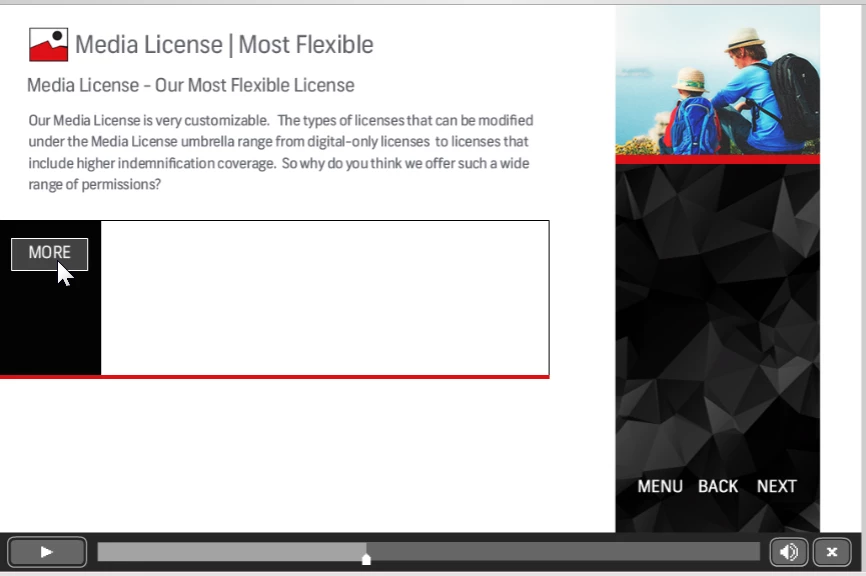
Half way through - user clicks MORE, which displays text /audio plays.

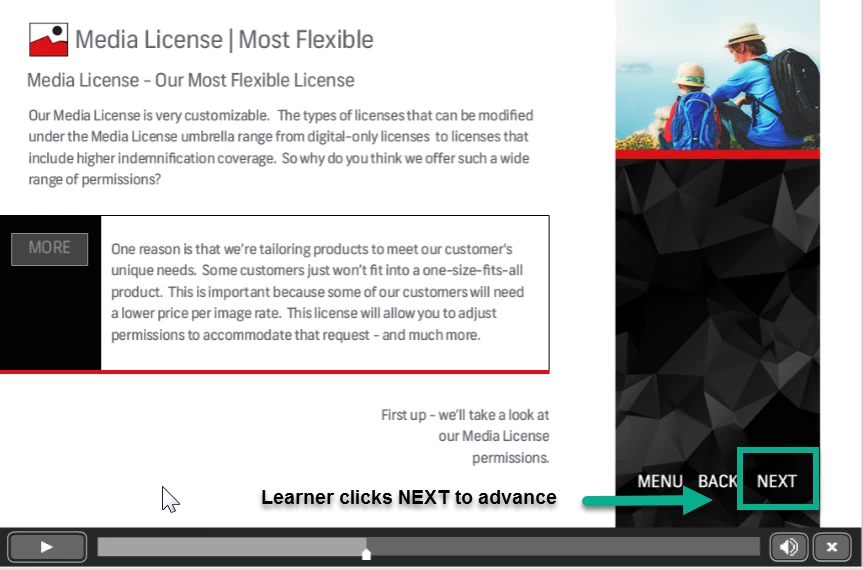
When done - learner clicks NEXT.

Upon re-visit - the text is still on the screen.
This topic has been closed for replies.
Correct answer Lilybiri

That is normal behavior: you will have to hide the objects which you don't want to be visible from the start, using the On Enter action of the slide. Since you did show them, they remain visible, until you hide them again. I call that the Reset action, and the On Enter event of the slide is suited to achieve such a reset. Create a Standard advanced action to hide the two Texts and maybe also the click box, which you had shown with the other action.

1 reply

Lilybiri
LilybiriCorrect answer
Legend
May 18, 2017

That is normal behavior: you will have to hide the objects which you don't want to be visible from the start, using the On Enter action of the slide. Since you did show them, they remain visible, until you hide them again. I call that the Reset action, and the On Enter event of the slide is suited to achieve such a reset. Create a Standard advanced action to hide the two Texts and maybe also the click box, which you had shown with the other action.

denisek35317496
Participating Frequently
May 18, 2017

That worked - and it was so simple to do.

As always - you rock!!!

Thanks a bunch!!!!

Lilybiri
Legend
May 18, 2017

It doesn't have to be complicated all the time!