al56932796
Participating Frequently
April 10, 2017
Answered

Right aligning text with a space
  • April 10, 2017
  • 1 reply
  • 326 views

Hello,

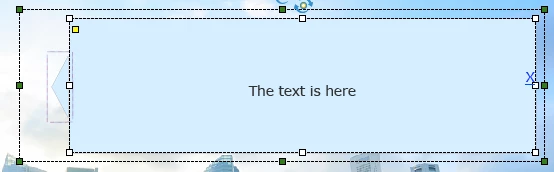
I'm hoping that this is really simple. The smartshape shown has an 'X' to close it down (hide it) via a hyperlink. It is right aligned. In the olden days of Word, you could insert a space after the X which would move it away from the right hand side slightly, so that it didn't look so squashed. I can't seem to find a way to do this here (cp9, responsive project), without inserting another smartshape/text box on top of this one and manipulating its position.

Any thoughts please?

Thanks.
    This topic has been closed for replies.
    Correct answer Lilybiri

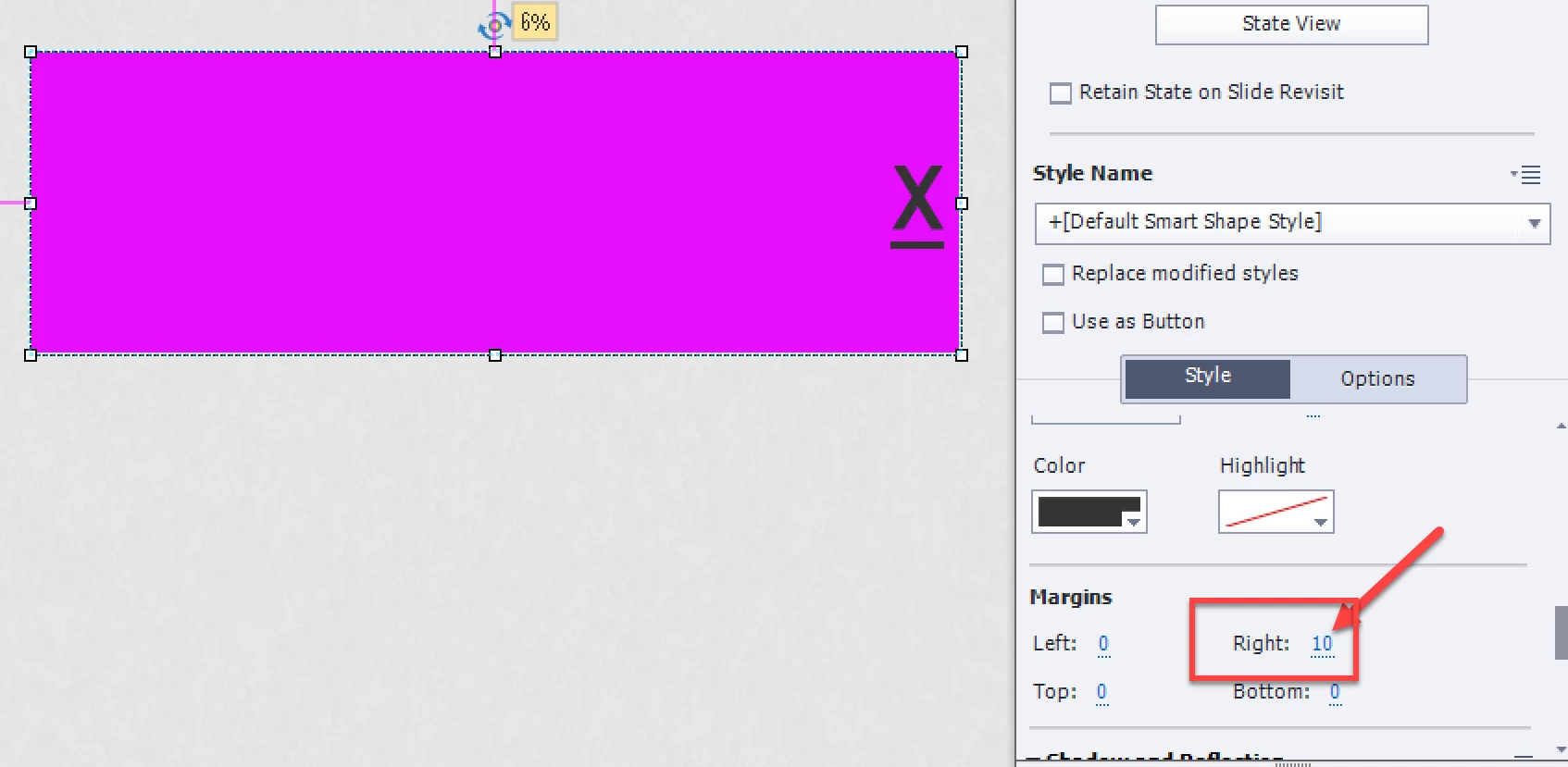
    Most shapes have a text container in it, but that is not the case for the rectangle. However, all shapes have also margins that you can configure (in other apps they often are called padding):

    Of course, since you talk about a responsive project, maybe youll have to edit the margin in the different breakpoint views, but that is also the case for the font size.

    BTW This is what I meant about the text container in shapes with a form that is not really rectangular, because text in shapes cannot flow freely, it is always in a rectangular 'container':

    1 reply

    RodWard
    Community Expert
    Community Expert
    April 10, 2017

    Try inserting a Non-Breaking Space character rather than a normal spacebar character.

    Use the Insert Symbol dialog that you can call from the icon in the Properties tab.

    Lilybiri
    LilybiriCorrect answer
    Legend
    April 10, 2017

    Most shapes have a text container in it, but that is not the case for the rectangle. However, all shapes have also margins that you can configure (in other apps they often are called padding):

    Of course, since you talk about a responsive project, maybe youll have to edit the margin in the different breakpoint views, but that is also the case for the font size.

    BTW This is what I meant about the text container in shapes with a form that is not really rectangular, because text in shapes cannot flow freely, it is always in a rectangular 'container':

    al56932796
    Participating Frequently
    April 11, 2017

    Thanks Lilybiri - that has worked. I had previously changed the margin to 3 but the change was obviously so minimal I couldn't see a move. 10 is just right.

    The non-breaking space didn't work Rod, but I hadn't experimented with those characters before so thanks for highlighting a new feature to play with.