
Known Participant
September 24, 2018
Question

Rollover Picture - Image quality

  • September 24, 2018
  • 1 reply
  • 312 views

Hi

I have a problem with the Rollover Image function. In captivate, the resolution of the picture ist good. But when i export the file or use the preview function, the quality of the rollover image ist really bad.


Here in Captivate (2017)
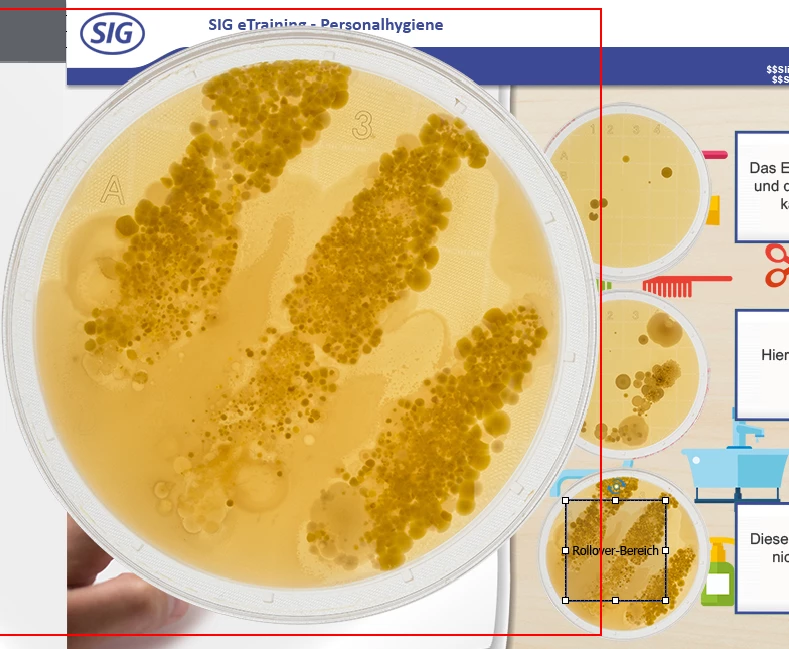
Here in the preview

How can i rech a better resolution? Or know somebody a alternative funktion for rollover images? Now i export and preview with Shockwave. But maybe there is a besser solution that is also compatible with HTML5 for the future?

Thank you.

    This topic has been closed for replies.

    1 reply

    Lilybiri
    Legend
    September 24, 2018

    Did you create the rollover image in exactly the size (in pixels) which you use in Captivate? Which format did you use: JPEG or PNG24?

    Of course, rollovers are not available on mobile devices, though they may be functional on desktop/laptop in HTML output. Alternative is to use a click/tap to open the bigger image. You can use a toggle button, in the way I described here:

    1 action = 5 Toggle Buttons - Captivate blog

    Dane V.Author
    Known Participant
    September 24, 2018

    The rollover image is a little bit larger than i use for the project in captivate (600x622px). Its a PNG File with 24bit.

    Thank you for the link to your blog. But i think i need more experience. I dont know how can i insert this toggle button.

    Lilybiri
    Legend
    September 24, 2018

    I mostly use a shape button. Use the Big Button Bar, either Interactions, Button or a shape which you convert to a button by using the option 'Use as a button' in its properties panel.

    If you don't use the exact size, maybe you did resize without keeping the width/heigh ratio: when resizing with the mouse always keep SHIFT pressed while dragging a corner point of the bounding box.