


Question
Save option in captivate not saving/responding
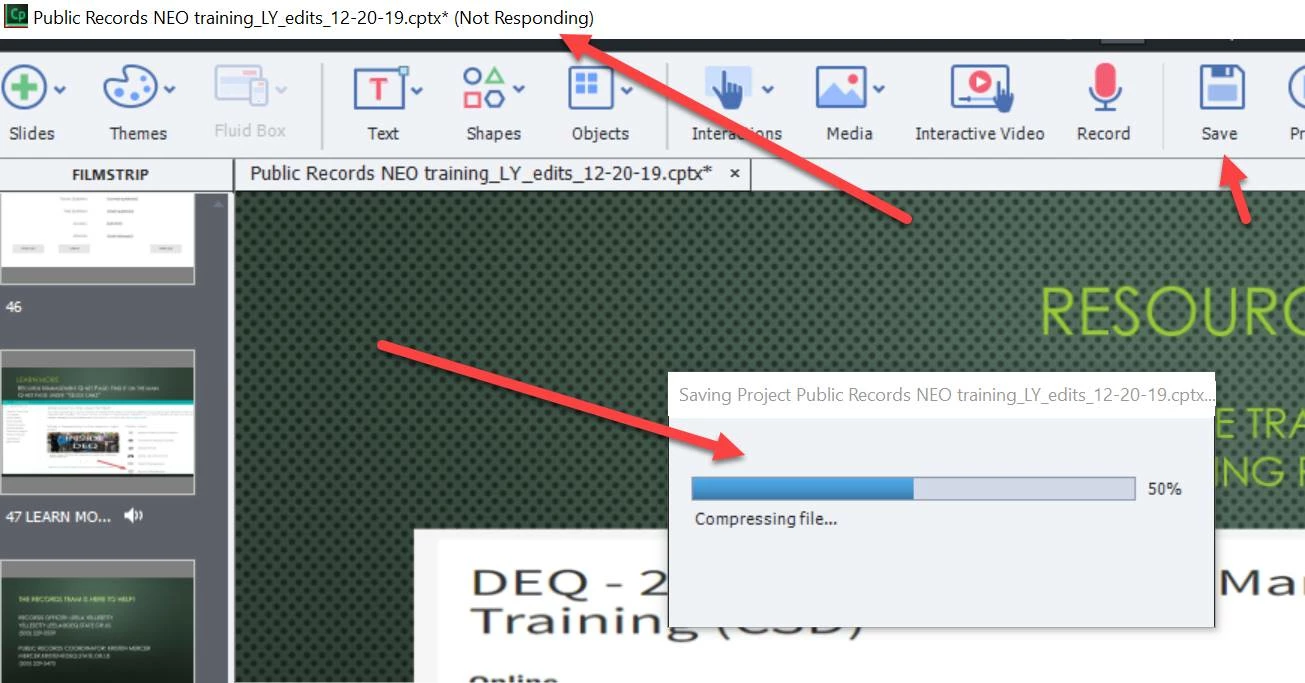
I have made some changes to a project in captivate and when I try to save the changes I click SAVE but the slide only stops at 50% and will not finish saving. I need to update a training in iLearn. What is preventing the project from saving? I even shut down the computer and started it again last night and this morning. The screen will sit there like this (see below) for about 5 minutes and then just disappear without fully saving the changes.
Here is what the screen does every time:
 AdChoices