
Mr__Flibble
Known Participant
August 18, 2017
Question

Saved shape/caption styles unavailable when editing video demo

  • August 18, 2017
  • 2 replies
  • 132 views

In Captivate 9, I've saved some shape and caption styles that are available when I'm adding shapes/captions to my various slides:
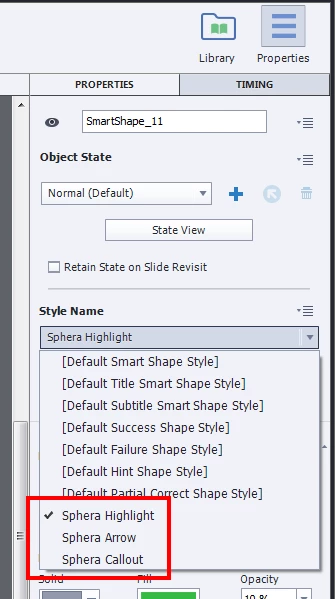
Then I insert a video demo in my project (Slides > Video Demo), and then edit this demo (by selecting the new video slide, then clicking PROPERTIES > Edit Video Demo...). When I insert shapes/captions as timeline objects in this video, my saved styles are not available:
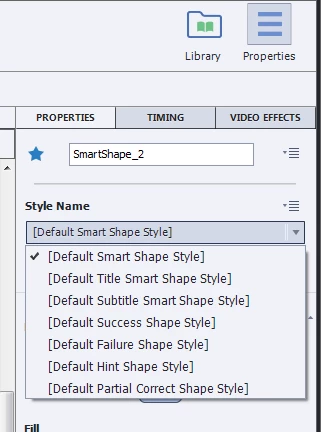
Anyone know how I can make my saved styles available here?

Thanks!

    This topic has been closed for replies.

    2 replies

    Lilybiri
    Legend
    August 19, 2017

    There is no way to apply a saved cptx theme to a video demo project or slide. There is also no way to import a saved object style (cps) into a video demo project or slide. I'm sorry about that, maybe you could log a feature request.

    However here is a workaround which works fine for video demo slides.

    • create a shape with that custom style on one of the normal slides in the cptx project
    • cut or copy that shape
    • paste it in the video editor on the video demo slide
    • it will keep its style which is now available.
    Paul Wilson CTDP
    Community Expert
    Community Expert
    August 19, 2017

    When you edit the Video Demo, even when that Video Demo is inserted into another project, The Video Demo file remains a separate project file. You will need to duplicate those object styles into your Video Demo project so they are available there as well. 

    Paul Wilson, CTDP