

Big_Red_K9
Participant
October 4, 2021
Answered

Scale effect starting too early - Captivate CP2019

  • October 4, 2021
  • 1 reply
  • 705 views

Looking for help from you wonderful people.  I have a project I am working on where I have a scale effect and a motion path effect on the same object.  This is actually 2 objects grouped together.  Toward the end of the slide I have that grouped object move to the center of the screen and increase in size a little for emphasis.  Even though the scale effect is set to start 21 seconds into the slide and run for 1 second, it is starting to grow at the beginning of the slide.  All other effects are working properly.  Any thoughts?
    This topic has been closed for replies.
    Correct answer Lilybiri

    It is not ScaleTo, which is what I should have done, Scale is very abrupt.  How did you test? 

    I just double-checked here with a similar setup, and it worked as expected.  

    1 reply

    Lilybiri
    Legend
    October 4, 2021

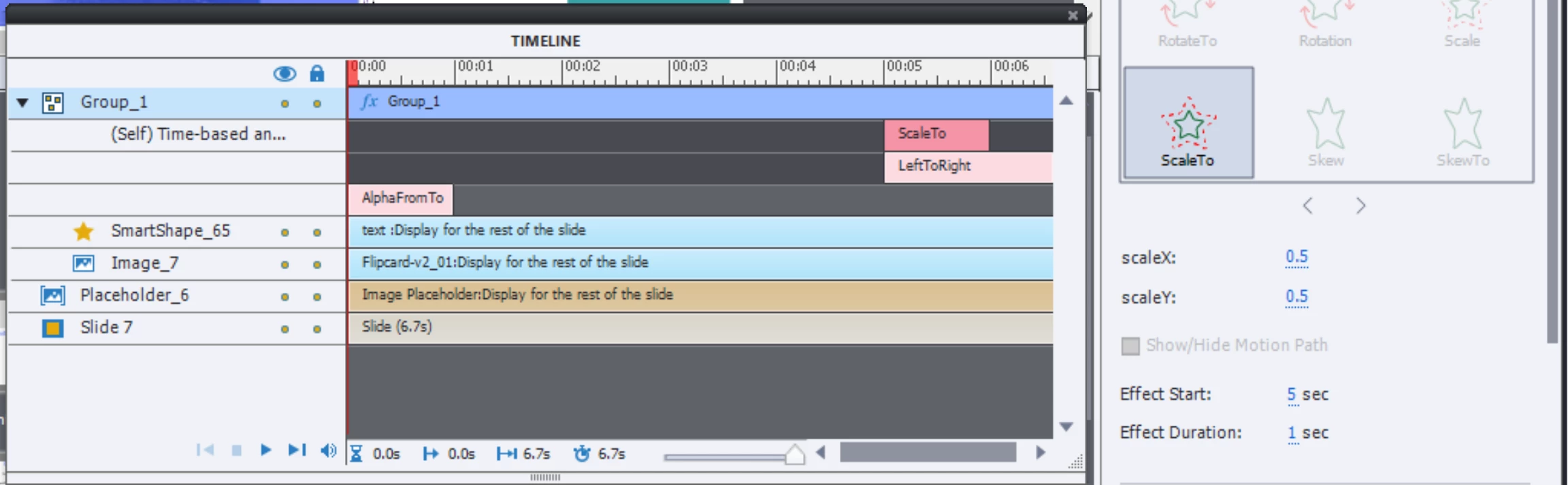
    Can you post a screenshot of the Timeline, with the Effect timelines expanded?

    Which objects are grouped? Maybe post a screenshot of the stage with the motion path as well?

    Big_Red_K9
    Participant
    October 4, 2021

    Here is the screenshot showing stage and timeline.  The image with the MS Authenticator app overlay fades in first, and then the Phone image and overlay fades in.  At the end of the slide the Phone image and overlay fades out.  The MS Authenticator image and overlay moves to the center while expanding.  That again is what is supposed to happen but the scaling is starting at the beginning instead of 21 seconds in.

    Lilybiri
    LilybiriCorrect answer
    Legend
    October 4, 2021

    It is not ScaleTo, which is what I should have done, Scale is very abrupt.  How did you test? 

    I just double-checked here with a similar setup, and it worked as expected.