


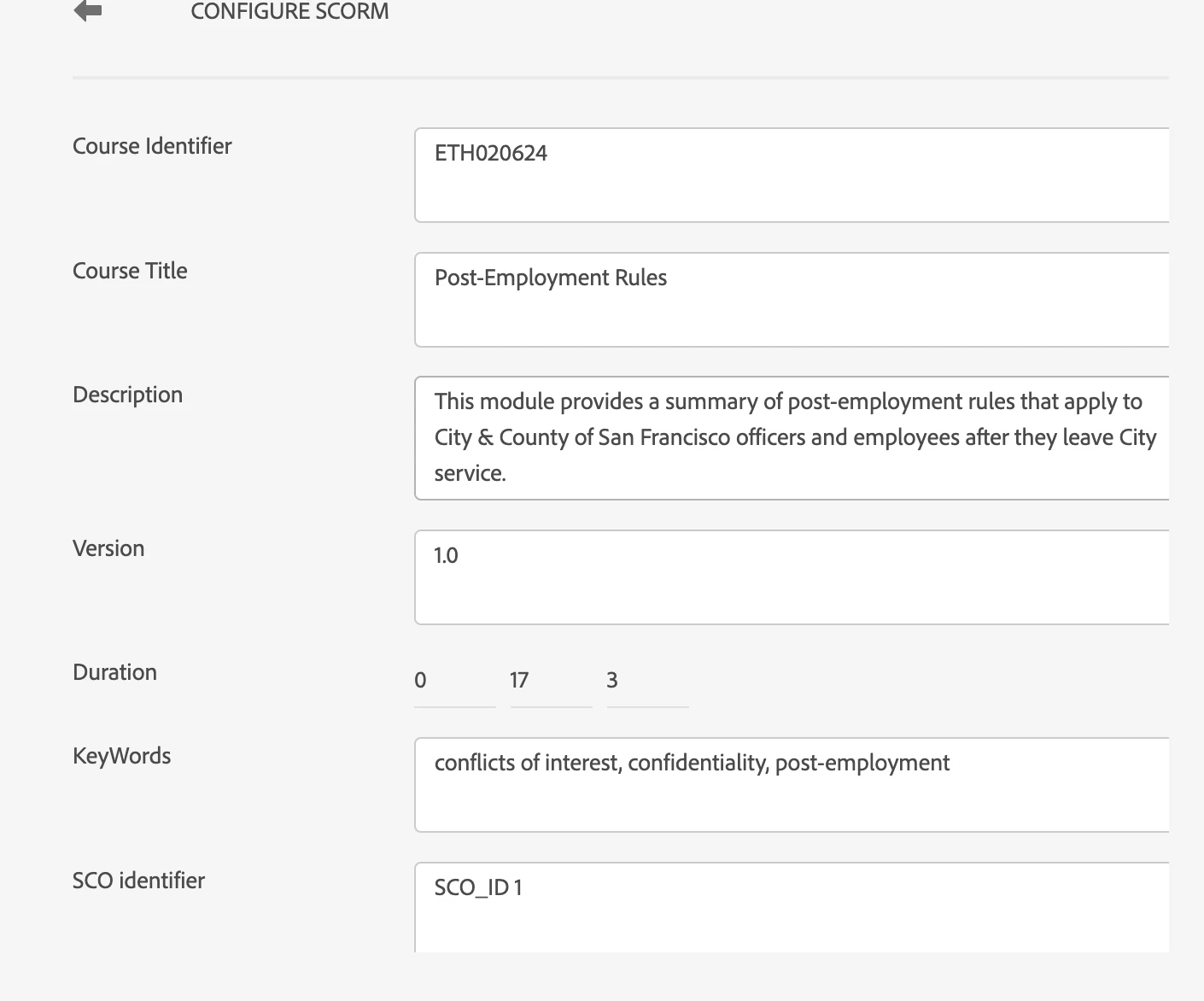
SCO Identifier field NOT editable
I haven't found anything in this discussion forum about this issue...but the nature of it seem unlikely to only be affecting my installation, so I figured I would ask if anyone else has encountered this issue.
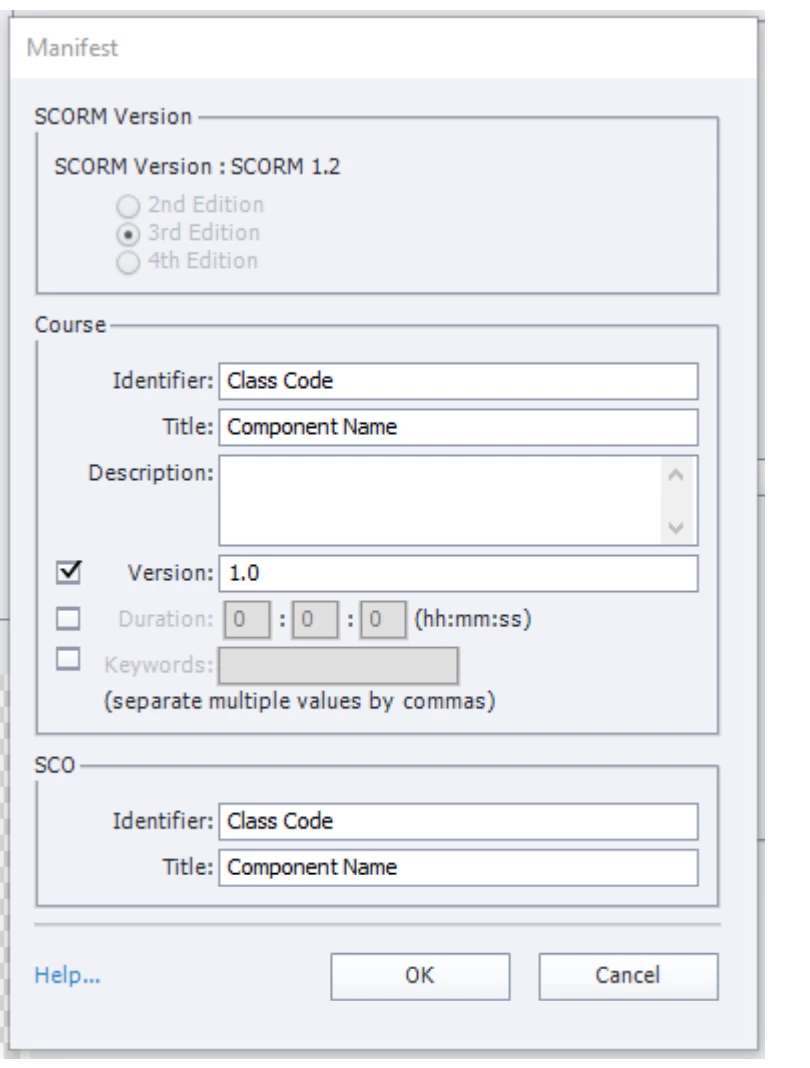
I'm preparing to upload the first Captivate 12-produced module to our LMS and was making sure all of the required Scorm settings were as they should be. In Captivate classic, the Scorm Idenfier field is editable and we've always put a variation of our Course code in that field. In this version, however, that field is NOT editable at all. There is placeholder text that reads "SCO ID_1" and clicking in that field and pressing delete, highlighting text, typing text has zero effect. You just cannot overwrite that placeholder text at all.
So, my questions to you are as follows:
- Has anyone else encounted this uneditable field?
- If so, has the inability to enter a unique SCO ID here impacted your ability to successfully launch your course on your LMS?
- If the first time the course published fine...did you encounter issues with subsequent courses that used the same SCO ID_1 identifier?
I've logged this as a bug with Adobe and am inclined to think that it could not possibly be a dealbreaker to publishing courses or there would be more of a revolt against this new version than there already has been. I would just like to be able to anticipate issues that might impact the completion of this project.
Thank you!
Mary
 AdChoices