Known Participant
March 31, 2021
Answered

SCORM Completion

  • March 31, 2021
  • 1 reply
  • 1713 views

Hello,

I have several SCORM files that I have uploaded to our LMS. For the most part, each SCORM file has quiz questions and an Exit button. When users complete the SCORM files, we have gotten reports that the file is still being marked "In Progress". I do already have a ticket in with our LMS vendor, but I would like to know if there may be a cause within adobe captivate. Could the quizzes be causing this issue? 

    This topic has been closed for replies.
    Correct answer Lilybiri

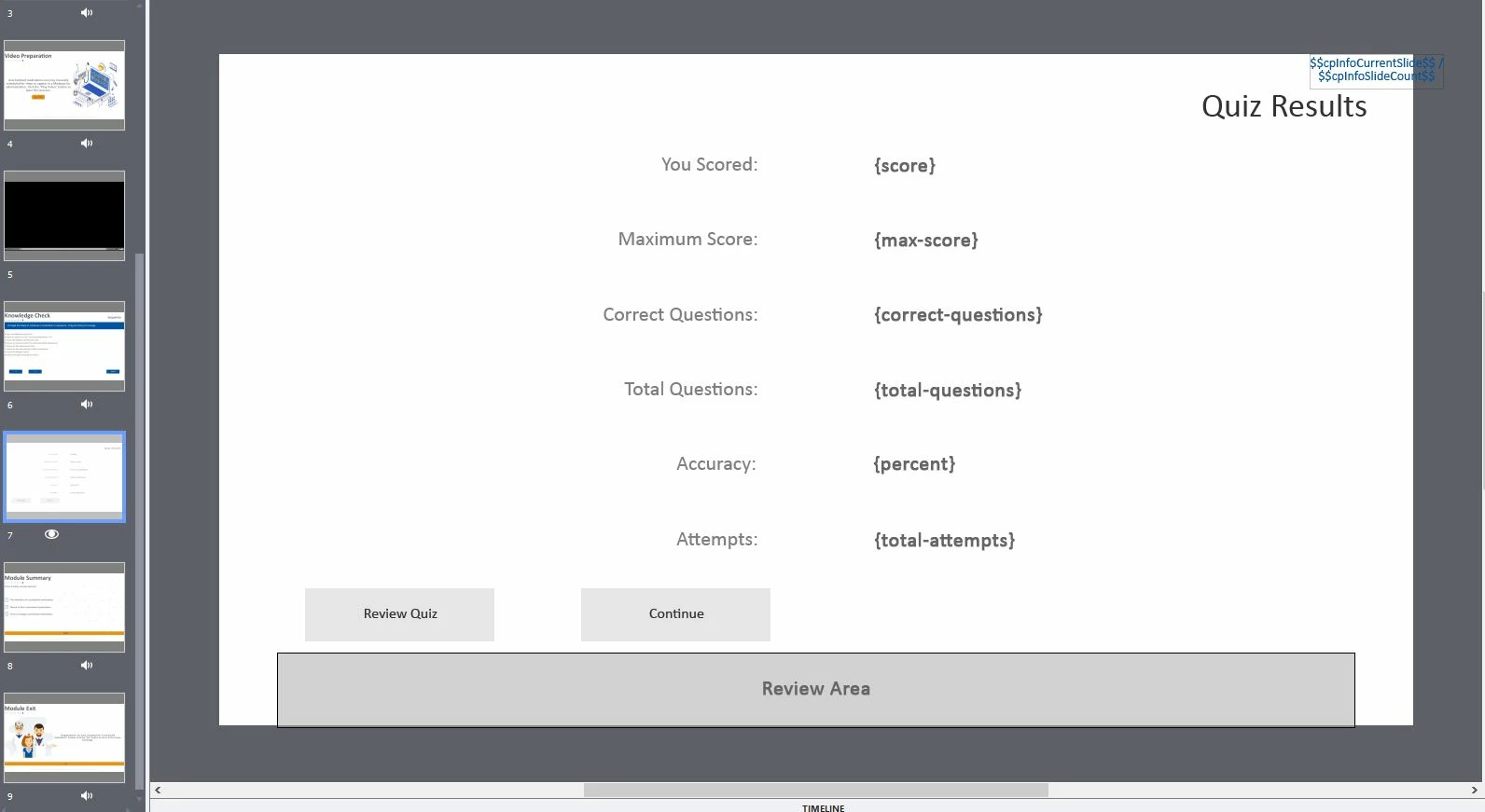
    I have the score slide hidden on the film strip and in output. I am not hiding any slides after the score slide. I am inserting screenshots. As far as the reporting is concerned, I only have the "Report Answer" checked off in the quiz settings. I didn't set up any other reporting features. 


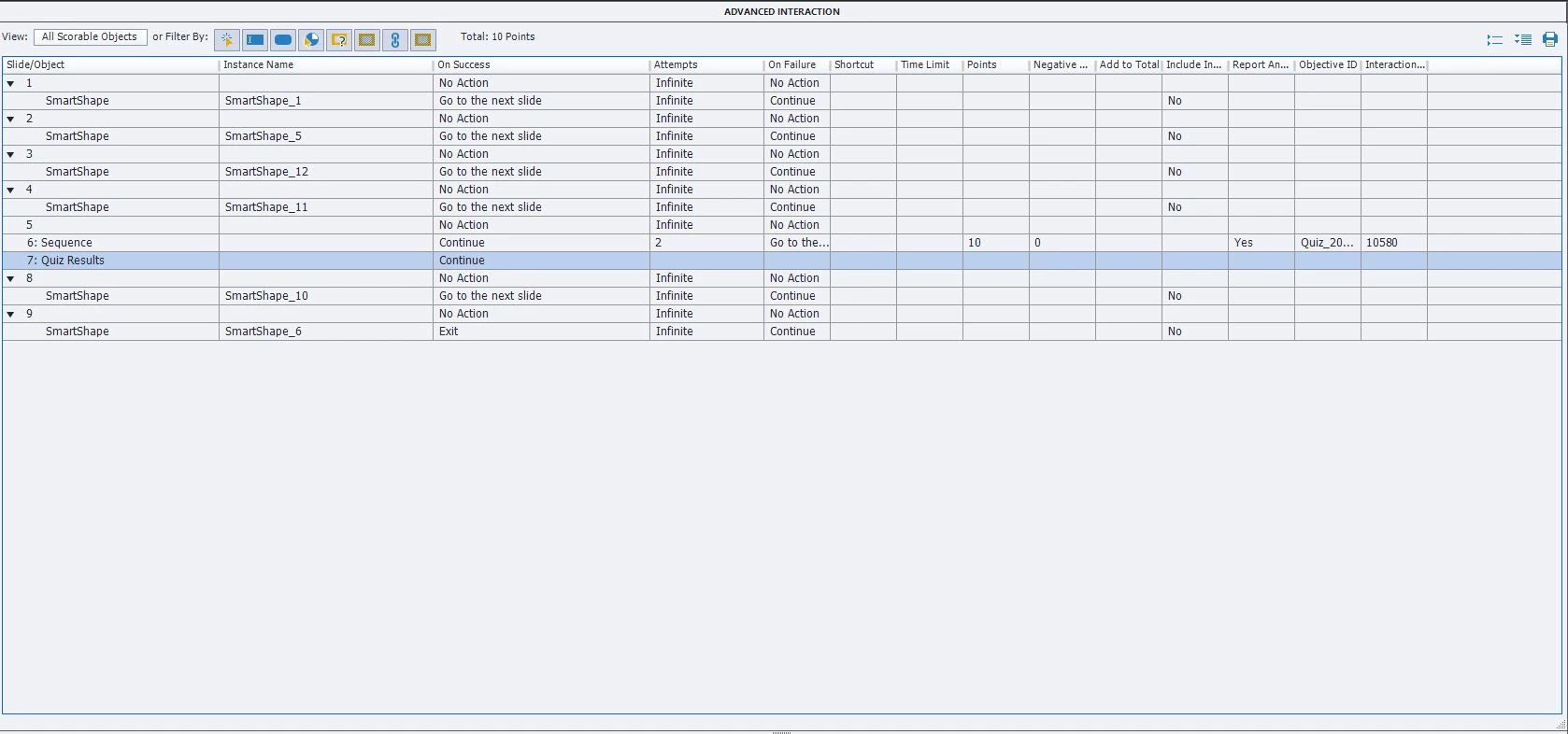
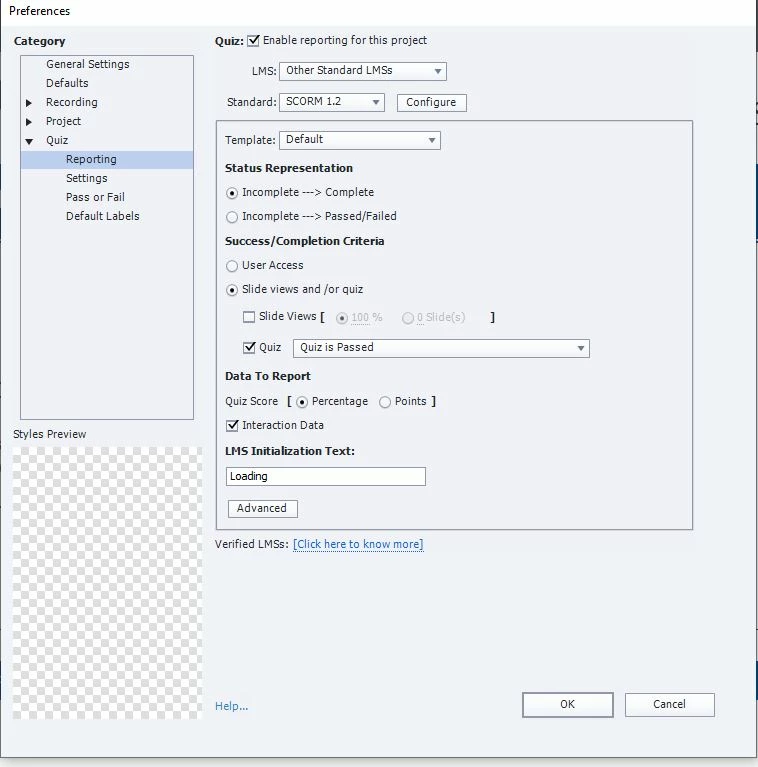
    Your criterium is set up that the Completion will only be marked when the Quiz is passed. There is only one scored question slide (10p). If the learner doesn't succeed on that slide, the course will be marked as being not complete. If you want to see it being completed even when that question is failed, you need to change the field under Success/Completion to one of the twoo other possibilities.

    1 reply

    Lilybiri
    Legend
    March 31, 2021

    Very broad question which leaves only guessing possible.


    Can you please test in SCORM Cloud. That is THE way to figure out whether the problem has to be looked for in Captivate or in the LMS.

    Do you have at least one slide after the score slide? Can you post a screenshot of the Reporting section of the Quiz Preferences? Did you edit the field 'Required' instead of keeping the default 'Optional'? There are other more to be trusted ways to force the learner to take the quiz. 

    Known Participant
    March 31, 2021

    Hello, I tested it in SCORM cloud, these are my results. I purposely didn't answer the quiz question. I am also attaching the quiz preferences. As well as the question settings. I do not believe that I changed any of the settings. 

    Lilybiri
    Legend
    March 31, 2021

    Please INSERT screenshots, do not attach them. Besides security reasons,  to see attached images I need to:

    • donwload each of those images individually to my system
    • open them in a graphics application
    • view them
    • delete them


    Like most of my peer ACPs who spend lot of free time in the forums, I have decided not to download anymore. An inserted image can be seen immediately. You can insert it with this button: