michelef44911867
Participant
January 8, 2018
Question

SCORM not reporting complete status for some users

  • January 8, 2018
  • 2 replies
  • 1574 views

Hello,

we're an italian agency using Adobe Captivate 9 to produce SCROM objects from PPT files.

Even after reading a lot of related topics, I was enable to find a solution, here the facts.

PROBLEM

Sometimes the progress and the completion state tracking for a SCORM object,created from a ppt slideshow, is not correct.

Example

SCORM object has 18 slides. Each slide has only one button to go to the next slide, with a single point assignement.

Some users played all the objects slides but our LMS shows us that some of them do not have 18(total and maximum) points, but different values, even zero points.

The problem appears randomly...

SCENARIO

Because of client requirements, we had to produce our own timeline, back and next buttons.

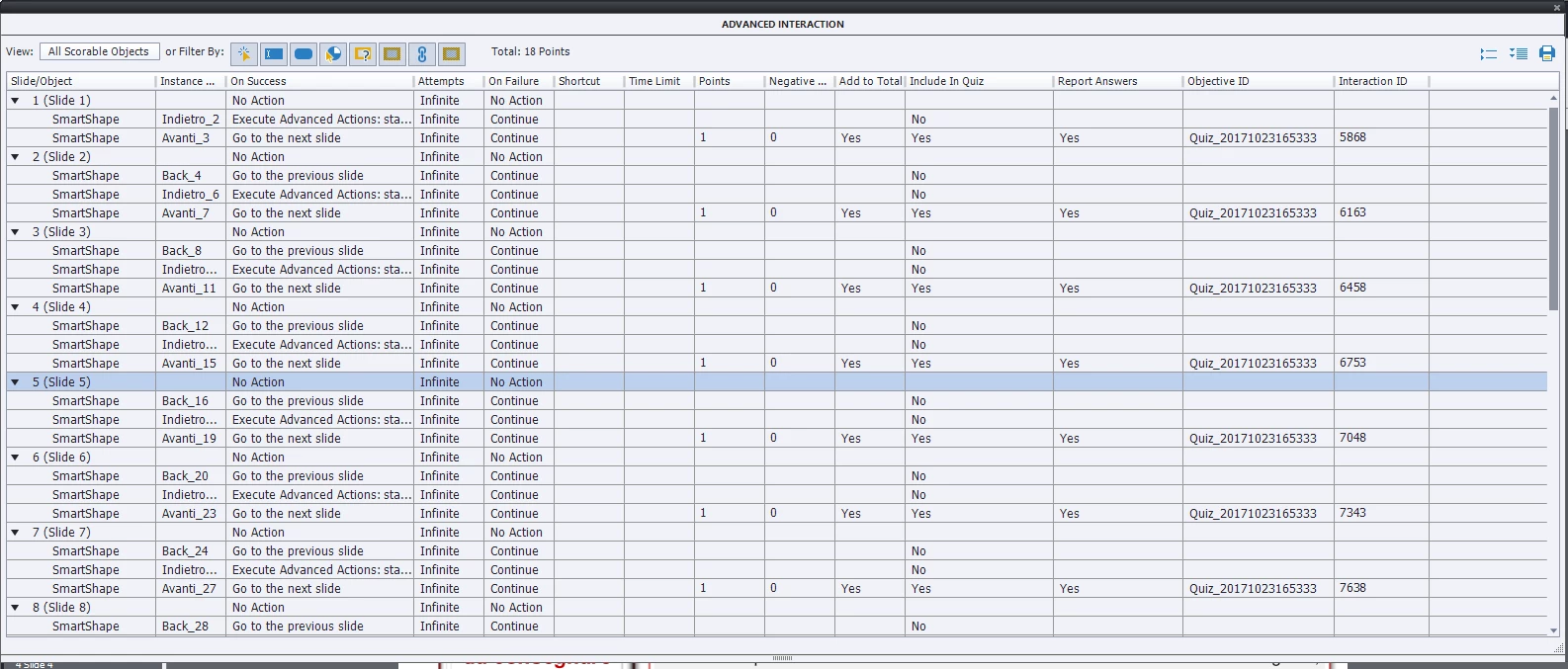
Every 'Next' button is a SmartShape, with these attributes setted:

On Success: Go to the next slide

Attempts: Infinite

On Failure: Continue

Shortcut: -

Timie Limit: -

Points: 1

Negative: 0

Add To Toal: Yes

Include In Quiz: Yes

Report Answers: Yes (we made a try also with this as No)

Objective ID: QUIZ_2017...

Interaction ID: 1234 (example)

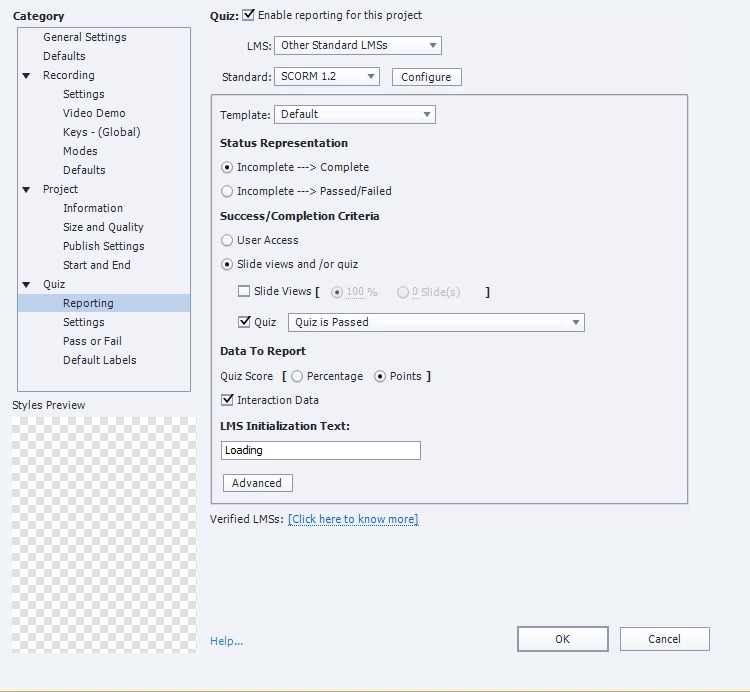
Changes on Project Preferences, Quiz section

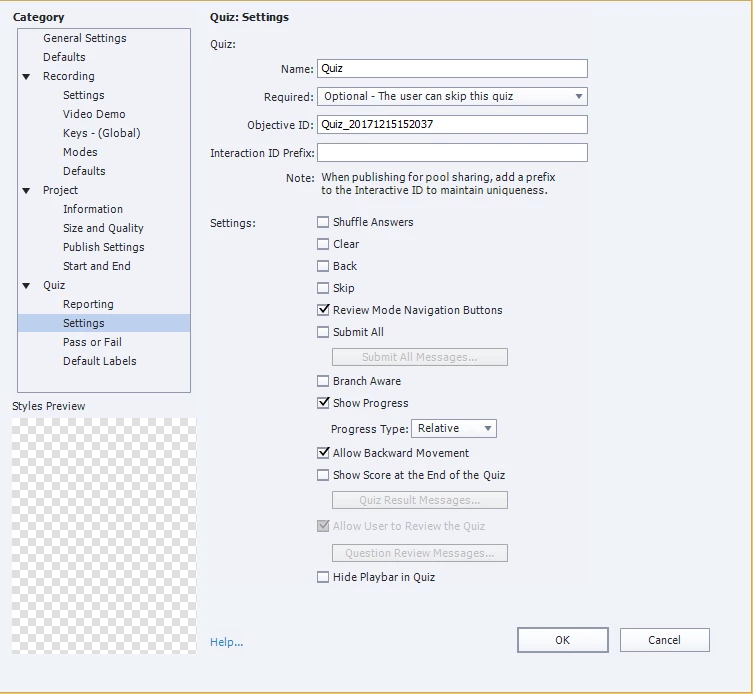
Checked "Quiz: Enable reporting for this project"

Selected 'Slide views and/or quiz' radio then checked 'Quiz' with 'Quiz is Passed' option selected.

Selected 'Points' on Quiz Score

Checked 'Interaction Data'

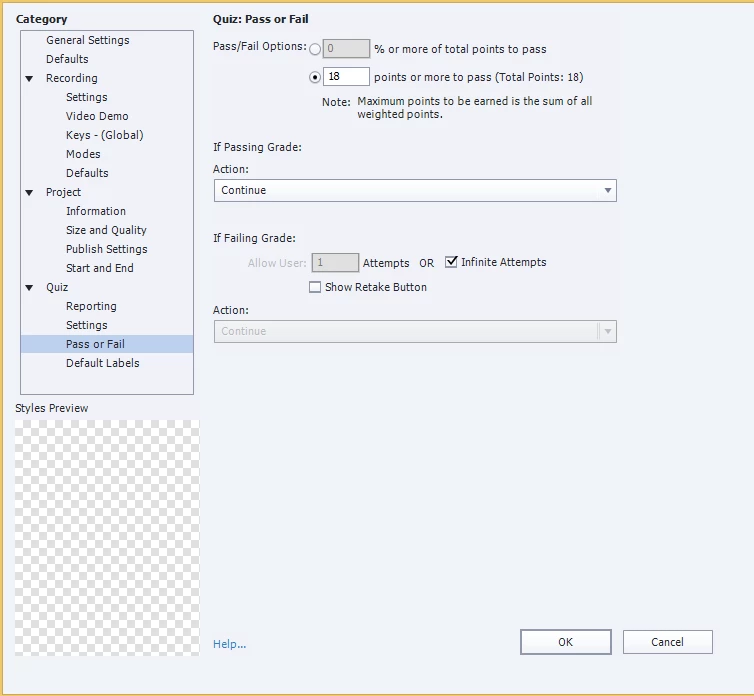
Changes on 'Pass or Fail' section, sub-section of Quiz

Inserted the total points available on 'Pass/Fail Options'

Checked 'Infinite Attempts' on 'If Failing Grade' section

Our LMS engine is Rustici, see screenshots of preferences and advanced interactions.
This topic has been closed for replies.

2 replies

michelef44911867
Participant
January 11, 2018

This is the log of last slide on SCORM engine

http://www.alloy.it/projects/scorm/requestPayload.xml

Can anyone understand what is happening?

RodWard
Community Expert
Community Expert
January 9, 2018

It sounds like there must be still some way for users to advance from one slide to the next WITHOUT clicking that button on each slide.

Have you actually sat with any of these users that get a zero score at the end and watched HOW they interact with the Captivate module?  You may see what they are doing that circumvents your scoring.

Have you run testing of these same modules in SCORM Cloud online LMS to see if you also get similar results there?  SCORM Cloud is made by Rustici too and uses the same SCORM engine.

michelef44911867
Participant
January 9, 2018

As far as I know, there are not other ways to go to next slide other than our custom button.

Unfortunately I can't be phisycally near by our users, but if I take the same problematic object that the specific user has started (with his own account) and I take the object to the end, final score is wrong, is not completed.

We used to test all SCORM Objects with SCORM Cloud engine into Adobe Captivate 9 and all final reports were good.

The randomatically appearance of the error doesn't give us any opportunity to understand clearly what's going on and how to reproduce the problem sistematically...

RodWard
Community Expert
Community Expert
January 9, 2018

Yes these types of inconsistent errors can be maddeningly difficult to diagnose.

However, I personally suspect that your issue might actually be related to your use of custom buttons on the quiz slides.

Years ago I discovered that it avoided a lot of issues with quiz scoring to make sure the user only really had ONE choice when it came to moving from one quiz slide to the next.  I stopped having a Next button on quiz slides because some users would answer the question and then click the Next button rather than the Submit button.  This led to inconsistent scoring and complaints from the users.  They of course blamed the Captivate modules, not themselves.

Removing the Next button (I never use Back buttons or allow backward movement in quizzes anyway) and making the Submit button somewhat larger and bolder than any other button still present on the slide 'fixed' the issue.  Users then correctly hit Submit every time after selecting their answer to the question.

I realise you said you were using these extra buttons due to "client requirements" but it's worth experimenting with an alternate navigation scheme on quiz questions to see if that IS the real reason for these failures.