Screen distorted during preview and published file
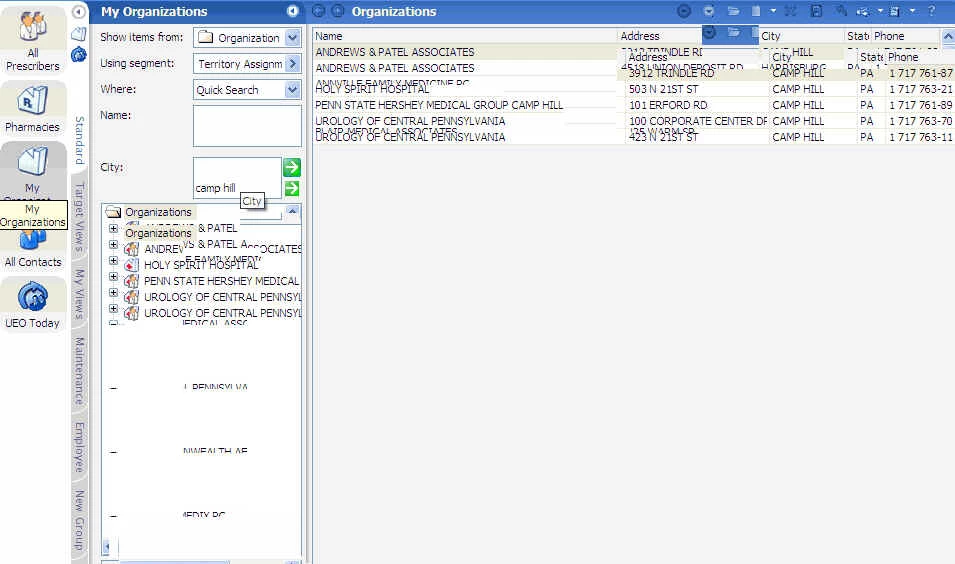
I created a file in training mode using Captivate 5. When I view the slides individually, it looks fine, but when I play the software simulation either via the Preview setting, or outputting to a SWF/Flash file, the screen gets completely distorted. I called Adobe Support, but they were unable to figure it out and are escalating the issue.
I've attached a screenshot of what its' doing. Notice that rows and text are overlaid on top of each other.
Any thoughts? I'm stumped. I've had similar issues in other projects, where certain fields are highlighted, but when I play the video, the highlighting is showing up in other areas of the screen (that have no highlight). This happens in both Demo and Training mode, and even if I recreate the file from scratch.
Thank you.
 AdChoices