Participant
April 15, 2016
Answered

Screen resolution issues (Windows 10)

  • April 15, 2016
  • 2 replies
  • 1734 views

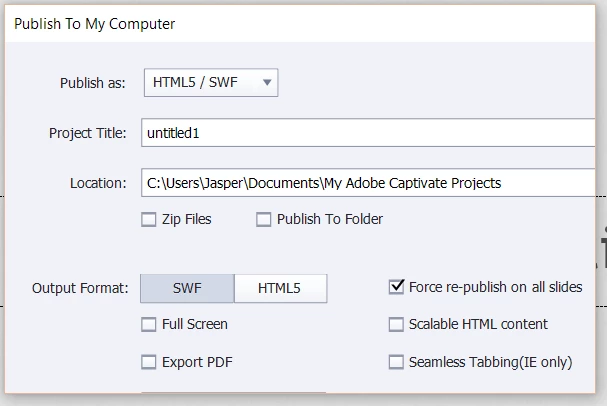
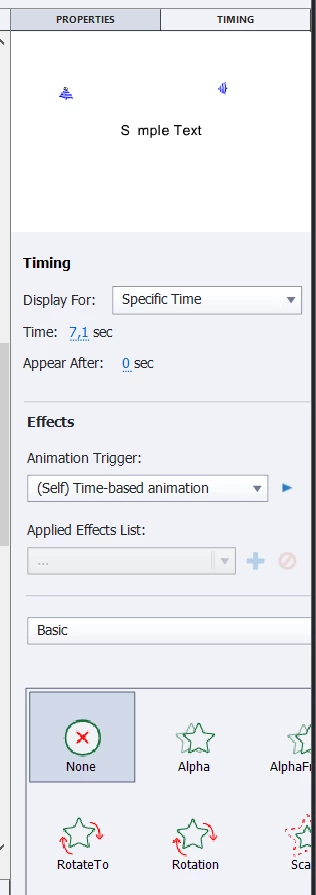
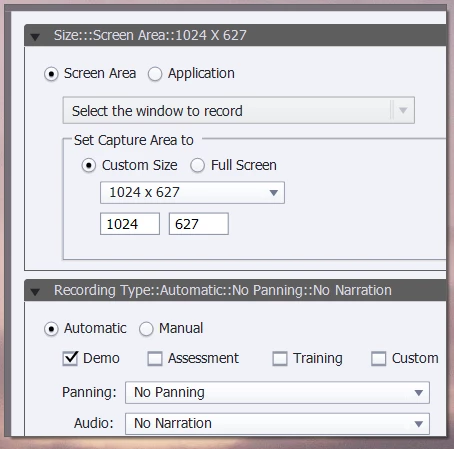
I have downloaded the latest Captivate 9 trial for Windows 10 and am having screen resolution issues. which basically make the software unusable. A lot of screens and dialogs seem bigger than the actual window they are in, making the right and bottom parts of the windows invisible (usually, this is where the "OK" and "Cancel" buttons are, for example).

I am running Captivate on a Windows 10 64-bit laptop (Sony Vaio with a NVidia GT 640M LE graphics card with the latest drivers)

Does anyone know how to solve this? Here's some examples:
    This topic has been closed for replies.
    Correct answer Lilybiri

    No retina.

    What is the font size set to? Win10 often makes it bigger than 100%, which is not really needed for your resolution, but it is for a retina screen. I am using Captivate on Win10, but both Surface Pro and laptop have a retina screen.

    2 replies

    Participant
    July 12, 2017

    I have a similar problem. However, the font size on my laptop was already set to 125%. I am running Captivate on Windows 10 64-bit laptop. Are there other ways of changing the resolution in Captivate (2017)?

    Lilybiri
    Legend
    July 12, 2017

    Not for capturing, you need to change display setting to 100%, on Surface

    default is 200%.

    Lilybiri
    Legend
    April 15, 2016

    What is your screen resolution?

    If you are on a retina screen did you follow the instructions to change the command for dpi?

    bug80Author
    Participant
    April 15, 2016

    It's 1920x1080. The laptop is a VAIO, so I don't think it's a retina screen?

    Lilybiri
    LilybiriCorrect answer
    Legend
    April 15, 2016

    No retina.

    What is the font size set to? Win10 often makes it bigger than 100%, which is not really needed for your resolution, but it is for a retina screen. I am using Captivate on Win10, but both Surface Pro and laptop have a retina screen.