guzmáng69297464
Participant
August 10, 2016
Question

Scroll in the slide body

  • August 10, 2016
  • 1 reply
  • 303 views

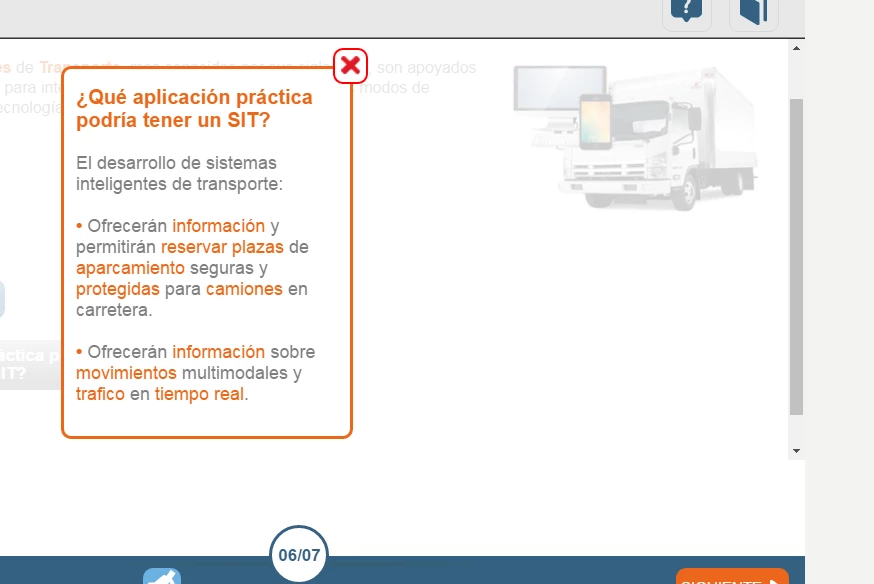
Can you put the scroll in slide? As? I have done a course to pass mobile version automatically in some show slide the scroll bar . The course looks great on all the slides.
    This topic has been closed for replies.

    1 reply

    Paul Wilson CTDP
    Community Expert
    Community Expert
    August 10, 2016

    If I understand your question then the answer is yes. It's sometimes helpful to know what version of Adobe Captivate you are using so I suggest you include that information for future questions.

    You can place a web object within your Adobe Captivate project. A Web Object can be a page of HTML content or it can be a document (something that would normally load in a browser). If the content is larger than the Web Object you have placed on your stage, you will get scroll bars.

    2016-08-10 9-03-09 AM

    2016-08-10 8-58-33 AMAlso you could have your entire slide in a responsive Captivate project scroll. On the slide level you can set the height of a particular slide to be greater than the rest of your slides. That slide will then scroll when viewed on browser windows that are smaller than that slide.

    Paul Wilson, CTDP
    guzmáng69297464
    Participant
    August 11, 2016

    Thank you very much

    I understand you explain the options but I think they are not shown in my image.

    In the course I've seen only get the scroll in the body of the course (has a header and footer). The body is a part over captivate with buttons, objetosm, etc not a website. And the other option would you propose to the entire slide

    Not as it is done but the truth is that it works very well and is perfectly suited to different devices. Can it be with reflow Edge?