
Known Participant
November 21, 2013
Question

Scrollbar on text

  • November 21, 2013
  • 2 replies
  • 1090 views

I've seen several discussions about this and want to know if there are any updates or workarounds or if I can purchase a widget that I can insert into Adobe Captivate to make this work.

I got this example off of SmartBuilder.  Seems like a straight forward functionality, but seems like it's not present in the current version of Captivate

Can you please direct me to a widget of libraries that can provide me with this functional of textbox with a scrollable text.  Allowing you also to format text and appear transparent and works to publish in HTML5?

Here's a screen capture.  Any help you can provide will be so appreciated.   THANK YOU!
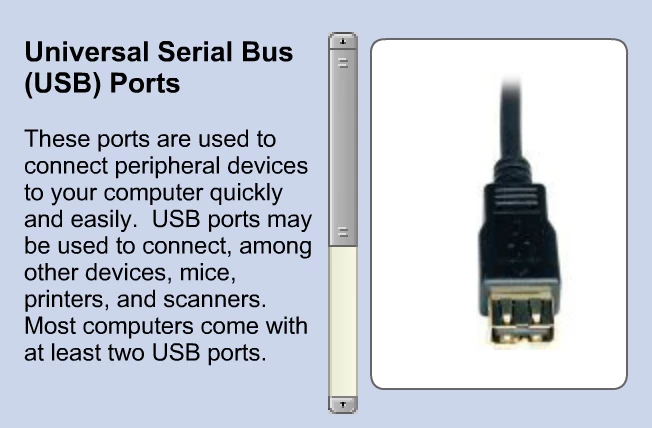

I use the widget  available in Captivate, but it's not transparent of a background against a smartshape and it doesn't provide formatting.

Please help

Susanne

    This topic has been closed for replies.

    2 replies

    Varun Kalra
    Participating Frequently
    November 22, 2013

    For HTML 5, there is a workaround: note down the color code of smart shape that you are using and uncheck no background in widget properties and select the background color as same color code as smart shape.

    Thanks.

    Known Participant
    November 27, 2013

    Hi Varun,

    Thanks for getting back to me regarding this function.

    I have two question:
    -Under the widget properties, where do I uncheck No Background?    I see No Highlight.   If I uncheck No Hightlight, where is the color spectrum option for me to enter the same background color as the smartshape?

    -In future versions, will you enable formatting of the text?   For example, if I wanted the TITLE ONLY to be bolded and a bigger font and leaving the body of the text a smaller font.

    Thanks!

    Susanne

    Varun Kalra
    Participating Frequently
    November 27, 2013

    Hi Susane,

    I am sorry I missed that, it was no highlight.

    Under widget properties you can click on fill and you will get the color palette, and enter the same color code as you have for smart shape, Smart Shape should be 100% alpha, else there will be difference between fill color and smart shape. But, for some reasons border for widget is still there in the HTML 5 output.

    For a bigger and bold title in this widget, please fill the feature request form for future versions: https://www.adobe.com/cfusion/mmform/index.cfm?name=wishform

    Thanks.

    Varun Kalra
    Participating Frequently
    November 22, 2013

    Hi there,

    Have you inserted the Scroling Text interaction available in Captivate 7 (insert > Interactions).

    I used a smart shape and sent that to backward (below the interaction in timeline), checked no background in widget properties:

    Thanks.