

Answered
Scrolling Text Learning Interaction; Assign Variable not transferring all text.
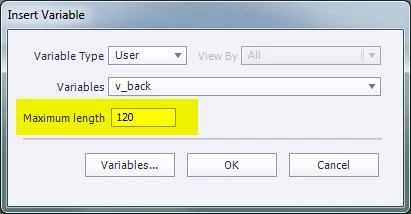
Captivate v9. Using the Scrolling Text Learning Interaction to capture user text entry by assigning a Variable Name. On the following slide, inserted the Variable in a Text Caption. The text entered on the previous slide in the Scrolling Text is truncated. For example, the entry of 2 or 3 sentences (100+ characters) results in only the first 50 or so being displayed in the Text Caption.
 AdChoices