


Known Participant
November 10, 2022
Question

Second Line Indent in Capivate

  • November 10, 2022
  • 2 replies
  • 142 views

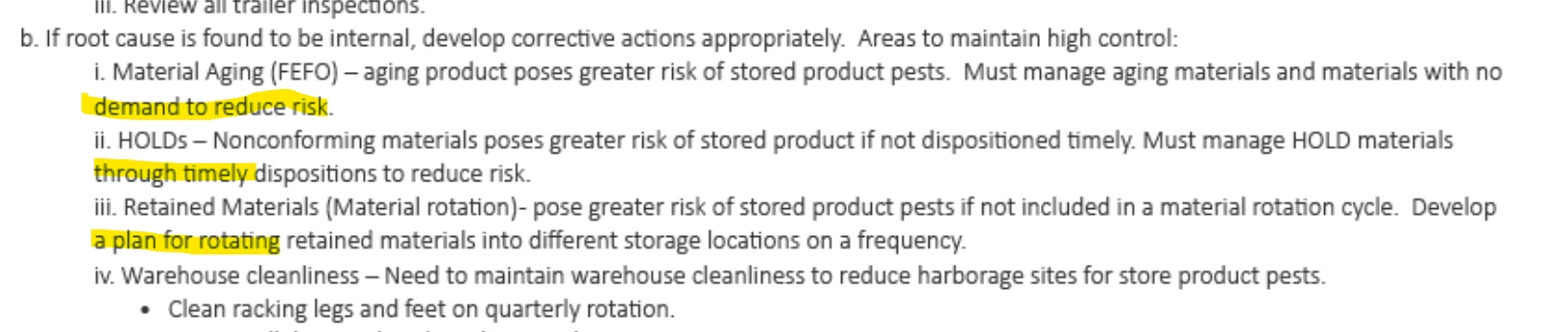
Hi! We're trying to copy/paste text from an outline in a word document into Adobe Captivate slides...standard opperating procedures that  we want to track people reviewing. I'm wondering, is there a way to copy/paste from the word document and have the highlighted lines in the image indent? We don't want to start over with lettering/bullets/numbers as it needs to mirror the SOP's numbering scheme. It's not a huge thing if they don't indent...but I sure would like it if it would. 
    This topic has been closed for replies.

    2 replies

    Lilybiri
    Legend
    November 11, 2022

    Agreeing with Rod completely.

    However you cannot achieve this with Captivate's text formatting features after having pasted non-formatted text.

    An alternative would be to copy this 'text' as an image to keep all styling. 

    RodWard
    Community Expert
    Community Expert
    November 11, 2022

    Copying and pasting from any Microsoft product directly into Captivate is asking for trouble because you could easily bring in hidden formatting code that will cause all manner of unpredictable results.  Much as it is probably what you DO NOT want to hear, the best way to copy any text-based information into Captivate is as plain text.  I always run it through Notepad to strip out formatting first.