Inspiring
May 28, 2019
Answered

Sending Multiple Quiz Scores to LMS

  • May 28, 2019
  • 1 reply
  • 651 views

Hi

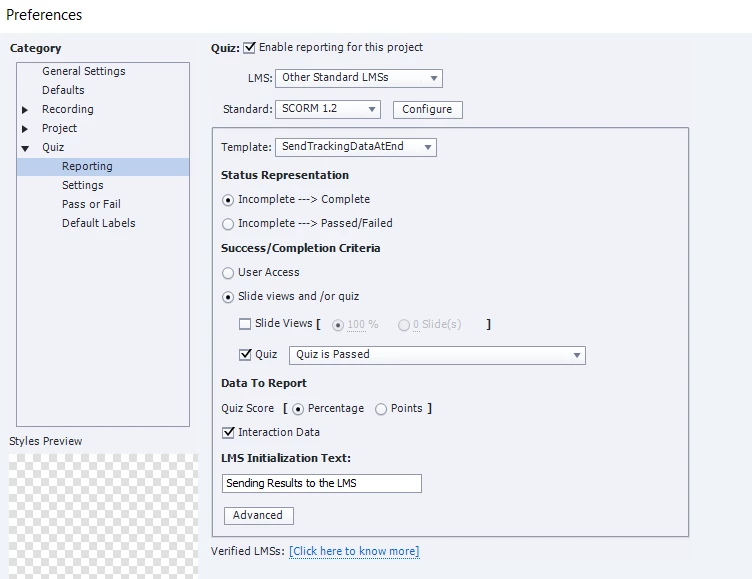
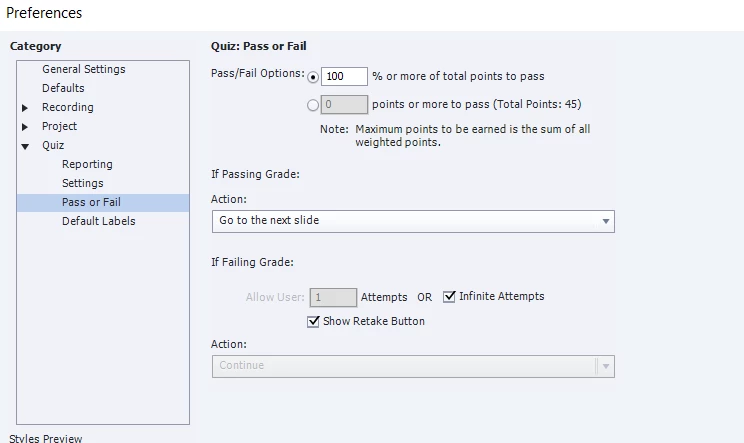
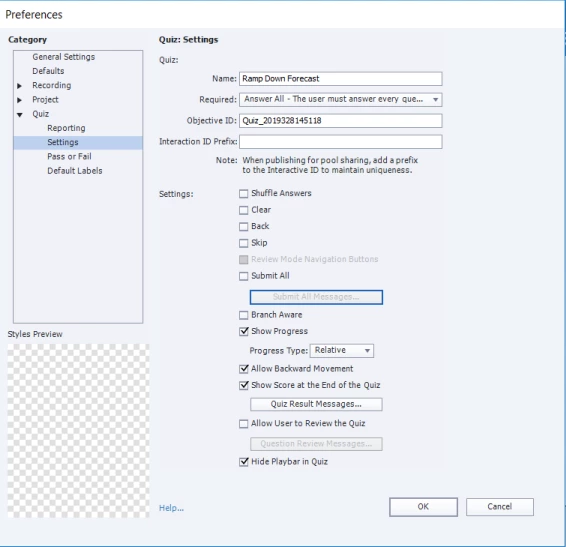
I am creating a course for a customer who requires that users pass quizzes at 100%.  Users will have infinite attempts to reach 100%, and the customer wants each attempt to be scored with results sent to their LMS.  I have the Retake Quiz button enabled on the Results slide and testers are taking the quiz multiple times; however, nothing is being sent to the LMS.  Is there a way to add a "Submit Quiz Results to the LMS" button on the results slide, which when clicked would take users to the next slide - where results would be sent. Then if the quiz was not scored at 100%, the Retake Quiz button would appear on the last slide instead of the results slide?

Thank you.
    This topic has been closed for replies.
    Correct answer cschmelzer

    Thank you, Rod.  I will look at the JavaScript links, but I think the best option is to share your suggestion with our customer.  I appreciate the quick response.

    Regards,

    Cheryl

    1 reply

    RodWard
    Community Expert
    Community Expert
    May 29, 2019

    The default way that Captivate works is that quiz results are sent to the LMS AFTER users click the Continue button on the Quiz Results slide.  If your users don't choose to click that button and instead click the Retake Quiz button, no results are sent.

    With standard Captivate functionality, if you wanted results for every user attempt at the quiz to be sent to the LMS then you would have to turn off Infinite Attempts and set it instead to just allow ONE attempt on the quiz so that the user could only click the Continue button on the Quiz Result slide.  They would then need to relaunch the module from the LMS to make another attempt.

    There may be a way to do a JavaScript call to submit SCORM data to the LMS via a button placed on the Quiz Results slide.  But I have not seen that done (as far as I can remember).

    Take a look at these threads if you want to try diving into that can of worms:

    https://forums.adobe.com/message/10624315?et=watches.email.thread#10624315

    https://forums.adobe.com/message/10359135?et=watches.email.thread#10359135

    cschmelzerAuthorCorrect answer
    Inspiring
    May 29, 2019

    Thank you, Rod.  I will look at the JavaScript links, but I think the best option is to share your suggestion with our customer.  I appreciate the quick response.

    Regards,

    Cheryl