
Serious problems with Advanced Actions
First, let me apologize for the length of this discussion. I need to provide as much detail and images as to ensure clarity of issues. And before anyone asks, the files being used are all CPTX files, not CPTL template files. I have had too many issues with template files had thus never use them.
Next, the images here are from Captivate 2017, however this problem also exists in Captivate 9. I am using a Lenovo PC with Windows 10. The problem also exists when creating a new project file from scratch so it is not a contaminated project file, and after clearing the Captivate cache.
Ok, now to the issues. I have a slide that has 5 hidden groups (text and images), 5 icons, and 5 click boxes on top of the icons. Each click box, when clicked, shows a specific group, stops any audio that is currently playing (except for the base page audio), plays the audio clip specific to the group being displayed, and increments a variable (slide09_nextbtn) (when the nextbtn reaches 5, the next button is displayed to allow the learner to proceed to the next slide).
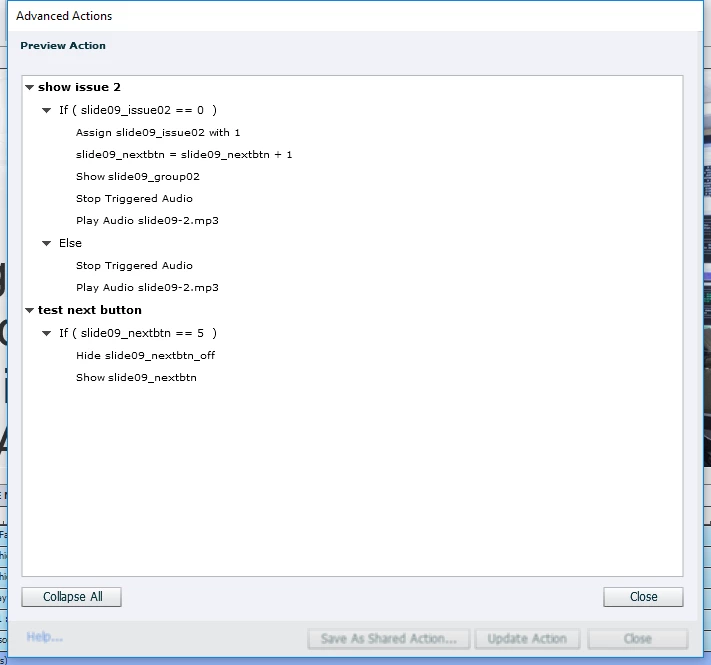
Below is the image of the Advanced Actions dialog BEFORE saving the action.
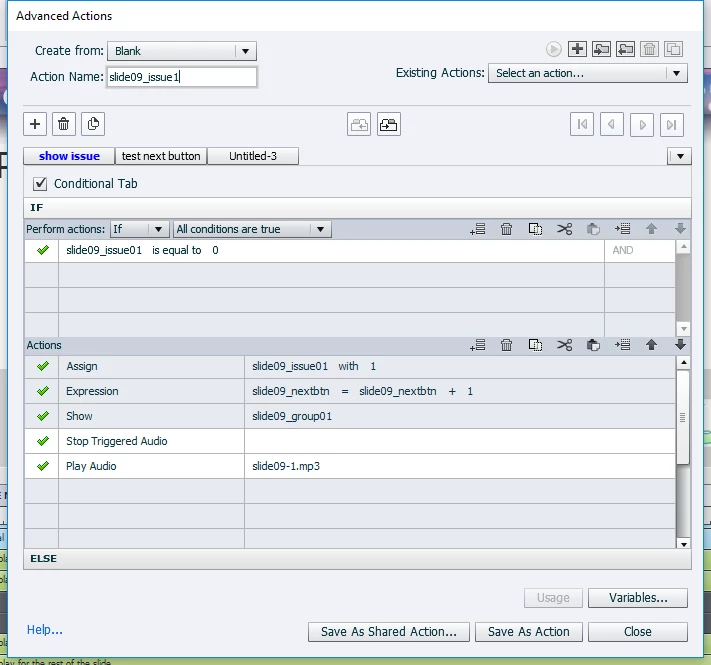
The IF/Actions perform the actions mentioned above. The ELSE actions has the 2 highlighted actions only, since the other 3 actions would have been previously performed when slide09_issue1=0. The second decision group (test next button) evaluates the value of slide09_nextbtn and if equal to 5, displays the NEXT button.
NOW, when I click on the "Save As Action button", I get the appropriate message, as seen below:
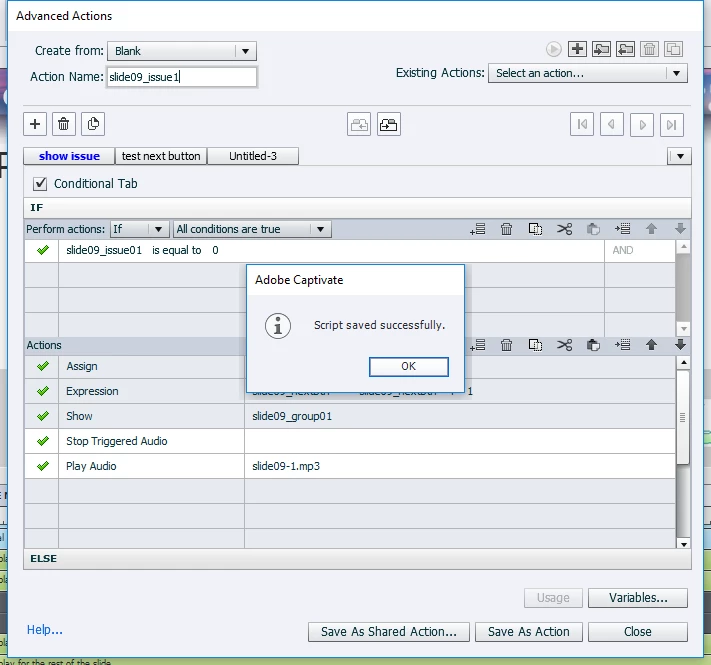
BUT after clicking "OK" to close the message, notice the condition of the "Save As Action" button in this image:

It still shows as before clicking it. It should be gray and changed to read "Update Action", until something is changed when the button becomes available. IT SHOULD NOT STILL SAY "Save As Action".
Next, if I try to close the dialog window, I get this message:
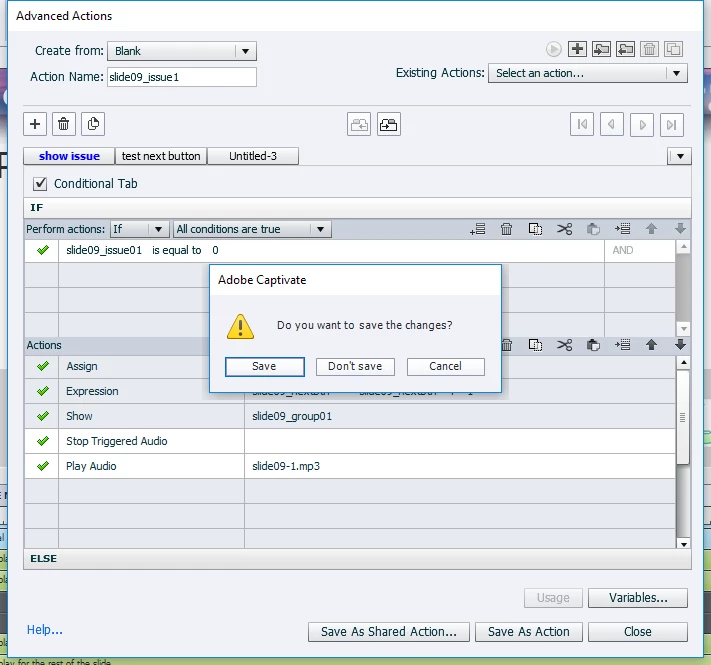
I should not be getting this since it was already saved (but then the "Save As Action" button didn't change state, so not surprised). If I try to save it from this dialog window, it will tell me that the action already exists and to save it with another name. I could do that, but will still have the same problems. If I click "Don't save", the window will close. This next image shows what happens when I go back into Advanced Actions and try to display the previously saved action:
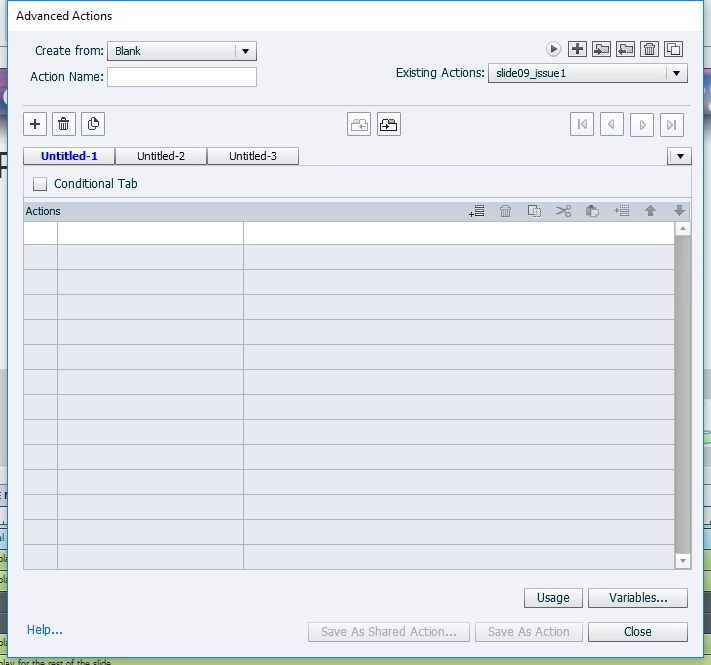
Notice that the correct action name is shown in the "Existing Actions:" pull down menu, but the code is GONE. Yet, not really. If I assign this action to the click box for the first icon and preview the next 5 slides, here is what I see. This first image shows the slide when first displayed. The base page audio plays with instructions to click on the icons.
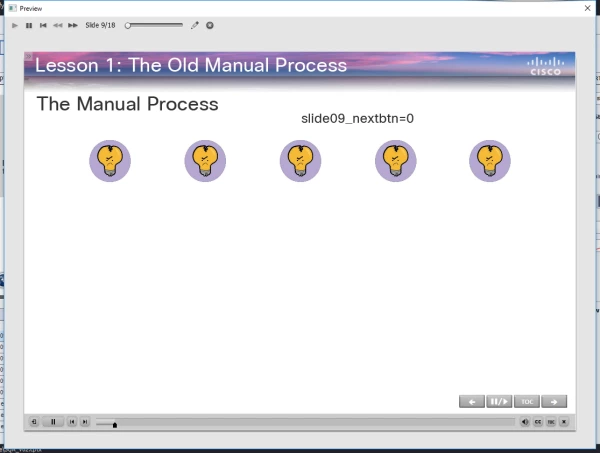
As you can see, I have also added a text caption to track the value of the next page counter (for testing purposes, I have not disabled the Next button, so I can proceed to the next slide at any time). When the first icon is clicked, I get the following results:
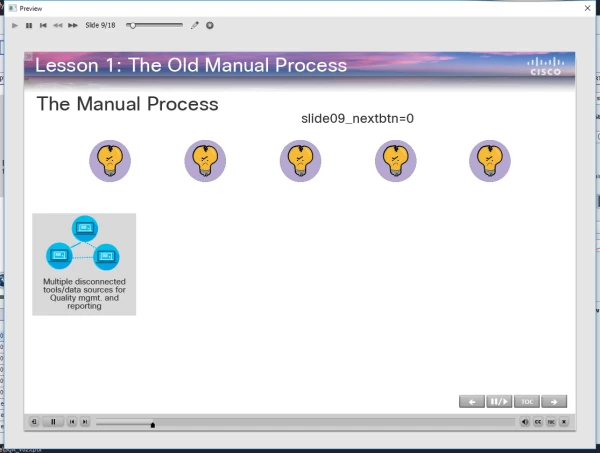
The correct group is displayed, and the correct audio file is displayed. HOWEVER, the next button variable did not increment as it should have (reference back to the first image above). It should have changed value to 1. I know for certain that the IF was true, because the group displayed and that SHOW action is not part of the ELSE condition. Just to be certain that the next button variable did not increment, I placed the same text caption on the next slide, as can be seen here.
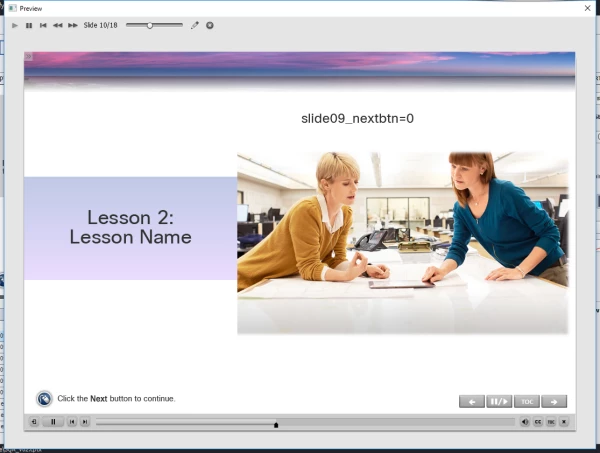
So, we have 2 problems - the Advanced Actions is not saving and keeping the code and the EXPRESSION action is not working correctly.
With this in mind, I went back and created another Advanced Action (this time for the 2nd icon). This time, however, I did not include the EXPRESSION action in the code NOR did I add the 2nd decision group to test that variable to display the Next button.
THIS TIME, when I tried to save the action, IT BEHAVED ITSELF and saved properly. And after closing and returning to Advanced Actions, the new action listed correctly.
Now, one might think that the cause of all my problems is the Expression action is causing all the problems. Unfortunately, I have had other Advanced Action codings that demonstrated the same saving problem, but did not include an Expression action. So, this remains 2 separate problems.
For clarification, This problem exists in both Captivate 9 and Captivate 2017 in CPTX files on a PC using Windows 10.
The only common factor I can think of is that these problems did not exist BEFORE this computer was upgraded to Windows 10 6 months ago.
I can be available to work with any Adobe Tech Support person to try and duplicate and resolve these issues.
THANK YOU!!!
Cheers
Russ


 AdChoices