nbkfysc
Participating Frequently
April 11, 2016
Answered

Set Effect not working for CB

  • April 11, 2016
  • 1 reply
  • 334 views

Hi there!

I have a slide where users need to enter/ fill in 2 text entry boxes (not validated, no action- this is for learning the process) and a click box. I have a "hint" button set to execute an advanced action.

The action is set to "set glow" for the various things they need to click on or fill in.

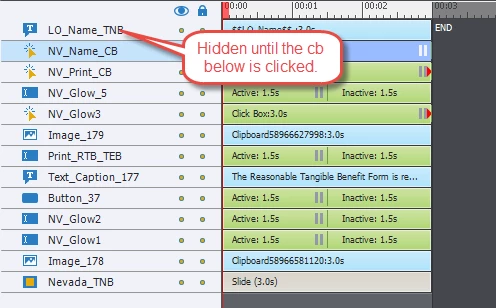
The only event that triggers an actual action is clicking on the "Print" button at the end, which is hidden until the Click Box is Clicked.

For some reason, the "set glow" effect works on all the TEB's, but does not show work at all for the CB (I also tried to do it with a smart shape set to 0% so it was translucent to see if the "border" would glow"- it didn't work).

Can you help please?

This topic has been closed for replies.
Correct answer Lilybiri

Hi Lylrbiri,

Thank you for all the feedback!

Please see below from my original message. I can't figure out what I'm doing wrong here?

I also tried to do it with a smart shape set to 0% so it was translucent to see if the "border" would glow"- it didn't work.


If you have no stroke and no fill, there will not be a glow at all, because you made an invisible object. You need at least to have a stroke, will look like this (had a white stroke of 2pt)

Maybe think like this: an invisible person cannot have a shadow, right

1 reply

Lilybiri
Legend
April 11, 2016

A click box is invisible by design. How could it glow?  I must miss something

nbkfysc
nbkfyscAuthor
Participating Frequently
April 11, 2016

Hi There,

I was experimenting with multiple things and trying to get them to glow. My intent is simply to have a glowing outline on the boxes that need to be clicked.

These are the TEB's that glow. How do I initiate the same effect on something meant to be clicked?

Lilybiri
Legend
April 11, 2016

Click box is invisible as I told already. Use a shape button. Works perfectly;