
Setting to determine asset format
Hello,
We have recently published two Captivate projects using the same version of Captivate (2019). Both were published as SCORM 1.2 files, and after uploading them to our LMS (Totara) we run into the issues with one of them. It appears that assets (mostly images, but also audio files) were not loading and throwing "Failure to load resources" with 404 and 500 server errors. After inspecting content with a Fiddler Trace, we saw that the assets that we are having trouble with are being called up as JSON files (see attachment of a Fiddler screenshot). The file that was playing without any issues were pulling the assets in their original format (.png, etc.).
I was wondering if anyone know why some assets get formatted one way or another, and is there a setting in Captivate that regulates this? Also, is it possible to force the assets that currently get formatted as JSON files into their original file types?
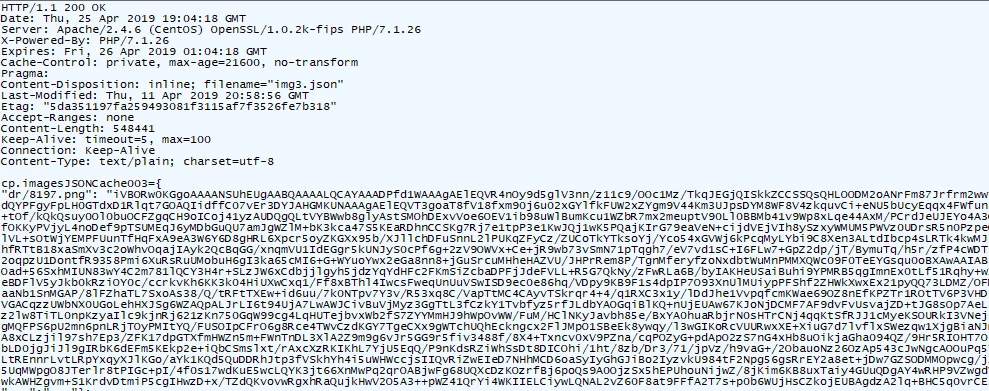
Thank you,
Marina Z.


 AdChoices