Sorry I didn't attach the right picture I've attached it below BUT I turned off 'Include in Quiz' and it works. It only stops the back and retry button from working when 'Include in Quiz' is checked. So the shared action itself IS working as it should be.
So the 'include in quiz' is the problem which is stopping the back and retry button from working.
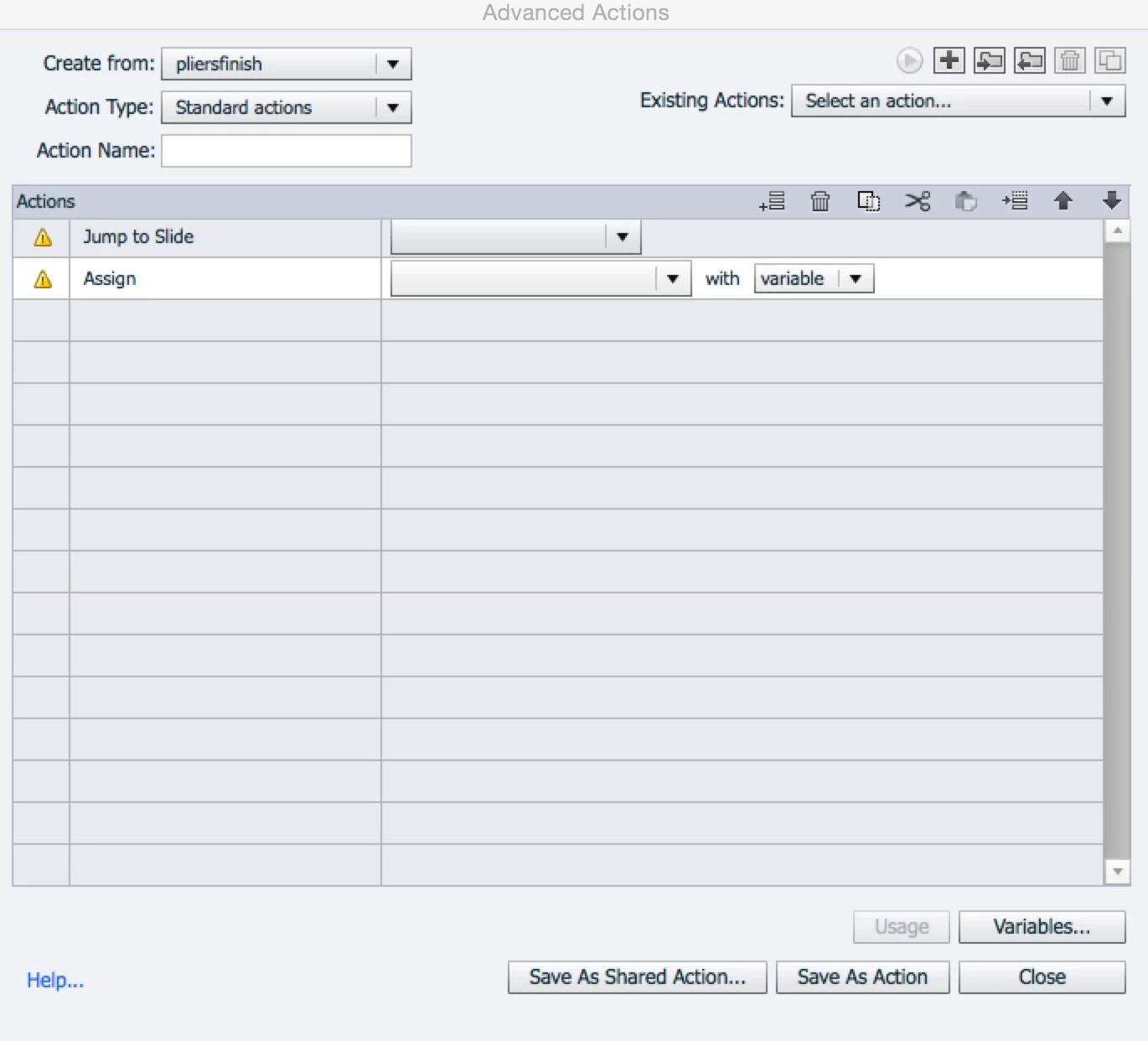
To put a bit of context around it. There are 5 system simulations. Each one is duplicate 3 times. The learner accesses the sims from a landing page. When they click the landing page they are taken to a screen which displays some pre-checks they must remember to do before they'd complete this transaction on a live system. They then choose the scenario difficulty setting from easy, normal or hard.
Depending on the button they click jumps to one of the 3 duplicated system scenarios. Each one has more or less guidance for the learner depending on the difficulty (e.g if hard difficulty is selected it jumps to the duplicated version that has no guidance).
Screenshot of the slide is the last slide of the duplicated version the reason the forward button must 'jump' rather than go to next slide is because they must land on the post-check slide which highlight what checks they;d carry out after completing the system transaction on the live system.
If it were simply a 'go to next slide' action it would start the same scenario again but on the next difficulty. So for scenario it follows the following pattern:
pre-checks slide
|
Difficulty choice slide
(depending on the button they click they jump to one of the following on the next line)
| | |
Easy (set of 5 slides) Normal (Set of 5 slides) Hard (Set of 5 slides)
|
Post check slide
(The forward button on the last slide in the screen shot jumps here)
After they've gone through those steps and finished the post check slide they go back to the landing page.
When they enter the landing page it will display a image of a star to highlight which difficulty they completed the scenario on. So on the screen shot I posted it is the last slide of the easy mode. So when they click the that forward button it will assign the variable with 1.
When they hit the landing page if that variable is = 1 then it will display the 'bronze award' to reflect they've completed the system scenario in Easy mode.
The logic and the way I've created it MAY NOT be the easiest way of doing it. But it does all work!
The only time the back button and retry button on that last slide stop working is when I have 'include in quiz' checked.
The click boxes all need to pause at the same time on the last screen, if they didn't all the buttons wouldn't work. As they all need to be 'active' to allow the user to make the choice and click either backwards, retry, or forwards. Again it works like that without any issues as long as 'include in quiz' is not checked on the forward button click box.
Hope that helps.
Did you allow Backwards movement in Quiz Preferences? What is the Required
setting in those Preferences?

 AdChoices