
Known Participant
December 4, 2019
Question

Show % of finished course

  • December 4, 2019
  • 1 reply
  • 1167 views

Me spamming again: )
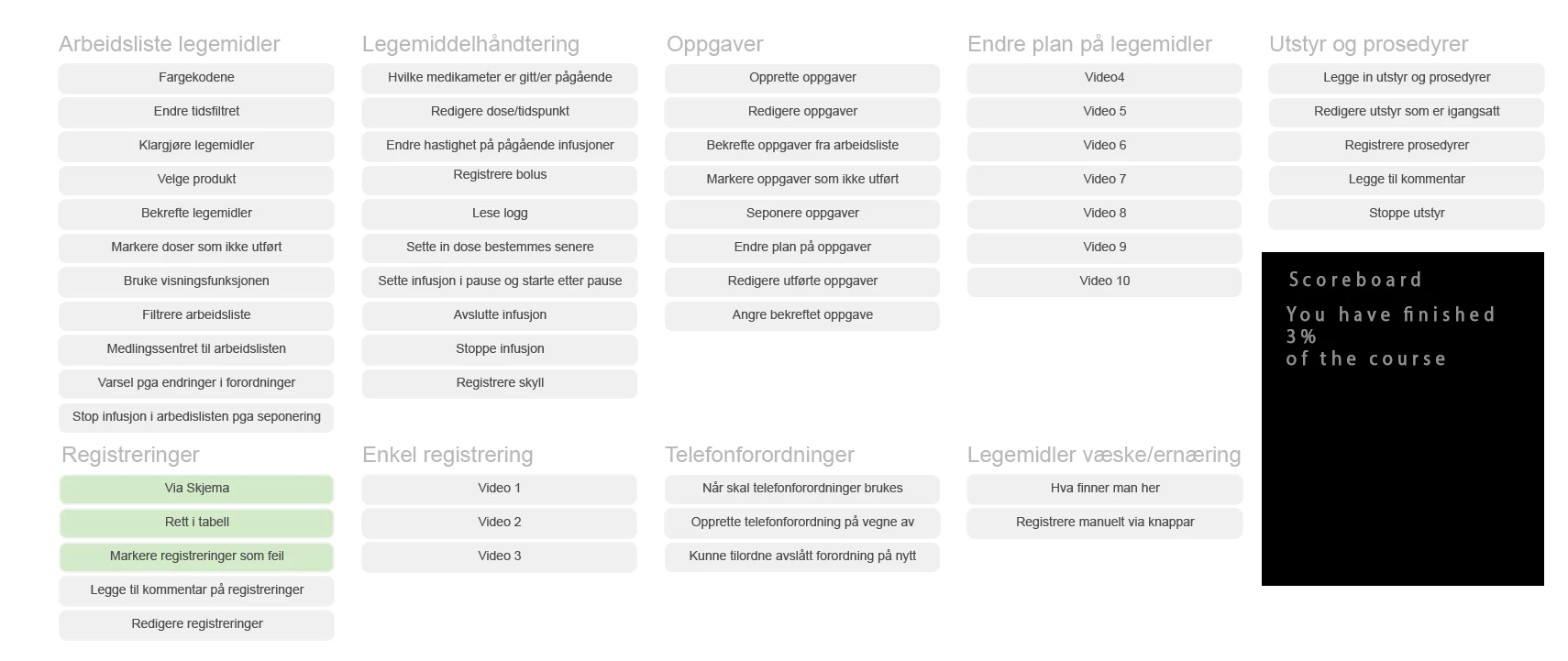
Now I am wondering if there is a way to show the finished percentage of the course down there where the black box are now.
As it is set up the grey boxes changes color to green whenever a user clickes on a certain button. I would like to calculate that when all boxes are green that is 100% the course are finished. when halv are green it will show 50% and so on.
Hopefully you get the idea.

Thanx: )
This topic has been closed for replies.

1 reply

Lilybiri
Legend
December 4, 2019

I don't see any advantage in showing such a percentage, because it has no relation with the time the learner will need to finish the course. But that is off topic.

You will need to do some calculations. Can the learner click the same button twice or more? That makes it more complicated. If not, you can just use a variable set up as counter and compare its value with the total amount of buttons. If you allow mulitple clicks, I would toggle a Boolean, and calculate the number of button clicks by summarizing all the variables which will lead to the same amount as the counter in the other scenario.

Known Participant
December 4, 2019

There is no time limit or so in this course. IT will just be another feuture in the course to add som gamification.
The user can click the same button several times couse the button will reveale a video. But it will just count it at one time when it comes to the percantage.

So I wont need any fancy Javascript to solve this you are saying?

Lilybiri
Legend
December 4, 2019

Not for me, but JS experts will tell the contrary. I try to use advanced/shared actions when possible.


You didn't tell how many buttons you have on that slide? If it is a very big amount, maybe I would switch to JS to calculate the sum of the Booleans. Problem with advanced/shared actions is that the math operators are limited to two terms... you need a sequence of several commands to add more terms. The image is very tiny and blurry (not due to you but to this platform). Are all those texts buttons?  Looks like a Scandinavian language....

Let me know how many 'buttons' you have, maybe I'll find a workaround without JS?