

Simulation/Interaction Knowledge Check w/Keystrokes
I'm working on putting together computer-based training modules with Captivate 9 on Microsoft Excel; one of the lessons we teach is the use of keyboard shortcuts to eliminate the need to manually scroll/select large amounts of data.
We want to do a knowledge check on this that requires a student to execute these shortcuts; however, I'm not currently able to figure this out. I can easily do things that require clicks with Click Boxes, but after searching around for a bit, I've yet to find a solution for this particular question. (I'm very new to using Captivate and am almost completely self-taught with only a couple of tutorial books and a few internet searches to assist my understanding... please bear with me!)
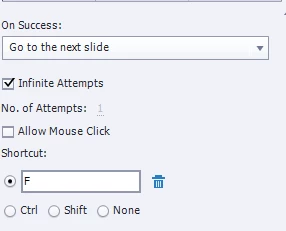
I'm hoping you guys can help me out; my presumption is that it's not possible, at least not in a way that truly simulates the actions as they would happen in Excel. I could have them enter the answer in a Text Entry Box, but that's not really what I'm looking to do; I want them to press the keyboard shortcuts and have the project advance to the slide/state that would occur if that shortcut was entered into the actual Excel program.
Thanks in advance!
Michael


 AdChoices