Participant
October 2, 2023
Answered

Single slide project plays perfectly in Preview but background image disappears when published

  • October 2, 2023
  • 1 reply
  • 538 views

I've developed a single slide project that only involves images and characters with a couple elements having fade in/fade out transitions. When I preview, everything runs as it should. However, when I publish it to video, the second background image doesn't pull up and instead it is a red background. I've tried different images and it's the same issue. I originally had the project broken out across 2 slides, so the background image change took place with the slide change. I was having the same issue, though.

Any help is appreciated!

    This topic has been closed for replies.
    Correct answer Lilybiri
    TimelineC-PNG.png

    Please, I asked for the full version number. CP2019 had 3 main releases and multiple patch releases.

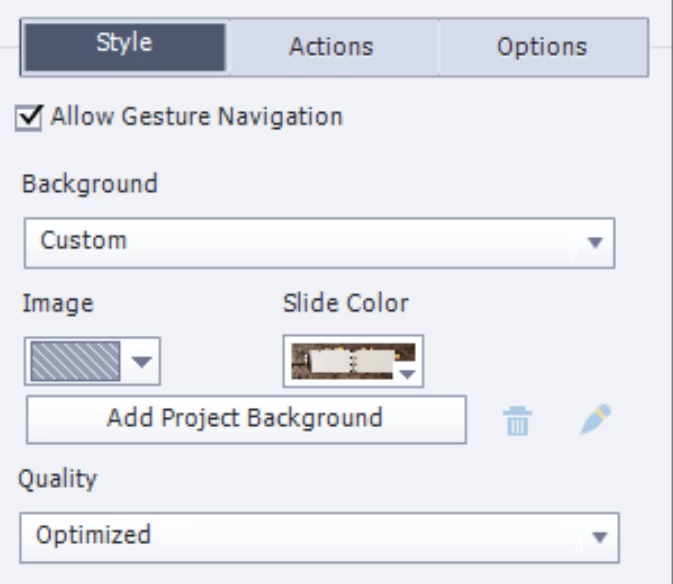
    Why do you use an eLearning authoring tool to create a video? If you want a background image you can do that in the Properties panel:

    You still didn't tell the format of the background image. 

    1 reply

    boweranjeAuthor
    Participant
    October 2, 2023

    I tried to upload the Captivate file but get an error message about the file type not matching.

    Lilybiri
    Legend
    October 2, 2023

    You cannot upload cptx files.

    But I cannot open your video file neither. How big is that file? It keeps loading.....

    Are you talking about the new Captivate version (12) or a previous version? You find the exact version number under Help, About Captivate.

    I suppose it is with an older version because you publish to video which is impossible with version 12.

    Can you post a screenshot of the Timeline? Is the image really the background or is it an individual image on top of the slide? Or is it part of a master slide? Which format has the image?

    boweranjeAuthor
    Participant
    October 2, 2023

    The video is small, only 648KB.

    I just purchased Captivate this month and it says I'm using the 2019 release. Does that seem odd?

    I will attach a screenshot of the timeline. The image is an individual image that has been "Fit to Stage". I've deleted all Master slide images (thinking that was possibly the issue).