


Inspiring
January 12, 2023
Question

Slide does not pause (Text entry box problem?)

  • January 12, 2023
  • 2 replies
  • 980 views

Hi,

I have a slide with multiple text entry boxes.
The slide audio is supposed to stop after 10 sec.

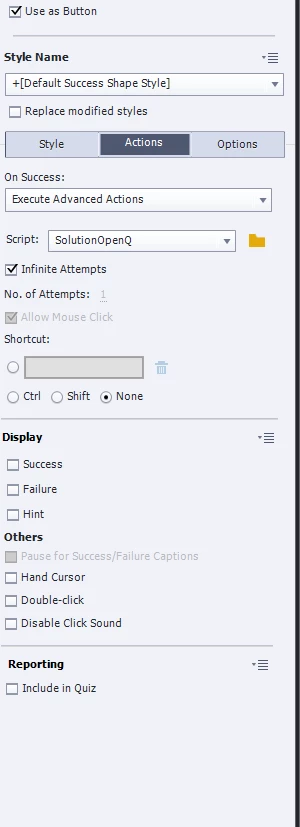
Once a button is clicked it should use an AA to continue the Audio and also display objects. (see image)

Issue:
The slide audio simply won´t stop. Even if I put in a click box that has "pause slide audio" checked...

If I set the button to pause audio when "clicked" it does that though...

Any idea what to do?


    This topic has been closed for replies.

    2 replies

    Inspiring
    January 12, 2023

    Thank you!


    Inspiring
    January 12, 2023

    Also,


    Lilybiri
    Legend
    January 12, 2023

    The shape button will pause the slide audio when the play head gets to its pausing point (is that at 10secs? Timing is invisible in the screenshot). But once it is clicked, due to the Continue command, slide audio will continue playing as well. The play head will pause again at the pausing point of the TEBs, but a TEB has no possibility to pause slide audio.

    Lilybiri
    Legend
    January 12, 2023

    Can you show the timeline and the advanced action, please?

    Slide audio is not paused by default when you have an interactive object with a pausing point. Check Options tab for that shape button: