
Slide won't automatically move to the next
I have a slide I need to automatically progress to the next slide after the audio and video play. The audio and video are both set to automatically play when the slide is entered. All my other slides in this project automatically switch to the next slide and some of them have audio and video. If I enable the PlaySkin the slide acts as I want it to, which is to play the audio and video once and then go to the next slide. However, I don't want the PlaySkin in the lesson at all. This lesson is just a quick tutorial and doesn't need the Skin.
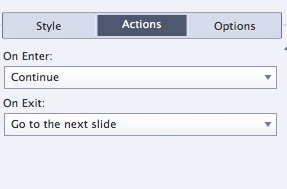
These are my actions for this slide
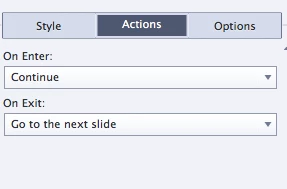
When the slide gets to the end of the audio/video, the video stops, but the audio loops. I do not have the "Loop Audio" selection enabled. And with only changing the presence of the Skin it works. Is there anyway I can fix this so that the slide automatically goes to the next without having the have the Skin?
Thanks,
Kellie
 AdChoices