
Inspiring
June 15, 2018
Question

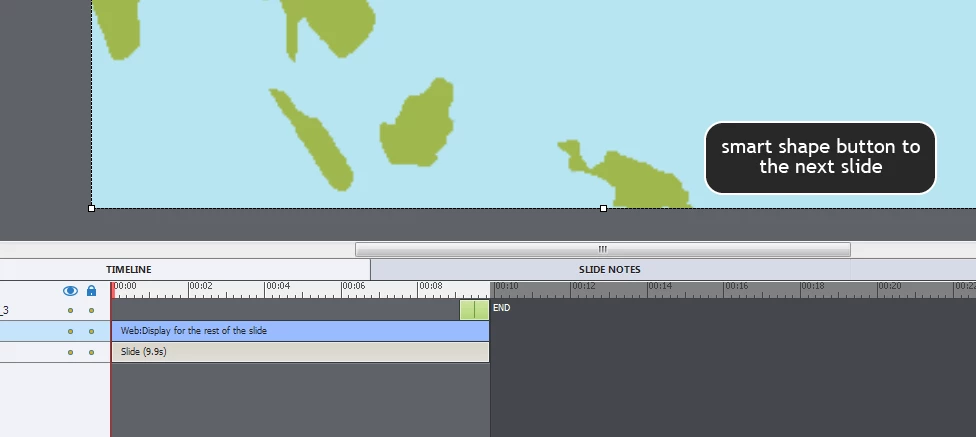
Smart shape button does not appear in front of the OAM animation

  • June 15, 2018
  • 2 replies
  • 462 views

Hi there,

I have a simple OAM animation in my Captivate 2017 project.

There is a button on the layer above the layer with the OAM animation.

The button would not appear above the animation

Is that normal? Please see the image

Thanks in advance

Bobby
This topic has been closed for replies.

2 replies

Erik Lord
Inspiring
June 15, 2018

Something I've done in similar situations, but where the animation or video has completed playing before the button appears...

Take a screenshot of the last frame of the video/animation.

Add that as a layer that comes in a couple seconds before the video finishes. When the video/animation completes, have it disappear from the screen, but the screenshot behind it looks just like the last frame, so to the user, they don't see the actual animation disappear.

Then buttons can layer on top of that screenshot.

BUT that's only helpful if the video/animation essentially plays once then can be removed from the slide (though you could always have a replay button )

Inspiring
June 18, 2018

That IS an option. Thank you Erik

Lilybiri
Legend
June 15, 2018

By default animations are always on top of the stack. You need to change

the Captivate.ini file to change that order, but that could cause other

problems.

Inspiring
June 15, 2018

Oh bummer ...

So I need to find a solution for a button inside the OAM that moves the captivate content to the next slide...

Merci Lieve

Lilybiri
Legend
June 15, 2018

Do you not have a small place outside of the animation?