
November 8, 2014
Question

Smart shape button rollover state not activating. No state change; no hand cursor on rollover.

  • November 8, 2014
  • 3 replies
  • 790 views

My smart shape is using solid color fills (green for normal, pink for rollover, grey for down). Only the normal and down states shows in the published files and in the preview. I've turned off the HTML5 publish thinking maybe it was being overridden in anticipation of being on a tablet. Still not seeing the rollover state. I do have the smart shape on top of other smart shapes. Is this the problem? The other smart shapes are not being treated as buttons...just regular old circles.

I have the hand cursor option selected and am not seeing that either. The button itself DOES work, just not the rollover state.

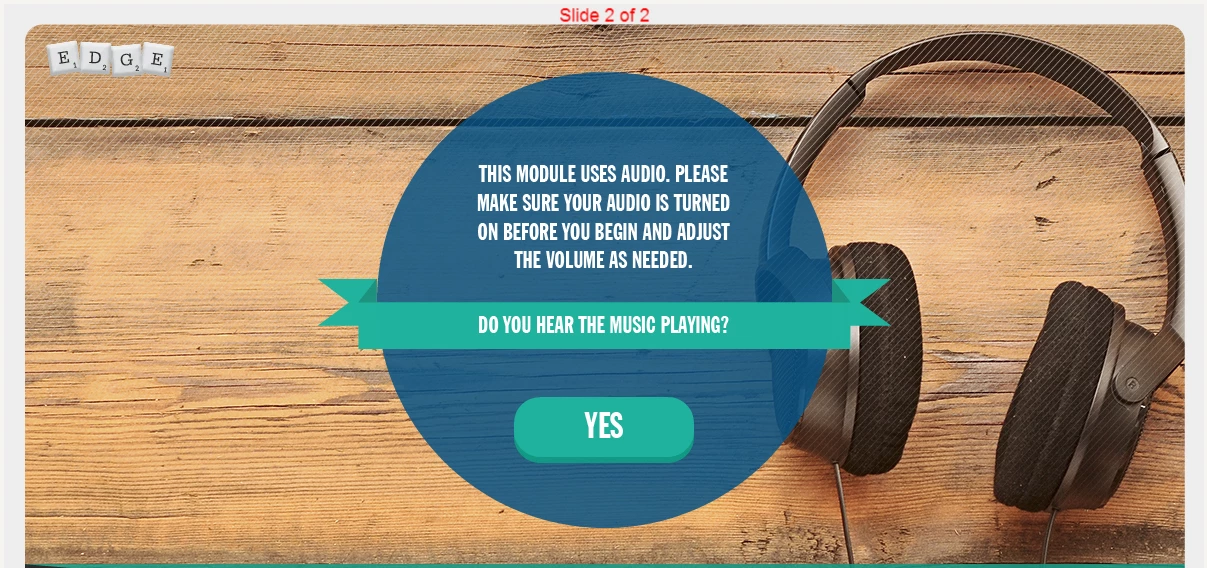
Here's the screen in question. Anything standing out? It's happening to all of the screens throughout my project. It's due on Monday...I really need to know if there's a fix out there.
This topic has been closed for replies.

3 replies

November 8, 2014

I was trying to get around having to bring the border into every slide since we wanted most of the items to be behind it. My layers are out of control as it is, haha. I guess I can just put my backgrounds in the masters instead.

The scrabble stuff was designed by someone here in my office.

November 8, 2014

So the rollovers will not work if the Master Slide Objects On Top feature is selected? That seems like a bit of a limitation. I'd already discovered that the master slide objects on top kill drag and drops, but rollovers too?

Captiv8r
Legend
November 8, 2014

Here's the deal

Looks like you had a couple of images or whatever that sat on top of the master slides as images. And you also had the "Master Slide Objects on Top" selected. So my guess is that it pushed those objects to the top of the stack. And that causes the problem, because now an image is sitting between the Smart Shape and it doesn't detect the mouseover. The good news is that the button still works. And the bad news is that it causes an issue with the mouseovers.

I suppose one solution would involve configuring that image as just the background for that content master slide, Either that, or just turn off the option to have master slide stuff on top for that slide.

Cheers... Rick

Captiv8r
Legend
November 8, 2014

Hi there

Something like this is impossible to provide an "it might be this" troubleshooting shot by just looking at a static image. Heck, even if you provided a link that opened the final result we would have the same issue. Likely, only by having access to the project file and seeing it first hand would we be able to possibly try and suggest something.

I'm doubtful it would help, but on the outside chance it may, perhaps share a screen capture of your Timeline for the slide as well as the properties for the Smart Shape.

Cheers... Rick

November 8, 2014

I can definitely supply of those things...

Course: http://mlinkreview.com/Mosaic/test/

Files: http://mlinkreview.com/Mosaic/test/EDGE_test.zip

Captiv8r
Legend
November 8, 2014

Hello again

Thanks for the links. I think I sorted it.

Click the slide in question and look at the properties. You have the option "Master Slide Objects on Top" enabled. Something about that is preventing the shape from sensing the rollover.

Click to clear that option and the mouseover should then work.

Cheers... Rick