
Question
SmartShape cuts the text when wrapping after publishing ( Cap 8, HTML5)
Hi,
In Captivate 8.1 Responsive Project. I have a paragraph of text (43 words) in a SmartShape box on a slide. The text is aligned left & top, Arial 20 and wraps fine in Captivate into 4 lines. But when published and viewed in the browser (IE & Chrome) the right side of the text disappears, chopped. (screenshot below).
I've changed different properties : font sizes, right margin, styles, even I used TextCaption instead of the smartshape.
also, I tried different settings in the "Position" tab for the SamrtShape. nothing worked.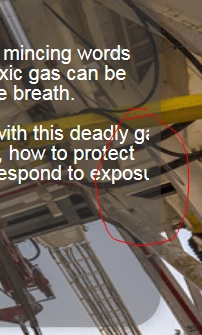
The only solution I found is to put each line of text in a separate SmartShape, which is not really practical.
thanks for help.
 AdChoices