
IDJen
Known Participant
June 29, 2017
Answered

Smartshapes as buttons and advanced actions

  • June 29, 2017
  • 1 reply
  • 477 views

Good morning,

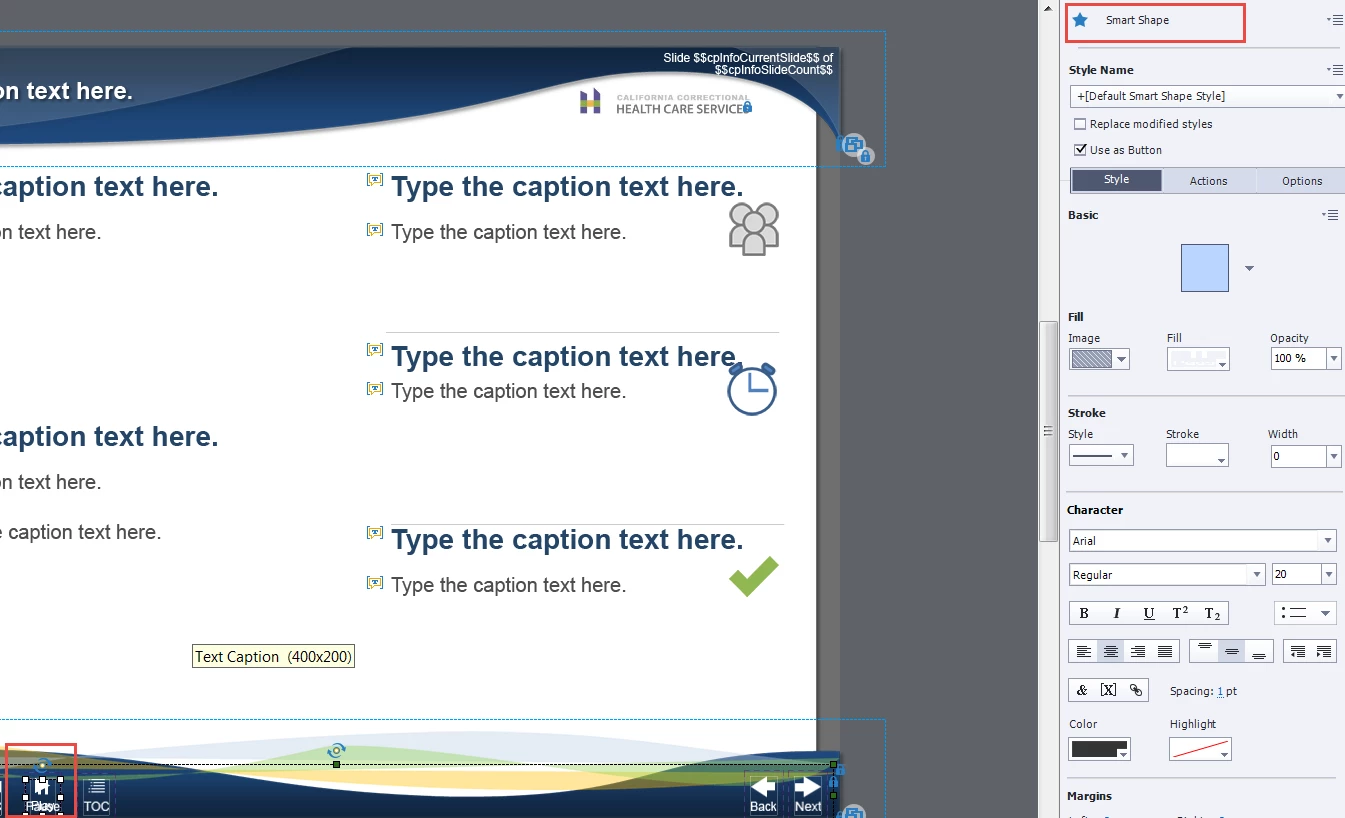
We have a template that has smartshapes as buttons for navigation on the master slide.  We are trying to set up an advanced action to toggle between a play and pause button but we are unable to rename the smartshape to complete this task.  If we try to recreate the button or even bring in a new shape to the master slide, we can't give each object a unique name.  Without a unique name we can't create an advanced action to toggle between the two buttons. Is there a ways to do accomplish this without putting the buttons on each slide?
Thanks!

Jen

This topic has been closed for replies.
Correct answer Lilybiri

Objects on master slides do not have an ID, which makes it impossible to use them as multistate buttons where states are controlled by advanced actions.

The alternative which makes this possible is to put the shape button on the first slide, time it for the rest of the project, always on top.

I compared the two in this old blog post:

Why I like Shape Buttons - Captivate 6! - Captivate blog

Since you are probably on a more recent version (it helps if you always mention the version), maybe this blog post could be of interest, because it explains how to use one shared action for 5 different toggle buttons:

1 action = 5 Toggle Buttons - Captivate blog

1 reply

Lilybiri
LilybiriCorrect answer
Legend
June 29, 2017

Objects on master slides do not have an ID, which makes it impossible to use them as multistate buttons where states are controlled by advanced actions.

The alternative which makes this possible is to put the shape button on the first slide, time it for the rest of the project, always on top.

I compared the two in this old blog post:

Why I like Shape Buttons - Captivate 6! - Captivate blog

Since you are probably on a more recent version (it helps if you always mention the version), maybe this blog post could be of interest, because it explains how to use one shared action for 5 different toggle buttons:

1 action = 5 Toggle Buttons - Captivate blog

IDJen
IDJenAuthor
Known Participant
June 29, 2017

Thank you!  You always give the BEST answers.  We'll give that a shot. 

BTW...we are on Captivate 9. 

Lilybiri
Legend
June 29, 2017

You're welcome!